
Published August 13, 2026 · Updated September 1, 2026 · By Sumbat.T
Best Dictation Software and Apps in 2026 (Free and Paid)
Short Answer
If you write on a Windows computer and want one dictation app that works everywhere, pick BlabbyAI ($8.49/month, free tier, works in every program). If you write in a browser or on a Mac or Chromebook, the BlabbyAI Chrome extension covers the same job with nothing to install. If you want the free built-in option, press Win+H for Windows voice typing (or use Apple Dictation on a Mac). If you need medical or legal vocabulary out of the box, pick Dragon.
Everything below is the detail behind that answer: 11 dictation apps compared by accuracy engine, app coverage, and what they actually cost. Disclosure: we build BlabbyAI, so read our #1 pick with that in mind. The other ten entries are as honest as we can make them.
Our #1 pick






BlabbyAI: one shortcut, every program
Press Ctrl+Space anywhere on Windows and speak. Punctuated, formatted text lands where your cursor is. 60 credits a week free, no card. $8.49/month unlimited, against $12 to $15 for the tools it competes with.
Most people speak at 130 to 150 words per minute but type at around 40 (Mobius MD). A good dictation app closes that gap: you talk, and finished text lands in whatever you are writing. The catch is that "dictation app" now covers everything from a free button on your keyboard to $699 professional software, and the right pick depends on where you write, what device you use, and how much cleanup you are willing to do.
This guide compares the 11 dictation apps worth knowing in 2026, including the free built-ins that cover casual use. For the broader background on how the technology works, see our complete speech to text guide, and for a deeper buyer's comparison, our dictation software hub.
How we evaluated
We compared every app on the same five criteria: the speech engine and its accuracy ceiling, app coverage (one app vs system-wide), punctuation and formatting quality, privacy policy, and real price. Data comes from vendor documentation and pricing pages, public benchmarks like MLCommons, and aggregated user reviews on Trustpilot and the app stores. Prices were verified in August 2026. We build BlabbyAI, and we say so wherever it matters.
The best dictation apps at a glance
| App | Best for | Free plan | Paid price |
|---|---|---|---|
 BlabbyAI BlabbyAI | Best overall on Windows | 60 credits/week (~2,000 words) | $8.49/mo unlimited |
 Windows Voice Typing Windows Voice Typing | Best free built-in (Windows) | Fully free | None |
 Wispr Flow Wispr Flow | Cross-platform native apps | 14-day trial | $12 to $15/mo |
 Dragon Professional Dragon Professional | Medical/legal vocabulary, offline | No | ~$699 one-time |
 Willow Voice Willow Voice | Mac professionals | Limited free tier | $15/mo |
 superwhisper superwhisper | Mac power users, local models | Free tier | Free tier, paid Pro monthly, yearly or lifetime |
 Apple Dictation Apple Dictation | Best free built-in (Mac, iPhone) | Fully free | None |
| Google Docs Voice Typing | Free drafting inside Docs | Fully free | None |
 Gboard Voice Typing Gboard Voice Typing | Best free on Android | Fully free | None |
 SpeechTexter SpeechTexter | Free online notepad | Fully free | None |
 Otter.ai Otter.ai | Meeting transcription (not dictation) | 300 min/mo | From $8.33/mo annual |
1. BlabbyAI: best dictation app overall on Windows
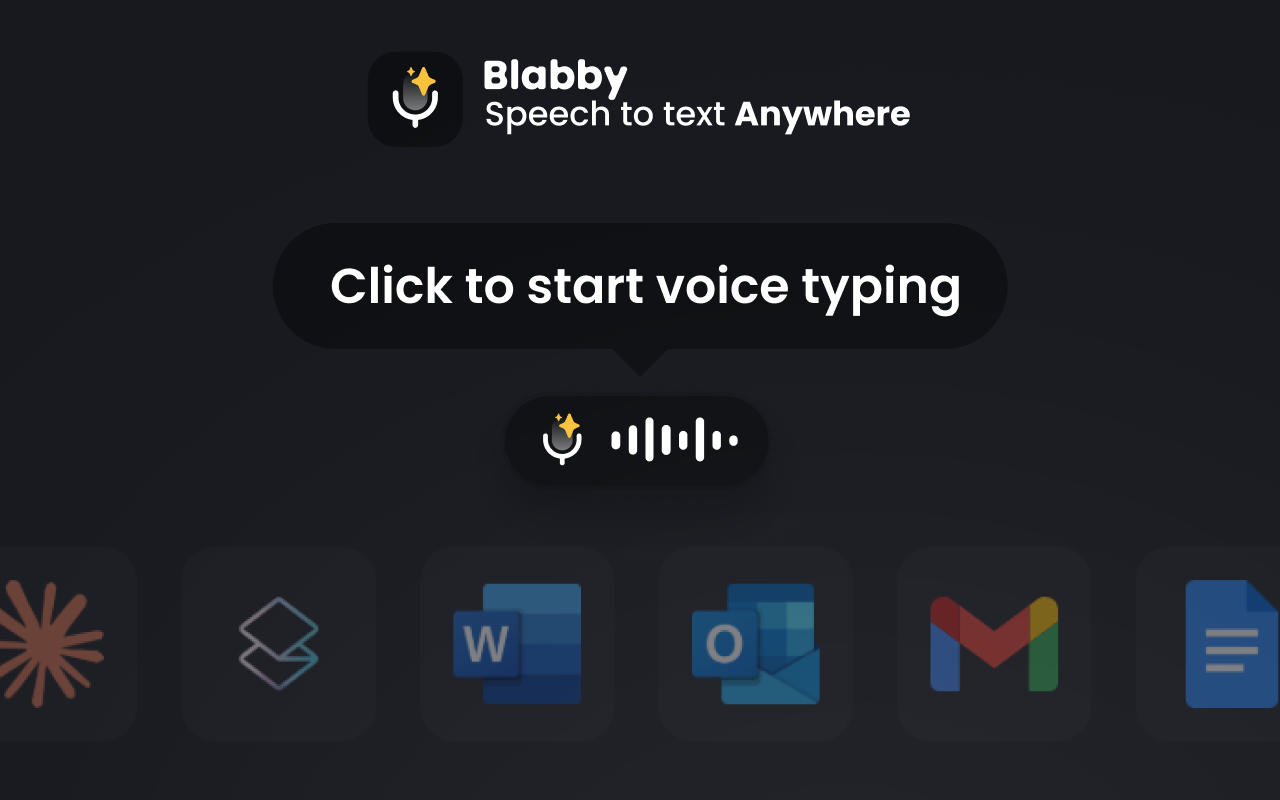
Best for: anyone who writes across multiple apps on a Windows computer and wants finished text, not a raw transcript.
BlabbyAI is a native Windows app (with a Chrome extension for other platforms) built on OpenAI's Whisper large v3 turbo model. You press Ctrl+Space in any text field, speak, press again, and the transcribed text is typed where your cursor was, with punctuation and casing handled from your tone. Its custom AI modes are the feature the built-ins cannot match: one shortcut can transcribe your speech and then have an AI fix grammar, translate to English, or format it as an email before it lands. It supports 90+ languages with auto-detect, lets you teach it custom spellings for names and jargon, and keeps a local History of your audio on your own machine, so a failed transcription never loses your words.
- Pros: works in every app; automatic punctuation; custom AI modes; 90+ languages; zero-data-retention transcription; free weekly tier with no card.
- Cons: Windows-first (Mac users get the Chrome extension, not a desktop app); needs an internet connection; free tier is capped weekly.
- Price: free to start (60 credits/week, roughly 2,000 words), $8.49/month for unlimited Windows use.
Disclosure: BlabbyAI is our product. The pitch in one line: it covers the same system-wide AI dictation as the $12 to $15 tools below, at $8.49, with a free tier to test on your own voice.
2. Windows Voice Typing: best free built-in on Windows
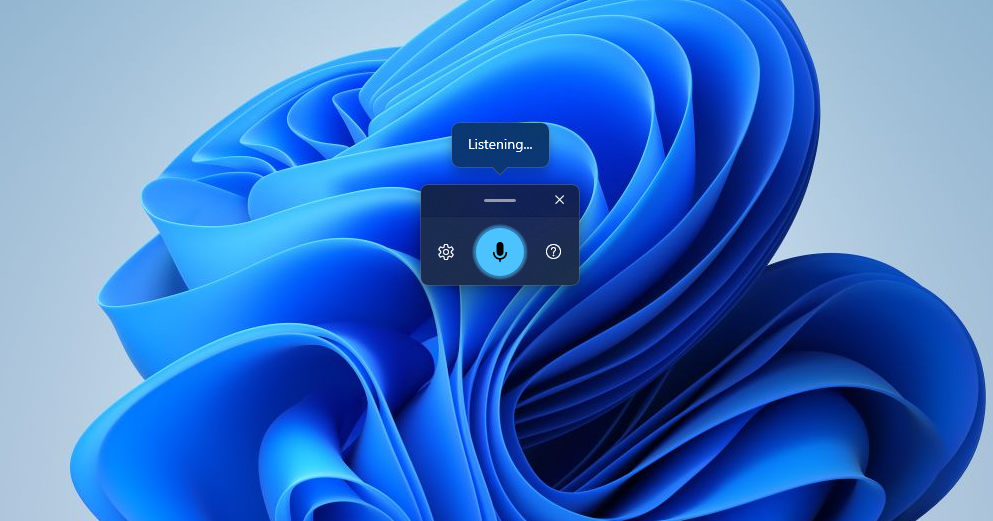
Best for: occasional dictation with zero setup and zero cost.
Press Win+H in almost any text field on Windows 10 or 11 and a small microphone bar appears. Accuracy is decent in quiet rooms, there is an auto-punctuation toggle, and it costs nothing. It is the right answer if you dictate a few short notes a week. Its limits show up with daily use: punctuation is inconsistent, there are no formatting or AI cleanup options, and it depends on Microsoft's online speech services for best results. See our full guide to voice typing on Windows 11.
- Pros: free; already installed; one keypress away.
- Cons: weaker accuracy than AI tools; hit-or-miss punctuation; no custom vocabulary or modes.
- Price: free with Windows.
3. Wispr Flow: best for native apps on every platform
Best for: people who need polished dictation on Mac, Windows, iPhone, and Android under one subscription.
Wispr Flow is the best-funded name in AI dictation, with native apps on all four major platforms, filler-word removal, and a wake word. Output quality is strong. The trade-offs: it is priced at the top of the range ($15/month, or $12 billed annually), the Windows app is Electron-based and heavy (reviewers report around 800MB of RAM while idle), and its Trustpilot rating sits at 2.7 out of 5 as of April 2026, with a recurring complaint that quality feels inconsistent after the trial. Our full Wispr Flow comparison covers the details.
- Pros: native apps everywhere; filler-word removal; enterprise compliance options.
- Cons: most expensive mainstream option; heavy Windows app; mixed post-trial reviews.
- Price: $15/month, or $12/month billed annually. 14-day trial.
4. Dragon Professional: best for specialty vocabulary and offline use

Best for: medical, legal, and enterprise users who need domain vocabulary out of the box and local processing.
Dragon by Nuance has been the professional standard for two decades. It processes speech locally (good for compliance), supports deep custom vocabularies and voice commands, and its Medical and Legal editions understand jargon that trips up general models. Against modern AI dictation it feels heavy: around $699 one-time for Professional, voice training to reach peak accuracy, and a Windows interface that shows its age. If you are considering it for general writing rather than specialty work, read our Dragon alternative guide first.
- Pros: specialty vocabularies; offline; mature command system.
- Cons: expensive; Windows-only desktop; dated experience; needs training time.
- Price: around $699 one-time (Professional); subscription editions for mobile and enterprise.
5. Willow Voice: best for Mac professionals
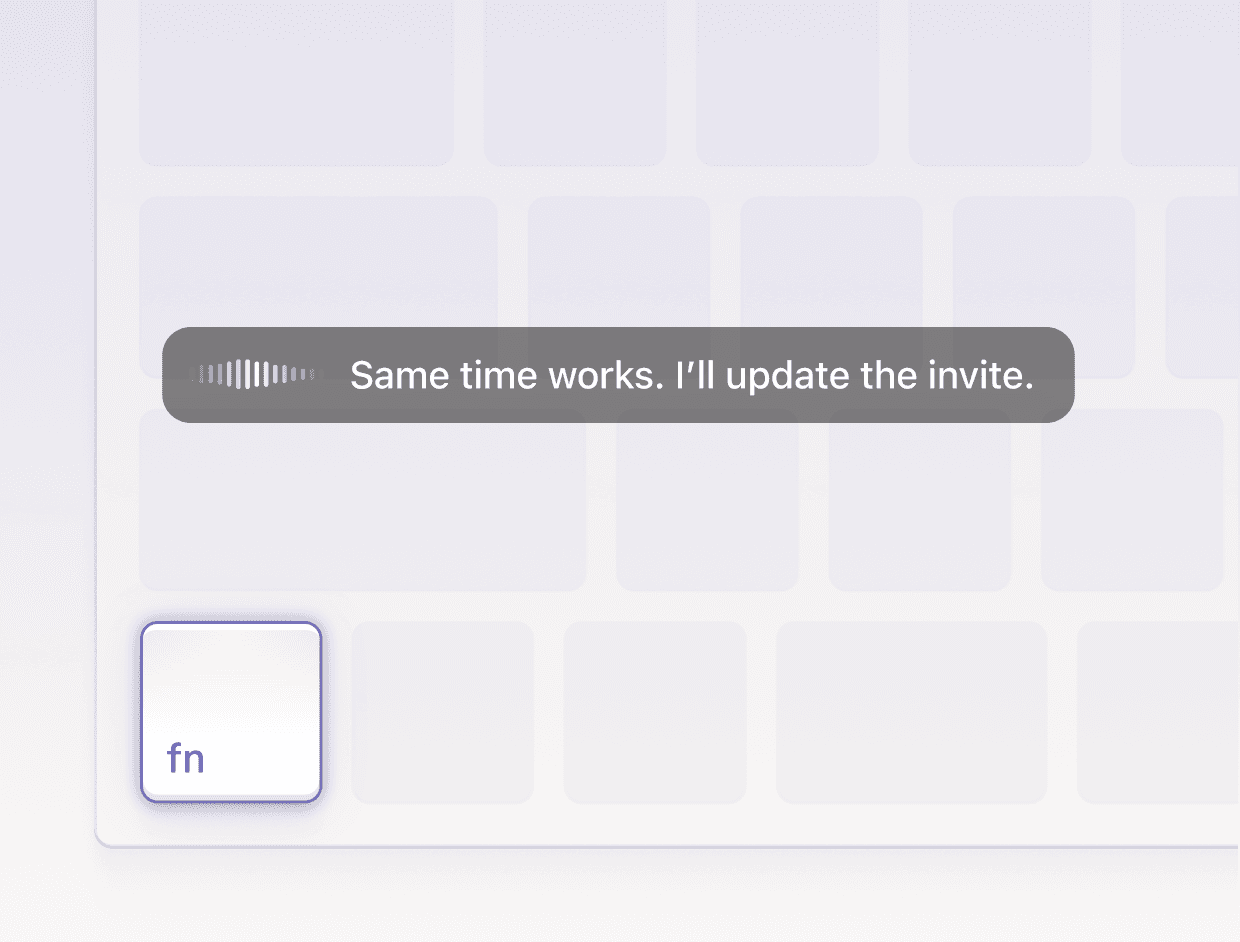
Best for: Mac users who want a minimal, polished system-wide dictation tool.
Willow Voice is a Mac-first AI dictation app with clean output, automatic formatting, and context awareness. It is well reviewed by its users and simple to live with. It costs $15/month, its customization is intentionally shallow (you get what it decides is clean text), and Windows users are not its priority. Our Willow Voice comparison goes deeper.
- Pros: polished Mac experience; good formatting; low learning curve.
- Cons: $15/month; limited customization; Mac-first.
- Price: $15/month with a limited free tier.
6. superwhisper: best for Mac power users and local models
Best for: tinkerers who want on-device Whisper models and per-app configuration, mainly on Mac.
superwhisper runs Whisper models locally on Apple Silicon, offers custom modes similar in spirit to BlabbyAI's, and now ships a Windows app too, though the Mac version is clearly the lead platform. Pricing is fair: a free tier plus a paid Pro plan billed monthly, yearly or as a one-time lifetime licence, with Pro monthly listed at $8 in the structured data on its own site. Check its pricing page for current figures, since third-party blogs quoting them disagree with each other. If you are on Windows, see how it compares in our superwhisper for Windows guide.
- Pros: local processing option; custom modes; lifetime pricing.
- Cons: Mac-first with a younger Windows app; local models trade some accuracy for privacy.
- Price: free tier; paid Pro billed monthly, yearly or as a one-time lifetime licence. Confirm current figures on superwhisper's own pricing page.
7. Apple Dictation: best free built-in on Mac and iPhone
Best for: Apple users who want free dictation that is already on every device they own.
Apple Dictation is built into macOS and iOS, works offline on newer devices, and handles everyday dictation well, including automatic punctuation on recent versions. It is the obvious first stop on an iPhone. Long-form writers tend to outgrow it: sessions can time out, custom vocabulary is limited, and there is no AI cleanup or formatting layer.
- Pros: free; on-device on newer hardware; deeply integrated.
- Cons: Apple devices only; limited control; not built for long documents.
- Price: free with macOS and iOS.
8. Google Docs Voice Typing: best free option inside Docs
Best for: drafting documents in Google Docs without installing anything.
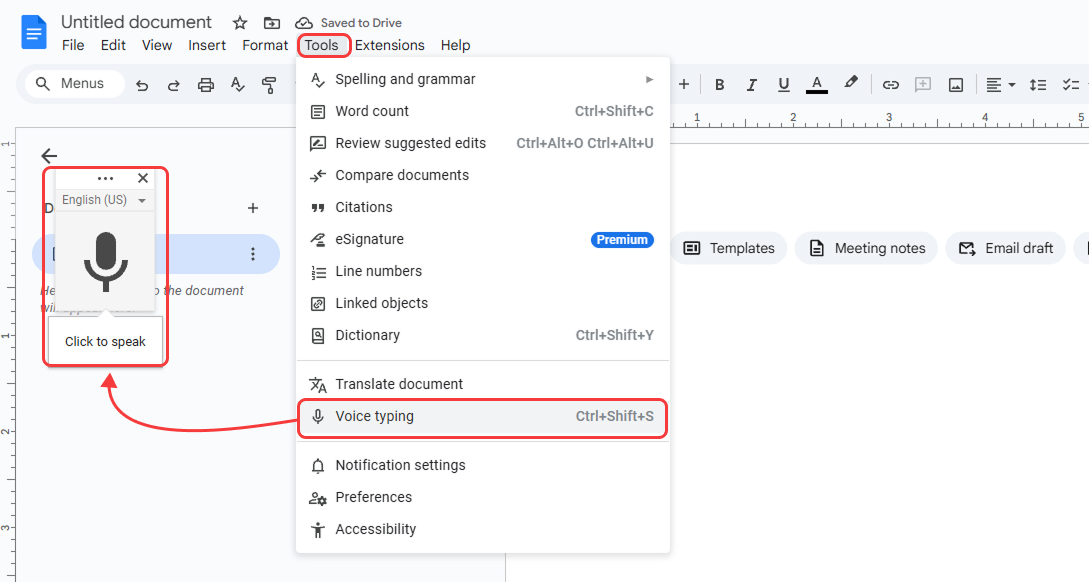
Under Tools, Voice typing gives you free dictation inside Google Docs in Chrome, with voice commands for punctuation and formatting. It is genuinely useful for drafting, and it is free. It only works in Docs in the browser, punctuation is manual by default, and it stops listening when you switch tabs. Setup, the full command list, and fixes are in our Google Docs voice typing guide.
- Pros: free; no install; decent command set.
- Cons: Docs-only; manual punctuation; Chrome browser required.
- Price: free.
9. Gboard Voice Typing: best free option on Android
Best for: dictating messages and notes on an Android phone.
Tap the microphone on Google's keyboard and speak. On Pixel and other recent devices, Assistant voice typing handles punctuation automatically and works partly on-device. For phone-length text it is excellent and free; nobody should pay for basic mobile dictation. It is not a tool for long-form writing at a desk, which is where the desktop apps above take over.
- Pros: free; fast; automatic punctuation on recent devices.
- Cons: mobile only; limited formatting control.
- Price: free.
10. SpeechTexter: best free online dictation notepad
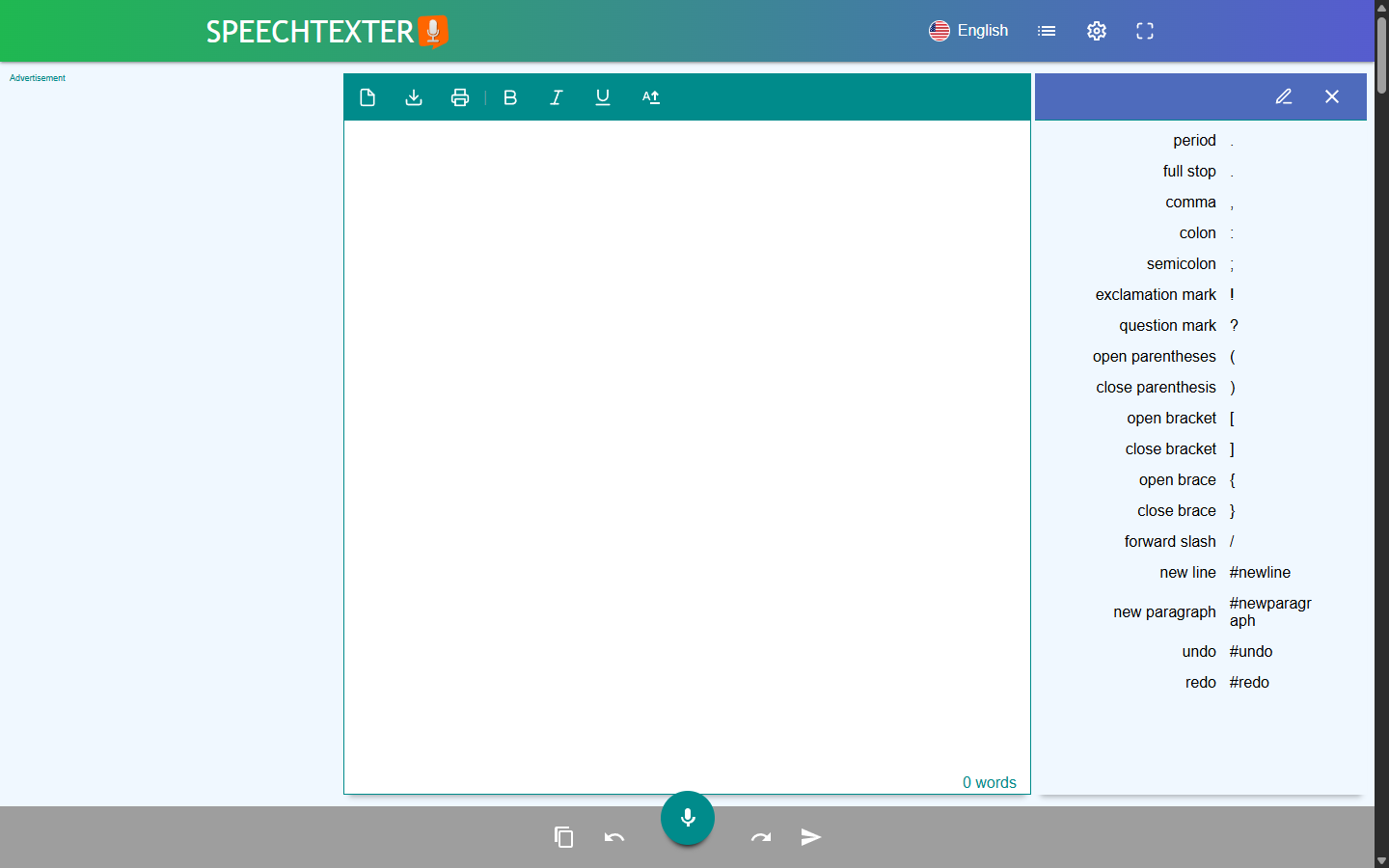
Best for: quick free dictation into a web notepad you then copy elsewhere.
SpeechTexter is a free website: open it, hit the microphone, and dictate into its notepad in 70+ languages, with custom voice commands for punctuation. Like Speechnotes and dictation.io, it runs on the browser's built-in speech engine, so accuracy is a step below Whisper-class tools and everything you dictate has to be copied out to wherever you actually needed it. See how it compares in our SpeechTexter comparison.
- Pros: completely free; no install or account; many languages.
- Cons: notepad-only workflow; browser speech engine accuracy; manual punctuation.
- Price: free.
11. Otter.ai: best for meetings (transcription, not dictation)
Best for: people who actually need meeting notes, not live dictation.
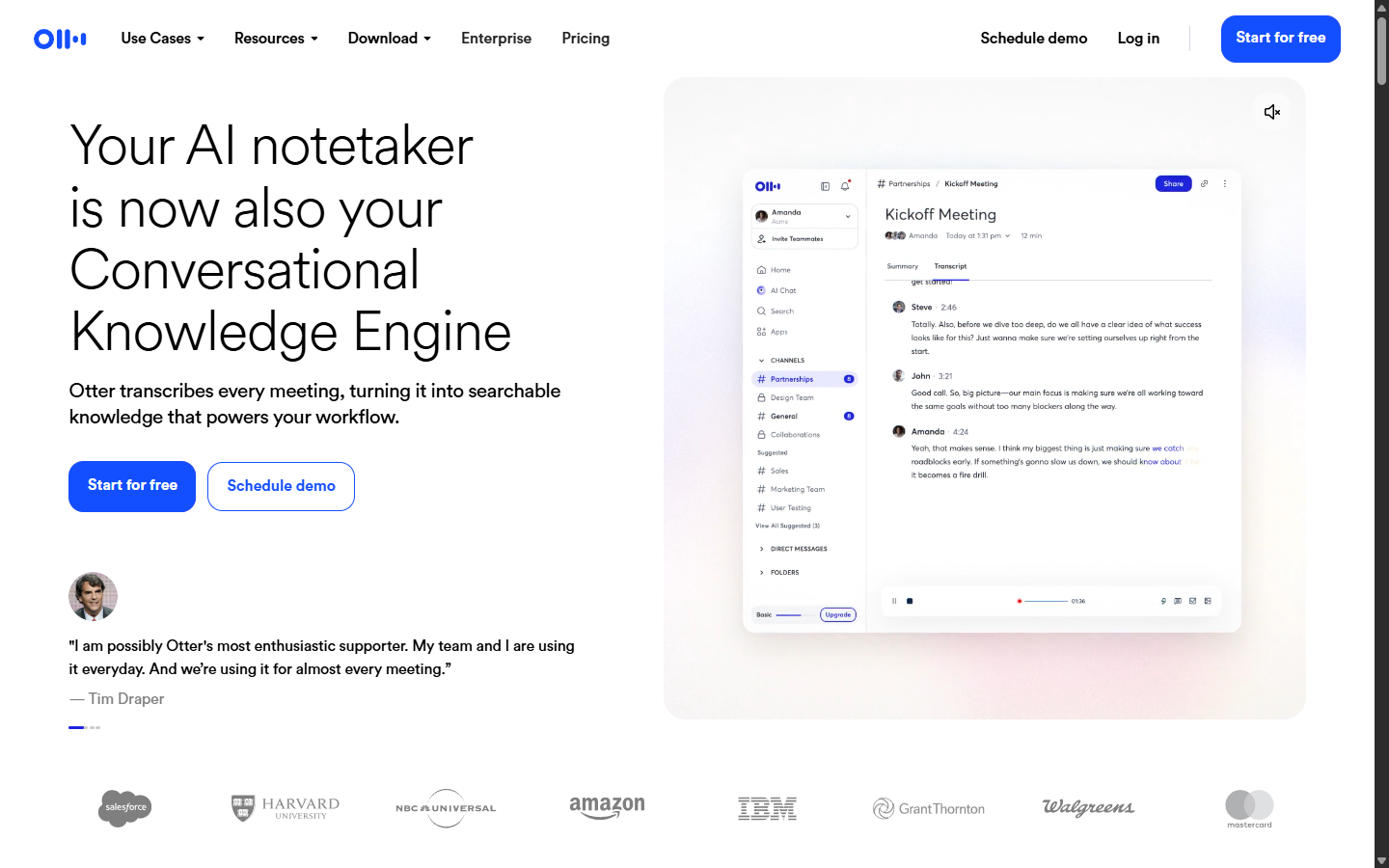
Otter appears in every dictation roundup, so it earns a slot here for clarity: it is a transcription tool. It joins your Zoom, Meet, and Teams calls, transcribes them with speaker labels, and summarizes. What it does not do is type into your documents as you speak. If your real need is "write with my voice," pick a dictation app from this list; if it is "capture what was said in meetings," Otter is the category leader.
- Pros: excellent meeting capture; speaker labels; generous free tier.
- Cons: not a dictation tool; per-minute caps on free and paid tiers.
- Price: free tier (300 min/month); Pro from $8.33/month billed annually.
Best dictation software vs best dictation app: does the wording matter?
Not really, and it is worth saying so plainly because the two searches return almost the same tools. Historically "dictation software" meant a heavyweight desktop install you trained for weeks, Dragon being the archetype, while "dictation app" meant something lighter on a phone. That split has mostly collapsed. The tools people actually run in 2026 are small desktop utilities driven by a shortcut, and they sit in both categories at once.
Where the wording still tells you something is in what people expect underneath it. A search for dictation software usually carries three assumptions worth checking against any tool on this page.
Runs everywhere
Desktop software is expected to work in every window, not one editor. Google Docs voice typing and Word Dictate fail this test: they are features of one app, not dictation software.
Handles your vocabulary
Professional use means proper nouns, drug names, case citations, and product names. Without custom spelling or vocabulary training, you will retype the same word every day.
Survives a long day
Free browser demos are fine for a paragraph. Software gets judged on the fiftieth recording of the day, where a laggy toolbar or a lost transcript actually costs you something.
Which dictation software is the most accurate?
Almost every tool on this list now sits in the same narrow band, because most of them license the same handful of underlying engines. So the useful question is which engine a tool runs and how well your setup feeds it, rather than whose marketing page claims the highest number.
| Tool | Engine underneath | Processing |
|---|---|---|
| BlabbyAI | OpenAI Whisper large v3 turbo | Cloud, zero data retention |
| superwhisper | Whisper variants, local models available | On-device or cloud |
| Dragon Professional | Nuance proprietary, user-trained | On-device |
| Windows voice typing | Microsoft speech services | Cloud |
| Apple Dictation | Apple speech recognition | On-device on recent hardware |
Two things move accuracy more than the choice between these rows. The first is your microphone: a headset with a boom arm beats a laptop lid microphone by a wider margin than any two engines here differ from each other. The second is whether the tool can be taught your vocabulary, because a 99% accurate transcript that misspells your client's name in every paragraph still needs editing.
Treat vendor accuracy percentages with suspicion. They are almost never measured on your audio, your accent, or your vocabulary, and the test conditions are rarely published. A free trial on your own microphone, dictating the words you actually use at work, tells you more in ten minutes than any published figure.
What does dictation software cost?
Three pricing shapes exist, and picking the wrong one is the most common way people overpay. Match the shape to how often you actually dictate, not to how often you imagine you will.
Free and built in
$0
Windows voice typing, Apple Dictation, Gboard, and Google Docs voice typing cost nothing because they ship with software you already own. Accuracy is decent, punctuation usually is not, and none of them learn your vocabulary.
Worth it when: you dictate occasionally and can live with cleaning up punctuation by hand.
Subscription
roughly $8 to $15 a month
The current standard for AI dictation tools, BlabbyAI ($8.49/month) and Wispr Flow ($15/month, $12 billed annually) among them. You get a maintained cloud model, so accuracy improves without you reinstalling anything.
Worth it when: you dictate most working days and the time saved clears roughly a coffee a week.
One-time licence
around $699
Dragon Professional is effectively the only remaining option in this shape. You pay once, own that version, and train it on your own voice and vocabulary, which is still unmatched for specialist terminology.
Worth it when: you need deep medical or legal vocabulary and prefer a capital cost to a recurring one.
One caveat on the free tier of any paid tool, ours included: free credits exist to let you test accuracy on your own voice, not to cover a working week. Judge them on whether the transcript quality holds up, then decide if the daily use justifies the subscription.
What actually changed in dictation this year
If you last looked at voice dictation software a few years ago, the list you found then is close to useless now. Three things moved, and together they explain why the recommendations on this page look nothing like a 2022 roundup.
Training disappeared
Dragon's advantage was that you trained it for hours on your own voice. Whisper-class models arrive already accurate on almost any accent, so the training step that defined the category is simply gone. Nothing on this list asks you to read passages aloud before you start.
The output became finished text
Older tools transcribed sounds into words and left punctuation to you. Current ones run the transcript through a language model, so paragraphs, commas and casing come back done. That single step is most of the difference people feel when they switch.
The price collapsed
Professional dictation used to mean a several-hundred-dollar licence. The going rate is now $8 to $15 a month, and the free tiers are real products rather than demos. Paying $699 in 2026 only makes sense for specialist vocabulary.
The practical consequence is that the old buying advice inverted. It used to be worth paying a lot for accuracy, because accuracy was scarce. Accuracy is now roughly a solved problem across the whole list, so what you are actually choosing between is coverage (does it work everywhere you type, or in one app), formatting (does it hand you finished text), and price. That is the order this page ranks them in, and it is why BlabbyAI sits at the top for Windows: it covers every program, formats as it types, and costs $8.49.
The best dictation software for a small business
Buying for a team changes the question. On your own you optimise for accuracy and price. For five or fifty people you are really buying three other things: a per-seat cost you can predict, something staff can start using without training, and no work for whoever handles IT. Those constraints rule out more of this list than accuracy ever does.
01
Per-seat and predictable, not per-minute
Dictation tools charge per user per month. Transcription services charge per minute of audio, which is how a finance team ends up with a bill nobody forecast. BlabbyAI is $8.49 per user per month for unlimited dictation, so ten staff is $84.90 a month whether they dictate for ten minutes or six hours.
02
It has to work in the software you already run
This is where per-app tools fail a business. If dictation only works inside one word processor, everyone who lives in a CRM, a helpdesk, a shared inbox or a line-of-business app gets nothing. System-wide tools type into any focused text field, which means no integration project and no per-app rollout.
03
Locked-down laptops decide this for you
Plenty of small businesses issue managed machines where staff cannot install a .exe. That single fact removes most desktop dictation apps from consideration. A browser extension is usually approvable where an installer is not, which is why the Chrome extension matters here rather than being a lesser option.
04
Specialist vocabulary is the one reason to pay more
A clinic or a law firm dictating drug names, procedure codes or case citations is the case where Dragon still earns its price, because it is trained on those vocabularies. For general business writing, custom spellings in an AI tool cover the handful of product and client names you actually need.
Put together, the shape most small businesses want is a per-seat subscription that runs system-wide and offers a browser option for managed machines. Of the tools here, BlabbyAI and Wispr Flow both fit it; BlabbyAI is roughly 43% cheaper per seat at $8.49 against $15, and ships the Chrome extension for staff who cannot install desktop software. Dragon is the outlier worth its price only where the vocabulary is genuinely specialist.
The best free dictation software, and where free stops
"Free" covers two different things here and mixing them up is why people end up disappointed. A built-in is free forever and will never improve. A free tier on a paid tool gives you the full AI product up to a limit, so it tells you whether the paid version is worth it. Both are useful; they answer different questions.
| Free option | What you get | Where it stops |
|---|---|---|
| Windows voice typing (Win+H) | Unlimited dictation in any Windows text field | Needs an internet connection, and punctuation is spoken by hand |
| Apple Dictation | Unlimited, works offline on newer devices | Mac and iPhone only, no AI cleanup |
| Google Docs voice typing | Unlimited inside Google Docs | Only inside Docs, in Chrome |
| Gboard voice typing | Unlimited on Android, on-device | Phone keyboard only |
| BlabbyAI free tier | The full AI product: 60 credits a week, roughly 2,000 words, no card | Weekly cap, so it tests the tool rather than replacing it |
| Wispr Flow free tier | 2,000 words a week on desktop, 1,000 on iPhone | The three separate limits are not shown on the pricing card |
| SpeechTexter | Unlimited dictation in a browser notepad | You copy the text out yourself |
The honest recommendation: start with the built-in you already own. If the punctuation cleanup annoys you within a week, that annoyance is exactly what the paid tools remove, and a free tier is how you check the difference on your own voice before paying for anything.
How to choose in 30 seconds
- You write all day on Windows: BlabbyAI. Free to test, $8.49/month if it sticks.
- You dictate twice a week: the built-in you already have (Win+H, Apple Dictation, Gboard).
- You live in Google Docs: start with Docs voice typing, upgrade when manual punctuation gets old.
- You need medical or legal vocabulary: see our breakdown for lawyers for how defined terms and citations actually behave. Dragon, or an AI tool with custom modes and custom spelling if the budget does not stretch.
- You need your phone covered too: Wispr Flow paid, or free built-ins per device.
Frequently asked questions
What is the best dictation app in 2026?
For most people writing on a Windows computer, BlabbyAI is the best dictation app in 2026: it works in every app with one shortcut, punctuates automatically from your tone, and is free to start. If you want a zero-install option, Windows voice typing (Win+H) is the best free built-in.
What is the best free dictation app?
Windows voice typing (press Win+H) and Google Docs voice typing are the best fully free options. If you want AI-grade accuracy for free, BlabbyAI includes 60 free credits every week, roughly 2,000 words of dictation, with no credit card required.
What is the best dictation app for Windows?
BlabbyAI. It is built Windows-first: a native desktop app, a global Ctrl+Space shortcut that works in any program, automatic punctuation, custom AI modes, and local History that keeps your audio on your machine. Unlimited use is $8.49/month, with a free weekly tier.
What is the best dictation app for iPhone or Android?
On mobile, use the built-in options first: Apple Dictation on iPhone (the microphone on the keyboard) and Gboard voice typing on Android. They are free, fast, and integrated into every app. Wispr Flow is the strongest paid mobile option if you need AI cleanup on your phone.
Is Dragon still the best dictation software?
Dragon is still the specialist choice for medical and legal vocabularies and for fully offline dictation, but at around $699 one-time it is hard to justify for general writing. Modern AI dictation apps match or beat its everyday accuracy without voice training, at consumer prices.
What is the most accurate dictation app?
Apps built on Whisper-class AI models currently lead: OpenAI's Whisper reached 97.93% word accuracy on clean audio in MLCommons' 2025 benchmark. BlabbyAI runs Whisper large v3 turbo, from the Whisper large-v3 family,. Real-world accuracy still depends on your microphone, accent, and background noise.
Do dictation apps work offline?
A few do. Apple Dictation works offline on newer devices, Dragon processes locally, and superwhisper offers on-device models on Mac. Most AI dictation apps, including BlabbyAI, transcribe in the cloud because larger models are meaningfully more accurate than what runs on a laptop.
Are dictation apps private?
It varies, so check each vendor. BlabbyAI transcribes under a zero-data-retention policy, and its History feature stores your audio locally on your own machine rather than on a server. If privacy is your top requirement, prefer tools with ZDR policies or on-device processing.
What is the difference between dictation and transcription?
Dictation types your words live into the field you are writing in, as you speak. Transcription converts a finished recording, like a meeting, into a text document afterwards. Tools like Otter are transcription-first; tools like BlabbyAI, Wispr Flow, and Dragon are dictation-first.
What is the best dictation software for a small business?
For a small team on Windows, a per-seat subscription tool is usually the right shape: BlabbyAI at $8.49 per user per month works in every program your staff already use, with no per-app setup or IT integration work. Dragon makes sense instead if your business runs on specialist medical or legal vocabulary and you prefer a one-time licence cost per machine.
Is dictation software the same as a dictation app?
In 2026 they mostly describe the same tools. The old distinction was that dictation software meant a heavyweight trained desktop install like Dragon, while an app meant something lighter or mobile. Today most options are small desktop utilities driven by a keyboard shortcut, so the two searches return nearly identical lists.
Is there a dictation app that works in every program?
Yes, that is what system-wide dictation apps do. BlabbyAI (Windows), Wispr Flow (Mac, Windows, mobile), and Dragon (Windows) all type into whatever text field you have focused, so the same shortcut works in email, documents, chat apps, and your browser.
Does Windows 11 have built-in dictation software?
Yes. Press Win+H in any text field to open Windows voice typing, which is free and unlimited. Windows 11 also includes voice access, a broader hands-free control feature that works without an internet connection, while Win+H voice typing requires one. Neither punctuates automatically the way an AI dictation app does.
What is the best software for voice typing?
For voice typing across every program on Windows, BlabbyAI at $8.49/month is the strongest pick: one shortcut, automatic punctuation, and no per-app setup. For free voice typing, use Win+H on Windows, Apple Dictation on Mac and iPhone, or Google Docs voice typing if you draft inside Docs.
How much does dictation software cost?
Three shapes exist in 2026. Built-in options (Win+H, Apple Dictation, Gboard, Google Docs) are free. AI dictation subscriptions run roughly $8 to $15 a month, with BlabbyAI at $8.49 and Wispr Flow at $15 ($12 billed annually). One-time licences are effectively just Dragon Professional at around $699.
Can I use dictation software on a locked-down work laptop?
Often yes, through the browser. Managed machines frequently block .exe installers but permit Chrome extensions, so a browser-based dictation tool works where a desktop app cannot be installed. The BlabbyAI Chrome extension dictates into any text field in the browser, including Gmail, Google Docs, Notion, and web-based CRMs, with nothing to install locally.
Try the #1 pick free
BlabbyAI: system-wide AI dictation on Windows. 2,000 words a week free.
Sources
- MLCommons, speech recognition word accuracy benchmark (2025), via mlcommons.org.
- Mobius MD, "Typing vs. Dictation: Which is faster?," mobius.md.
- Wispr AI, Inc., pricing, wisprflow.ai/pricing (retrieved 2026-08-13); Trustpilot rating as of April 2026.
- Willow Voice, willowvoice.com (retrieved 2026-08-13).
- superwhisper, superwhisper.com (retrieved 2026-08-13).
- Nuance, Dragon Professional, nuance.com (retrieved 2026-08-13).
- Otter.ai, pricing, otter.ai/pricing (retrieved 2026-08-13).
- SpeechTexter, speechtexter.com (retrieved 2026-08-13).