
Published July 20, 2026 · By Sumbat.T
Willow Voice Alternative: BlabbyAI vs Willow Voice in 2026
Quick Verdict
- Willow Voice is a polished, Mac-first AI dictation app that added a Windows build in January 2026 and an iPhone app. It is accurate and well-designed, and it costs $15/month.
- BlabbyAI is Windows-first, built for Windows 10 and 11 from day one, with an Android app and a Chrome extension alongside, and runs on OpenAI's Whisper v3 Turbo. Willow started on Mac and added Windows in January 2026, so Windows is where it went second.
- BlabbyAI keeps dictation snappy for LLM prompting: its default is fast, raw transcription with no forced AI rewrite, and fully customizable modes you turn on only when you want cleanup, translation, or reformatting.
- Unlimited Windows use is $8.49/month, roughly 43% cheaper than Willow Pro. For Windows dictation, BlabbyAI is the easy first thing to try.
Get BlabbyAI for Windows
Dictate in any app on your PC, not just the browser.
Most people talk at roughly 130 to 150 words a minute but type at around 40 (Mobius MD, 2025). That gap is why AI dictation went mainstream, and Willow Voice is one of the names people run into first. It is a genuinely good tool. But if you are on Windows and spend your day prompting ChatGPT and other LLMs, Willow is not built around you, and it is not the cheapest. This is an honest, side-by-side look at BlabbyAI versus Willow Voice, so you can pick the right one.
What Are BlabbyAI and Willow Voice?
Both tools do the same core job: you press a hotkey, speak, and your words appear as typed text wherever your cursor is. Both work system-wide across your apps, browser included. The real differences are which platform each one is actually built for, how they handle AI processing, and price.
BlabbyAI is AI dictation built on OpenAI's Whisper v3 Turbo, one of the most accurate open speech models available. It is Windows-first, built for Windows 10 and 11 from day one, and works system-wide across your apps. Its default is fast, clean transcription, with custom modes you can write yourself for grammar fixes, rewriting, translation, or any format you need. For the wider landscape, see our guide to the best voice typing software in 2026.
Willow Voice is a Mac-first dictation app that launched a Windows build in January 2026 and an iPhone app. It leans on always-on AI editing that cleans up and reformats what you say, supports 100+ languages, and advertises around 200ms latency. It is well-reviewed and feature-rich, and Pro is priced at $15/month. There is no browser extension.
Built for Windows, Not Ported to It
This is the clearest split between the two. Willow Voice started on macOS and treats Mac as its home platform. It added Windows in January 2026, so on Willow, Windows is the platform that came second. BlabbyAI was built for Windows first.
BlabbyAI is the opposite: Windows is the primary platform, built for Windows 10 and 11 from day one, not ported later. That shows up in the small things, how it handles focus across apps, how it behaves with Windows shortcuts, and how it stays out of your way while you write. If Windows is where you work, you want the app that was designed for it first. See our voice typing on Windows 11 guide for setup.
| Platform | BlabbyAI | Willow Voice |
|---|---|---|
| Windows | Windows-first (10 & 11) | Added Jan 2026 (Mac-first) |
| Android | Yes (free during beta) | No |
| Chrome extension | Yes | No |
| Mac | Via the Chrome extension | Primary platform |
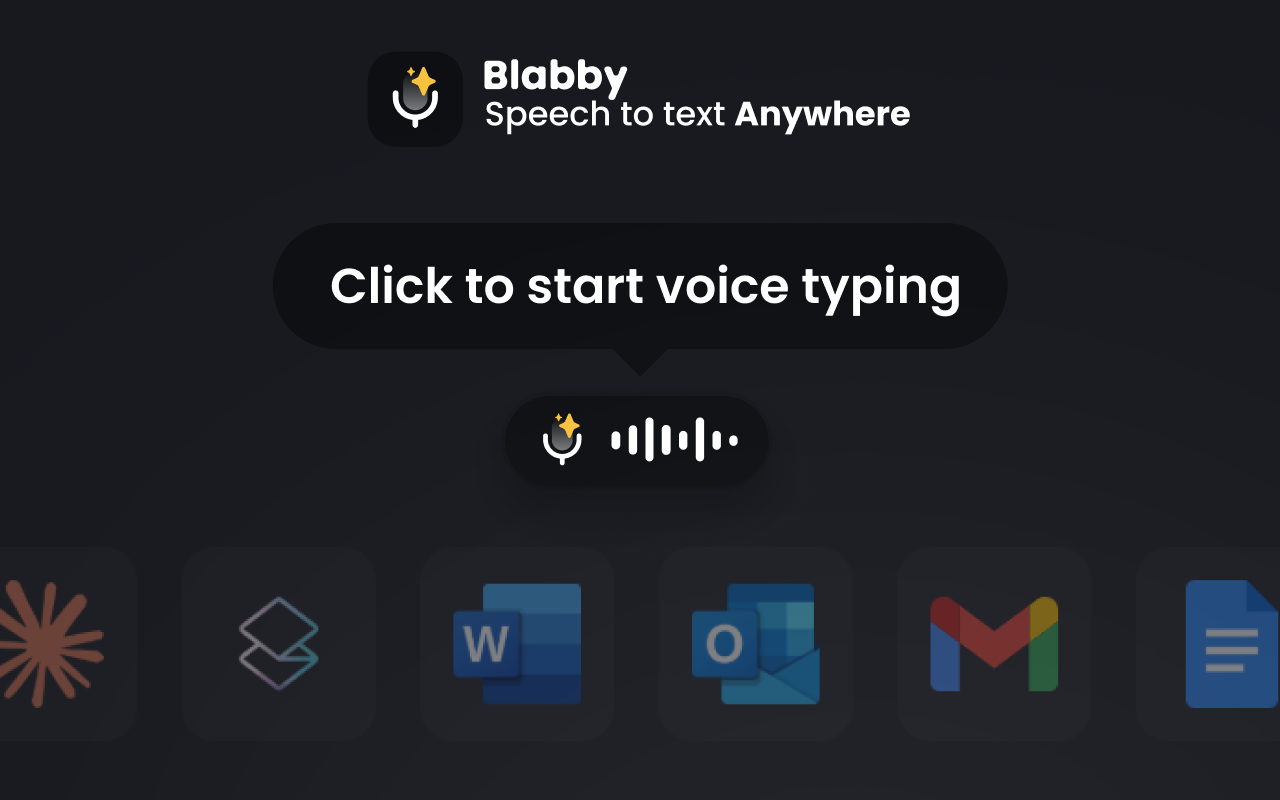
BlabbyAI also has a Chrome extension, a full product in its own right that types into any text field the browser renders. Willow is desktop-only. So on a Chromebook or a locked-down work laptop, where desktop installs are not an option, BlabbyAI still works and Willow does not.
Speed and Prompting LLMs: Two Different Philosophies
Willow Voice runs AI post-processing on essentially everything you say: it removes filler words and reformats your text automatically. That is a real strength when you are writing an email and want polished prose with no effort. Willow keeps this fast, around 200ms in its own tests, but the AI edit step is always in the loop.
BlabbyAI takes a different default. Out of the box it gives you straight, fast transcription with no rewrite step, then lets you layer AI on only when you want it through custom modes. That matters a lot when you are prompting ChatGPT, Claude, or another LLM: you usually want your exact words dropped into the box quickly, not a polished paraphrase of them. With BlabbyAI you keep it raw and snappy by default, and switch on a cleanup or formatting mode for the moments you do want it.
Why this matters for LLM users: When you dictate a prompt, an always-on rewrite can quietly change your wording, drop a detail, or add polish you did not ask for. BlabbyAI's raw default keeps your prompt yours. You decide when the AI touches it, not the app.
Customization: You Write the Instructions
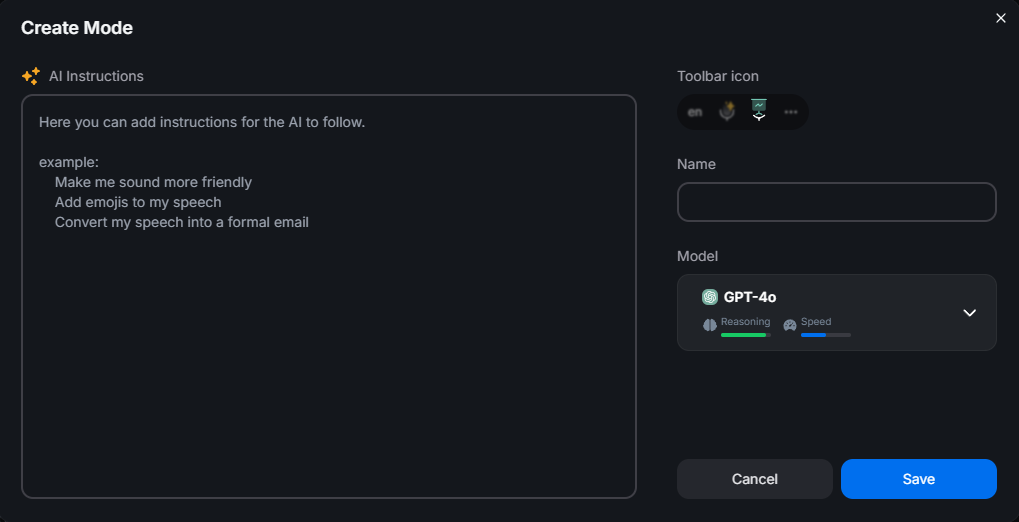
Both tools offer modes, but the control is different. Willow's formatting mostly happens automatically, which is convenient but hard to steer when you want something specific. BlabbyAI puts the prompt in your hands: custom modes are instructions you write yourself.
A few things you can set up in BlabbyAI in seconds:
- Translate as you speak: talk in your language, get clean English (or another language) out.
- Match a format: "turn this into a bulleted summary," or "write it as a short, professional email."
- Keep it raw: exact words, no cleanup, ideal for LLM prompts and code.
- Grammar-only: fix mistakes without changing your voice or tone.
Both apps also cover the everyday basics you would expect. You can teach each one custom words so names, jargon, and acronyms come out spelled right, and both support snippets: say a trigger like "my email" and it types your real email address, so you never have to read personal details out loud. Where BlabbyAI pulls ahead is the mode layer on top, the instructions you write yourself.
BlabbyAI vs Willow Voice: Feature Comparison
| Feature | BlabbyAI | Willow Voice |
|---|---|---|
| Speech engine | OpenAI Whisper v3 Turbo (public benchmark) | Proprietary (no public WER) |
| Primary platform | Windows-first | Mac-first |
| Chrome extension | Yes | No |
| Default output | Fast raw transcription (AI optional) | Always AI-polished |
| Custom modes | Write your own prompts (translate, format, tone) | Mostly automatic AI formatting |
| Languages | 90+ (auto-detect) | 100+ (auto-detect) |
| Free tier | Yes, same Whisper engine as paid | Yes, weaker "Mini" model |
| Entry price (unlimited) | $8.49/month (Windows) | $15/month ($12 annual) |
One detail worth calling out: Willow's free plan runs a weaker "Frontier Mini" model, and its best model is behind Pro. BlabbyAI gives you the same Whisper v3 Turbo engine on the free tier that paid users get, so what you test is what you keep.
Pricing: BlabbyAI vs Willow Voice
Both let you start free. When you outgrow the free tier, BlabbyAI's unlimited Windows plan is a flat $8.49/month with the ongoing Windows discount. Willow Voice Pro is $15/month , or $12/month billed annually. For the same everyday dictation, BlabbyAI is roughly 43% cheaper month to month.
Which Should You Choose?
Choose BlabbyAI if
- You are on Windows and want it built for you
- You prompt ChatGPT, Claude Code, and other LLMs a lot
- You want it to match your own style (lawyer, doctor, and more)
- You want to pay less ($8.49 vs $15)
- You sometimes need a browser-only option (Chromebook)
Choose Willow Voice if
- You are Mac-first
- You want an iPhone dictation app
- You prefer always-on, hands-off AI polish
Both are capable tools. But if you are on a Windows machine and spend your day writing and prompting LLMs, BlabbyAI is built for exactly that workflow, and it costs less.
Try BlabbyAI Free
Test real dictation on Whisper v3 Turbo with no credit card, then go unlimited on Windows from $8.49/month whenever you are ready.
Frequently Asked Questions
Is BlabbyAI a good Willow Voice alternative?
Yes. BlabbyAI is a Windows-first AI dictation tool built on OpenAI’s Whisper v3 Turbo. You get fully customizable modes, a free tier with the same speech engine paid users get, and unlimited Windows use from $8.49/month versus Willow’s $15. For Windows users who want speed and control without a premium price, it is the better starting point. It also has an Android app, free during the beta, and a Chrome extension, and Willow has neither.
Does Willow Voice work on Windows?
Yes, Willow added a Windows app in January 2026. Willow is a Mac-first product, so on Willow, Windows is the platform that came second. BlabbyAI is built for Windows from the ground up, so Windows is the primary platform, not a later port.
Does Willow Voice have a Chrome extension?
No. Willow Voice ships desktop apps for Mac and Windows plus an iPhone app, but there is no browser extension. That matters when you cannot install a desktop app: on a Chromebook, a managed work laptop, or a shared machine, a browser extension may be the only thing you can add. BlabbyAI has a Chrome extension, so you can dictate across Gmail, Google Docs, ChatGPT, and 50,000+ sites without installing anything on the system.
Is BlabbyAI faster than Willow Voice for talking to ChatGPT?
For raw prompt entry, BlabbyAI’s default is straight, fast transcription with no AI rewrite step in the way, so your words land in the box as quickly as the engine can return them. Willow always runs AI post-processing to polish output. Polishing is great for email, but when you are prompting ChatGPT or another LLM you often want your exact words, fast. BlabbyAI lets you keep it raw by default and turn on a custom mode only when you want cleanup.
How much does BlabbyAI cost compared to Willow Voice?
BlabbyAI is free to start and unlimited Windows use is currently $8.49/month with the ongoing Windows discount. Willow Voice Pro is $15/month, or $12/month billed annually. That makes BlabbyAI roughly 43% cheaper on the monthly plan for everyday dictation.
Can I customize how BlabbyAI formats my text?
Yes. BlabbyAI custom modes let you write your own instructions: translate to another language, match a specific email format, keep it as raw text, fix grammar only, or rewrite in your tone. You control the prompt, so the output matches exactly how you want it, and custom modes are available without paying for the top tier.
How accurate is BlabbyAI?
BlabbyAI runs on OpenAI’s Whisper, which reached 97.93% word accuracy on clean LibriSpeech audio in MLCommons’ 2025 benchmark. Real-world accuracy depends on your microphone, accent, and background noise, but a Whisper-based engine sets a high, independently verified ceiling.
Should I choose BlabbyAI or Willow Voice?
Choose BlabbyAI if you are on Windows, want the fastest path for prompting LLMs, or want fully customizable modes without paying $15/month. Choose Willow Voice if you are Mac-first, want an iPhone app, or specifically prefer Willow’s always-on, hands-off AI polish. Both are capable; BlabbyAI wins on Windows, control, and price.
The Bottom Line
Willow Voice is a well-made, Mac-first dictation app with a strong automatic-polish workflow, and it now runs on Windows too. But BlabbyAI is built for Windows from day one, stays snappy and raw by default for LLM prompting, hands you fully customizable modes, and costs roughly 43% less. Its Chrome extension is a full product in its own right, dictating into any text field the browser renders, Chromebooks and locked-down work laptops included. If you are on Windows, start free with BlabbyAI and let your own results make the case.
Sources
Specifications, features, and pricing were gathered from each product's official website and documentation, plus the third-party sources listed below, as of July 2026. Pricing and features can change; check the vendor's site for the latest.
- MLCommons, "Whisper: An MLPerf Inference Benchmark for ASR," September 2025, mlcommons.org (retrieved 2026-07-20).
- Mobius MD, "Typing vs. Dictation: Which is faster?," mobius.md (retrieved 2026-07-20).
- Willow Voice, willowvoice.com and willowvoice.com/pricing (retrieved 2026-07-20).