


Medical Speech Recognition
Simplified Workflow
Ditch the clunky legacy software. BlabbyAI provides lightning-fast transcription that understands medical terminology and follows your specific formatting rules.
Free Trial Available
Clinical Vocabulary
Whisper v3 Turbo handles diagnoses, drug names, and procedures without the per-word voice training older systems required. Custom spellings pin down the rest: local surgeon names, device brands, your department shorthand.
Formatting Modes
Write your own instructions in plain English and BlabbyAI applies them to every note. Expand abbreviations, structure a SOAP note, format vitals a specific way.
Types Into Any Field
Epic, Cerner, Athenahealth, Word, Outlook, a browser form. If your cursor is in a text field on Windows, BlabbyAI types there. Nothing to install inside the EHR.
INSTANT DOCUMENTATION
Finish your notes before the patient leaves.
Charting after hours is the tax on clinical work. Most people speak several times faster than they type, and BlabbyAI turns a spoken note into finished text the moment you stop recording, so the note can be done before you leave the room.
- No voice profile training needed
- Types into any Windows text field, EHR included
- Custom spellings for the terms that trip up dictation
From spoken note to finished text
Legacy systems require constant editing. BlabbyAI applies your preferences automatically to deliver a finished report instantly.
STEP 1
Natural Dictation
Speak at your own pace.
"Patient is a 65-year-old male with a history of hypertension and hyperlipidemia presenting for follow-up. Blood pressure today is 142 over 88. We will titrate his lisinopril to 20 mg daily."
STEP 2
Common AI Errors
Most speech tools struggle with drug names and clinical nuances. BlabbyAI recognizes these pitfalls and corrects them using your instructions.
Patient is a 65 year old male with a history of hiper tension and hyper lipid emia presenting for follow up. Blood pressure today is 142 over 88. We will titrate his listen o pril to 20 mg daily.
STEP 3
Tailored Rules
Define exactly how you want your notes to look.
"Format as a standard clinical follow-up note. Ensure all medications are spelled correctly. Use standard medical abbreviations (e.g., HTN, HLD). Format blood pressure as 142/88 mmHg."
STEP 4
Perfect Documentation
The final result is polished, professional, and ready for the EHR.
Patient is a 65-year-old male with a history of HTN and HLD presenting for follow-up. Blood pressure today is 142/88 mmHg. We will titrate his lisinopril to 20 mg daily.
Your Workflow, Your Rules.
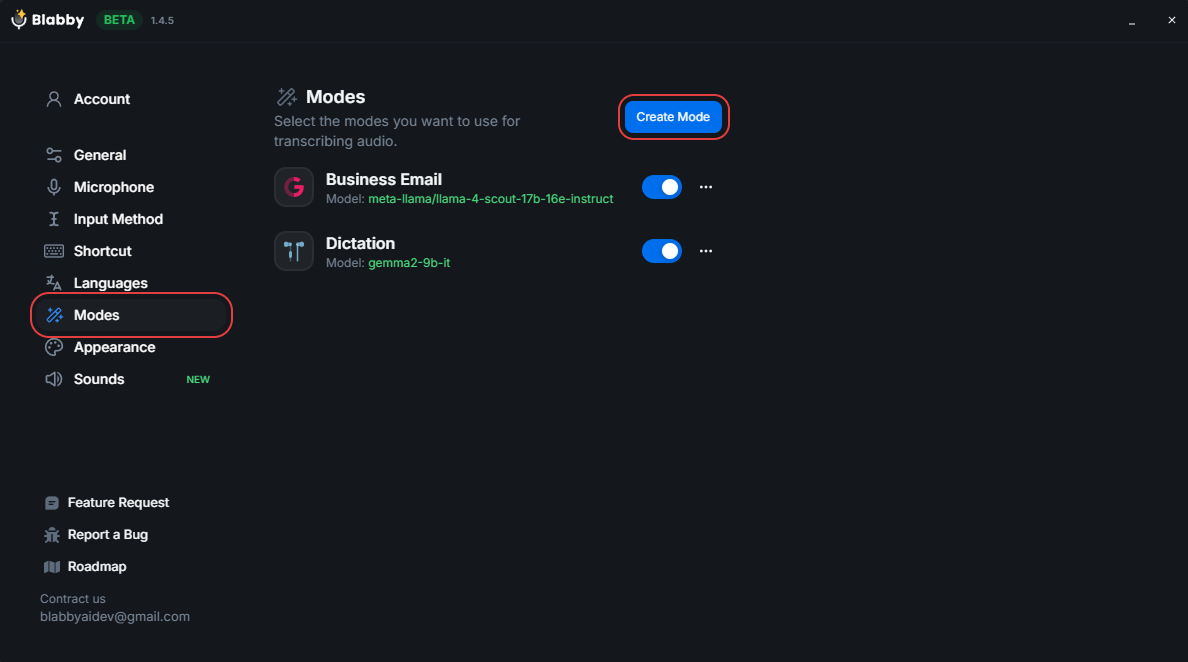
Stop adapting to your software. BlabbyAI adapts to you. Create custom "Modes" for different tasks like SOAP notes, referral letters, or patient summaries and define exactly how the AI should format them.
Define Custom Rules
Tell the AI to expand abbreviations, fix grammar, or format measurements specifically for your specialty.
Switch Modes Instantly
Toggle between "Clinic Note Mode", "Email Mode", or "Medical Terminology Mode" with a simple keyboard shortcut.
AI Instructions in Plain English
Just describe what you want (e.g., "Correct all clinical grammar and format as a SOAP note") no complex coding required.
Three different tools share the name "medical voice recognition software"
Updated August 2026
Most of the confusion in this category comes from one phrase covering three products that do genuinely different jobs. Picking the wrong category is the expensive mistake, not picking the wrong brand inside a category.
Dictation
You speak
Text appears in the field
You put the cursor in a field, hold a shortcut, and speak. The words appear where you were already working. This is the category BlabbyAI is in, alongside Dragon Medical One. It is the right tool when you are the one composing the note.
Tools
BlabbyAI, Dragon Medical One
Transcription
You upload audio
A document comes back
You hand over an audio file after the fact and get a document back, often with speaker labels and timestamps. Otter and Amazon Transcribe Medical work this way. Useful for recorded interviews and dictaphone workflows, but it is not typing into your EHR while you work.
Tools
Otter, Amazon Transcribe Medical
Ambient scribe
The visit is recorded
A note is drafted
Tools like Freed and DeepScribe listen to the patient conversation and generate a structured note from it. Nobody dictates anything. If what you want is the encounter turned into a draft SOAP note without you narrating it, this is the category to shop, and BlabbyAI is not in it.
Tools
Freed, DeepScribe
If you are comparing tools across all three categories, the full comparison of nine medical voice recognition tools prices each one and explains which reach your text through an EHR integration and which type into any field. The medical transcription software comparison covers the upload-a-file tools in detail.
Buying checklist
What to look for in medical speech recognition software
01
Accuracy on clinical vocabulary, without training it first
Older systems asked you to read passages aloud to build a voice profile, then asked you to teach them words one at a time. Modern speech models arrive knowing lisinopril, lymphadenopathy, and spondylolisthesis. The test that matters is the near-homophone pair, ilium against ileum, perineal against peroneal, where both options are real words and only context separates them.
02
It has to reach the field you are actually typing in
A tool that only works inside its own window means copying and pasting into the chart, which is where the time saving disappears. The question to ask any vendor is which applications it can type into, and what has to be installed for that to work.
03
Formatting on the way in, not cleanup afterwards
Raw speech-to-text gives you an unpunctuated paragraph. What you want is the note already shaped: abbreviations expanded or contracted the way your department writes them, vitals in a consistent format, findings under headings. If that shaping is fixed by the vendor, you adapt to it. If you write the instruction yourself, it adapts to you.
04
Where the audio and text go
Clinical dictation is patient data. Ask where audio is processed, how long anything is kept, and whether the vendor will sign a BAA. BlabbyAI runs transcription under a zero data retention policy, and on Windows the History feature keeps your audio on your own machine rather than uploading it. We are not a HIPAA-covered vendor and do not currently sign BAAs, so for identifiable patient information, check with your compliance team before dictating into a chart.
05
Price against how much you actually dictate
Enterprise clinical suites are priced per seat per month and sold through the hospital. That makes sense when the whole department is on it and it is wired into the EHR. It makes much less sense for a solo practitioner, a resident, or anyone who wants dictation for notes, letters, and email rather than a full documentation system.
Dictating into Epic, Cerner, and other EHRs
BlabbyAI works with Epic the same way it works with everything else on your machine: it types into whatever text field your cursor is in. There is no plugin to install inside the EHR, no marketplace listing to request, and nothing for IT to deploy into the clinical system itself. You open the note, click into the field, hold the shortcut, and speak.
That covers Epic, Cerner, Athenahealth, eClinicalWorks, and the browser-based systems, because from the app's point of view they are all just text fields. It is worth being precise about what this does not include, since some clinical dictation suites do more: BlabbyAI does not navigate the chart by voice, does not move between fields on command, does not sign or file the note, and does not pull structured data into discrete EHR elements. It writes text where you point it. Everything else stays keyboard and mouse.
Plugin required
None
IT deployment
None
Works in
Any text field
Certified integration
No
Does BlabbyAI integrate with Epic?
Yes, in the sense that matters day to day: it types into any Epic text field, with no plugin needed. It is not a certified Epic integration and does not appear in the Epic marketplace. If your organization requires a certified, contracted integration, Dragon Medical One is the tool built for that.
What about Cerner and other EHRs?
Same mechanism, same answer. Cerner, Athenahealth, eClinicalWorks, Meditech, and web-based systems all present text fields on Windows, and BlabbyAI types into text fields.
Do I need admin rights or an IT project?
You install a Windows desktop app, the same as any other program on your workstation. Nothing is installed into the EHR. Whether you can install software on a managed hospital machine is a local IT policy question, not a technical one.
Windows desktop
Medical dictation software for PC and Windows
BlabbyAI is a Windows desktop app, which is the right shape for clinical work because the EHR is almost always on a Windows workstation. Once it is installed it runs in the system tray and starts with Windows, so the shortcut is live in every application without you launching anything first.
Ctrl
Space
Start and stop
The shortcut is the whole interface
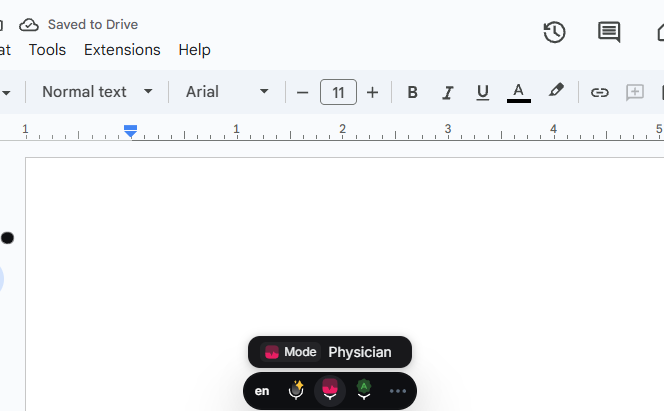
Ctrl+Space starts recording, Ctrl+Space stops it, and the text lands in the field you were already in. You can reassign it, and you can assign separate shortcuts to different formatting modes so a clinic note and a referral letter are one keystroke apart.
Windows already has dictation, and it is worth knowing why people move off it
Win+H is built into Windows 10 and 11 at no cost. It handles ordinary prose reasonably well. It struggles with clinical vocabulary, it has no way to teach it a spelling, and it cannot reformat what you said. For general typing it is fine, which is why we cover it honestly in the Windows speech to text guide.
Your audio stays on the machine
History saves each recording to local disk the instant you stop speaking, before transcription even starts. If the network drops or a transcription fails, the audio is still there and you can re-run it. None of that history is uploaded.
For the general Windows picture, including how Win+H compares, see the Windows speech to text guide.
Is there free medical dictation software?
There is free dictation software. There is not really free purpose-built clinical documentation software, and it is worth separating those two claims because search results tend to blur them.
Built into Windows
$0
Free and genuinely free
Windows Speech Recognition and Win+H cost nothing and are already on the machine. Google Docs voice typing is free inside Docs. These handle dictation, not clinical vocabulary or note formatting, and none of them will let you teach a spelling.
Per month, unlimited
$8.49
Free tier, paid past a point
BlabbyAI gives every account 60 credits per week, roughly 2,000 words of dictation, with no credit card to start. That is enough to test it against your own vocabulary and your own EHR before paying anything. Unlimited use is $8.49 per month.
Per clinician, via the practice
Quoted
Free trial, then enterprise pricing
Dragon Medical One and the ambient scribe tools generally run a trial and then quote per clinician per month, usually through the practice or hospital rather than to you directly.
The honest recommendation: try the free built-in option first on a real note. If it handles your vocabulary, you have saved yourself a subscription. Most clinicians find it does not, and that is the point where a purpose-built tool earns its price.
Medical speech recognition questions
Is AI replacing medical transcriptionist?
It has changed the job more than it has removed it. Speech recognition now produces the first draft that a transcriptionist used to type from scratch, so much of the work has shifted toward editing, quality assurance, and handling the recordings that automated systems get wrong: heavy accents, background noise, overlapping speakers, unusual terminology. The volume of pure audio-to-text typing has fallen. Review and correction have not, because a clinical document with an undetected error is worse than no document.
What is the best HIPAA-compliant transcription software for healthcare?
For identifiable patient data, the practical shortlist is vendors that will sign a business associate agreement: Amazon Transcribe Medical, Microsoft Azure Speech, 3M M*Modal, and Nuance Dragon Medical One among the established options. HIPAA compliance is a contractual and organizational arrangement, not a product feature, so the question to ask is whether the vendor signs a BAA and what their data handling terms say. BlabbyAI does not currently sign BAAs, so it is not the right fit for dictating identifiable patient information without checking with your compliance team first.
Which dictation app is HIPAA compliant?
Dragon Medical One is the usual answer for clinical dictation, since it is sold into healthcare organizations with the paperwork that entails. Amazon Transcribe Medical and Azure Speech are HIPAA-eligible services when covered by the relevant agreement. The distinction worth holding onto is that an app is not HIPAA compliant on its own: compliance depends on the agreement between your organization and the vendor, plus how the tool is actually used.
What is the best medical transcription software?
It depends which of the three jobs you mean. For dictating notes yourself into an EHR, Dragon Medical One is the enterprise standard and BlabbyAI is the low-cost option that types into any Windows text field. For converting existing audio files into documents, Amazon Transcribe Medical and Otter cover that. For generating a note from a recorded patient visit without dictating, Freed and DeepScribe are built for it. Anyone answering this with a single product name has not asked which job you are doing.
Does medical speech recognition handle drug names and clinical terms?
Modern speech models handle the bulk of clinical vocabulary without any setup, because the terminology is well represented in their training data. Where they still slip is near-homophones where both words are real and correct: ilium and ileum, perineal and peroneal, hypertension and hypotension. Custom spellings cover the terms specific to your setting, such as local surgeon names, device brands, and department shorthand. No system is error-free, which is why reading the note before signing it remains part of the workflow.
Do I have to train a voice profile before I can use it?
Not with current systems. Reading passages aloud to build a speaker profile was a requirement of older engines that adapted to your individual voice over time. BlabbyAI uses Whisper v3 Turbo, which works from the first recording with no enrollment step, and the same is true of most tools released in the last few years.
Can it format notes as a SOAP note automatically?
Yes, through a custom mode. You write an instruction once, for example to structure output under subjective, objective, assessment, and plan headings and to expand abbreviations a particular way, then assign it a shortcut. Every recording made in that mode gets shaped that way. The important limit: the mode reformats what you actually said. It organizes your spoken note into the structure, it does not invent clinical content you did not dictate.
Does it work on a Mac?
No. BlabbyAI is a Windows desktop app, with a Chrome extension that works in the browser on other platforms. There is no Mac desktop app, and we would rather say so plainly than have you find out after installing.
What people say about BlabbyAI
Reviews from BlabbyAI users across every profession
Trung Thinh
A phenomenon product to increase your productivity. With another way of Voice typing, you will have to double check or check or supervise before send it. But with BlabbyAI, it trying to understand context that you say. So most of the time the output is correct and you just need to send it
Dr. David Ramos Barbón
I had been long time waiting for a speech-to-text dictation tool that would free me from Dragon Naturally Speaking with its very high cost and, still, significant limitations. Moreover, a cross-platform tool that would allow me to work on any OS including Linux. It finally came with amazing super-accuracy, even if you dictate specialized scientific or technical text. It has a tool to add your own custom words (really few to add in the biomedical field!). The direct English translation tool yields top quality English and you can enable grammar correction modes. The future of cross-platform speech-to-text dictation has arrived!!!
Felipe Ramos
Incredible!! I use this feature a lot because it's much easier to say than type
Sam "Anselme" Levan
This tool is extraordinary. I usually don't spend time writing reviews, but it's such a game changer. I've tried a lot of different tools to do the voice-to-text, but none of those have the simplicity and the level of integration like this one. I'm happily paying for a paid plan. It's been a game changer in the way I do my emails, or write for work, or even journal.
Sean Stahursky
It is the best option for voice typing, as it allows for forming sentences with proper conventions. I would like to see Safari support added. Good job so far!
Nod Ulus
This plugin is a top-tier tool that shines in both design and functionality. Interface: Simply Stunning The UI/UX is sleek and intuitive, making it a pleasure to use. The design is clearly well-thought-out and user-friendly. Two-Step Processing: A Game Changer Voice Recognition: Precision at Its Best The voice recognition is highly accurate, converting speech to text with impressive precision, even with accents or unclear speech. LLM Processing: Polished Perfection The text undergoes LLM processing, where it CAN be refined like this or translating or whatever you want!!!!:
More medical dictation guides
Physician dictation software
Notes, letters, and documentation dictated between patients.
Radiology dictation software
Reporting at reading-room speed, hands on the images.
Dictation for healthcare professionals
The overview for nurses, therapists, and clinic teams.
Comparing options beyond medicine? See the full guide to dictation software in 2026.
Try it on one real note
60 credits every week, no credit card. Dictate a clinic note with your own vocabulary and see what comes back before you pay for anything.