


AI Radiology Dictation
Built for Speed
Stop fighting with other tools. BlabbyAI understands complex radiology terminology and formats it exactly the way you want.
Free to Start
BI-RADS Ready
Dictate findings freely. Our AI automatically categorizes them into standard BI-RADS assessment categories with recommendations.
Custom Instructions
Define your own formatting rules. Whether you want specific acronyms expanded or measurements formatted a certain way, BlabbyAI follows your instructions perfectly.
EHR Compatible
BlabbyAI works in any Windows application, including Epic, Cerner, and all standard PACS and reporting software.
REAL-TIME PROCESSING
Dictate at the speed of thought.
Radiology volume is increasing. Your dictation software shouldn't slow you down. BlabbyAI processes speech instantly, allowing you to fly through CTs and MRIs 3x faster than traditional typing or legacy software.
- Zero latency transcription
- Works in any EHR (Epic, Cerner, etc.)
- No extensive voice training required
From Voice to Perfect Report
Traditional dictation forces you to edit. BlabbyAI uses your custom rules to format everything perfectly the first time.
STEP 1
What You Say
You dictate naturally.
"The gallbladder is well-distended with a 12-mm echogenic focus demonstrating posterior acoustic shadowing, consistent with cholelithiasis. No gallbladder wall thickening or pericholecystic fluid is identified."
STEP 2
Transcription Mistakes
Even the best AI can make mistakes with complex terminology. BlabbyAI uses your custom instructions to identify and fix these errors automatically in the final report.
The gallbladder is well distended with a twelve millimiters eco genic focus demonstrating posterior acoustic shadowing consistent with cholelithiasis. No gal blader wall thickening or pericholecystic fluid is identified.
STEP 3
Your Instructions
Simply tell the AI how you want your reports formatted in plain English.
"I am a radiologist. Correct transcription errors into proper radiology terminology. Fix anatomy, laterality, measurements, and modality names. Hyphenate measurements (e.g., 6-mm). Output only corrected text."
STEP 4
BlabbyAI Result
Automatic correction and perfect formatting based on your unique preferences.
The gallbladder is well-distended with a 12-mm echogenic focus demonstrating posterior acoustic shadowing, consistent with cholelithiasis. No gallbladder wall thickening or pericholecystic fluid is identified.
Your Workflow, Your Rules.
Stop adapting to your software. BlabbyAI adapts to you. Create custom "Modes" for different tasks like CT reports, MRI summaries, or patient findings and define exactly how the AI should format them.
Define Custom Rules
Tell the AI to expand abbreviations, fix anatomy, or format measurements specifically for radiology.
Switch Modes Instantly
Toggle between "Chest CT Mode", "MRI Mode", or "Impression Mode" with a simple keyboard shortcut.
AI Instructions in Plain English
Just describe what you want (e.g., "Summarize findings into a BI-RADS assessment") no complex coding required.
What to look for in radiology dictation software
Updated August 2026
Hands stay on the images
Reading interruptions cost time and focus, and the VALUE study of radiologist workflow measured around six of them an hour. Push-to-talk dictation types straight into the report field of whatever reporting tool is on your Windows workstation, so you never alt-tab mid-read or lose the image you were comparing against. The test to apply here is simple: does the tool need its own window to be in front? If it does, it will break your reading rhythm every time you use it.
Clinical vocabulary out of the box
An AI engine handles terms like pneumothorax, spondylolisthesis, and lymphadenopathy without the per-word vocabulary training older systems required, which is the single biggest practical difference between current transformer models and the speech engines the older accuracy studies measured. Custom vocabulary still matters for the edge cases no general model can guess: local surgeon names, device and implant brands, your department shorthand, the referring practice whose name it mangles every time. Teach it once, and that correction stops recurring.
Formatting on the way in
Custom modes punctuate and structure findings after you speak, so an impression arrives report-ready instead of as a wall of lowercase text you fix by hand. This is where most of the time is actually saved. Raw transcription still leaves you formatting, capitalising, splitting paragraphs and converting spelled-out numbers into digits, and that cleanup is a real fraction of the minute you thought you had saved. A mode that does it every time, to the same rules, is worth more than a small gain in raw transcription accuracy.
An honest scope note
Scope is the thing to be clear-eyed about before you shortlist anything. Enterprise suites are built around structured reporting wired into PACS and RIS templates, and they are sold to institutions by quote. BlabbyAI works the other way round: it types wherever a text field exists, for $8.49 a month, which covers reports, referral letters, teaching files and everything else you write in a day, on any Windows machine you sit down at. For a radiologist without an institutional licence, that is the whole job. For one with a licence, it is everything the licence does not reach.
What is radiology dictation software?
Radiology dictation software turns a radiologist's spoken findings into report text, so the report is written while the study is still on screen instead of afterwards. Two very different kinds of product answer to that name. Enterprise reporting platforms like Nuance PowerScribe One and Rad AI live inside the PACS or RIS, structure the report for you, and are sold by quote through a hospital contract. Standalone dictation tools type into whatever window you already have open, cost a published monthly price, and need no integration project.
BlabbyAI is the second kind. It is a Windows app that types wherever your cursor is, at $8.49 per month with a free tier and no card required, which makes it the practical option for locums shifts, second-opinion and medicolegal reads, teaching files, and every referral letter and email around the reads. If your hospital already runs PowerScribe inside its PACS, Blabby is what covers everything that happens outside it.
Radiology dictation software compared
The single most useful thing to know before you start shortlisting: most of this category will not tell you what it charges. We checked every vendor page below on 24 August 2026. The two enterprise reporting platforms publish no price at all, and neither does Microsoft for Dragon Medical One.
| Tool | Published price | Needs PACS/RIS integration | Best suited to |
|---|---|---|---|
 BlabbyAI | $8.49/mo, free tier | No, types into any window | Independent and locums reads, letters, admin, anything outside the PACS |
 Nuance PowerScribe One | Quote only, none published | Yes, it is the reporting platform | Hospitals and large groups with an enterprise contract |
 Rad AI Reporting | Quote only, none published | Yes, enterprise deployment | Groups buying AI-drafted impressions at scale |
VoiceboxMD | $49 to $99/mo per provider | No, runs alongside PACS | Clinicians wanting a medical-specific cloud dictation suite |
 Dragon Medical One | None published by Microsoft | No, but sold per provider seat | Clinicians dictating PHI into a chart at an institution |
 Philips SpeechLive | $12.90 to $17.90/user/mo | No, workflow and typist routing | Practices still using a transcriptionist in the loop |
Prices checked against each vendor's own pages on 24 August 2026. Microsoft publishes no cost for PowerScribe One or Dragon Medical One; figures quoted elsewhere online are third-party reseller estimates, not vendor numbers.
Why you cannot find out what any of this costs
Try it yourself. Microsoft's own product pages for PowerScribe One and Dragon Medical One carry no price. Rad AI has no pricing page. DeepHealth, which launched Reporting Pro in June 2026, quotes on request. The numbers you find in search results, the ones claiming $5,000 to $10,000 per radiologist per year, come from blogs run by competing dictation vendors, with no methodology and no vendor quote behind them.
That is a workable model when a hospital is buying a hundred seats and has a procurement team. It is a wall if you are one radiologist who needs to dictate something this week. You cannot budget for a number nobody will publish, and you cannot trial a product that starts with a sales call.
BlabbyAI is $8.49 a month, listed on the pricing page, and the free tier gives every account 60 credits a week with no card. You can find out whether it handles your dictation in about four minutes, which is the entire argument for this kind of tool.
5 of 7
radiology reporting vendors we checked publish no price on their own site, Microsoft included
$8.49
BlabbyAI per month, unlimited, listed publicly
60
free credits every week, roughly 2,000 words, no card required
0
integration projects, IT tickets, or plugins required to start
The accuracy problem nobody markets around
Speech recognition has a documented error problem in radiology, and it has been measured repeatedly for nearly twenty years. This is worth understanding before you evaluate any product in the category, including ours, because it tells you where to focus your proofreading.
44.2%
of reports contained at least one speech recognition error
From 3,233 CT and MRI reports reviewed at a single centre. The same study found 3.2% contained an error the reviewers judged clinically significant, so the large number is mostly small stuff: a dropped word, a wrong plural, a misheard measurement unit. The 3.2% is the number that matters, and it is not zero.
Schmidt RA et al., Radiology: Artificial Intelligence, January 2024
2.2x
higher odds of error when a resident dictated the report
The same study measured what makes errors more likely. Residents carried roughly double the odds of attendings. Working the overnight shift carried 1.9 times the odds. And every extra word in a report raised the likelihood of an error by 0.1%, which means long reports dictated late by tired people are exactly where the errors cluster.
Schmidt RA et al., Radiology: Artificial Intelligence, January 2024
25.6% vs 9.3%
error rate, speech recognition against human transcription
A South African teaching hospital compared 300 speech-recognised reports against 300 transcribed ones. Clinically significant errors ran 9.6% against 2.3%. When the authors repeated the measurement four years later the numbers were, in their word, strikingly similar. Speech recognition bought speed and paid for it in proofreading.
du Toit J, Hattingh R, Pitcher R. BMC Medical Imaging, 2015
24h 46m to 4h 40m
mean report turnaround time after moving to speech recognition
The trade is real in both directions. Across more than 20,000 cases and 14 radiologists, reports available within one hour rose from 26% to 58%. This is why the category exists despite the error rates: the report gets to the referrer the same day instead of the next one.
Koivikko M, Kauppinen T, Ahovuo J. Journal of Digital Imaging, 2008
What this means for how you use any dictation tool
Every product in this category, BlabbyAI included, produces text you are responsible for reading before you sign it. What has changed since those studies is the engine underneath. Blabby runs on Whisper v3 Turbo, a transformer model that handles pneumothorax, spondylolisthesis and ureterovesical junction without the per-word vocabulary training the older systems demanded, and custom spelling covers the rest: the surgeon down the hall whose name it keeps mangling, your department's shorthand, a device brand. The proofreading step does not go away. It gets shorter.
When you do not have the hospital's PowerScribe licence
Enterprise reporting platforms are licensed to institutions. That works fine until you are reading outside one. Locums and moonlighting shifts at a site that does not issue you a seat. Second-opinion and medicolegal reads done at your own desk. Teaching files, conference prep, research notes, a case report. The reads still have to be written up, and the software that writes them up belongs to someone else.
The usual workaround is typing it, which is slow, or buying a per-provider medical dictation seat, which means a sales conversation and a per-seat price for work that might be four hours a week. BlabbyAI is a Windows app you install yourself. It types into a Word document, a DICOM viewer's report field, a web form, an email, a PDF annotation box, anything on Windows with a cursor in it, because it is typing at the operating system level rather than integrating with an application.
No licence tied to a hospital, a site, or a contract term
Nothing to install on the workstation you do not administer, beyond the app itself
The same shortcut works in the report field and in the email about the report
Building a reporting mode, start to finish
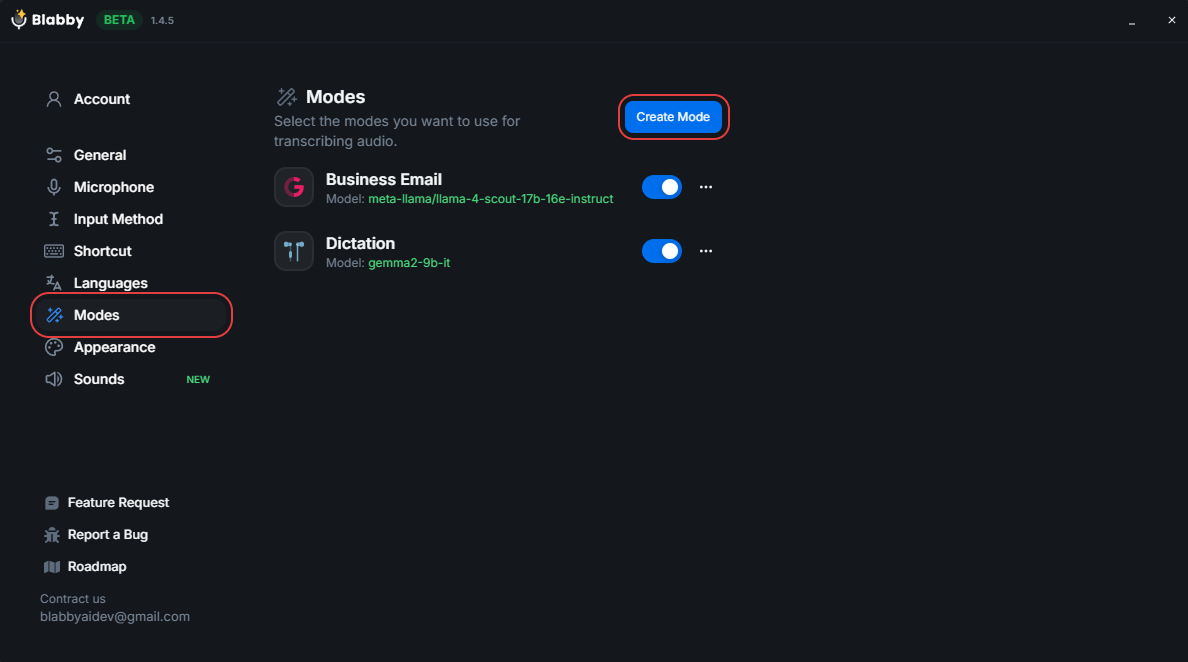
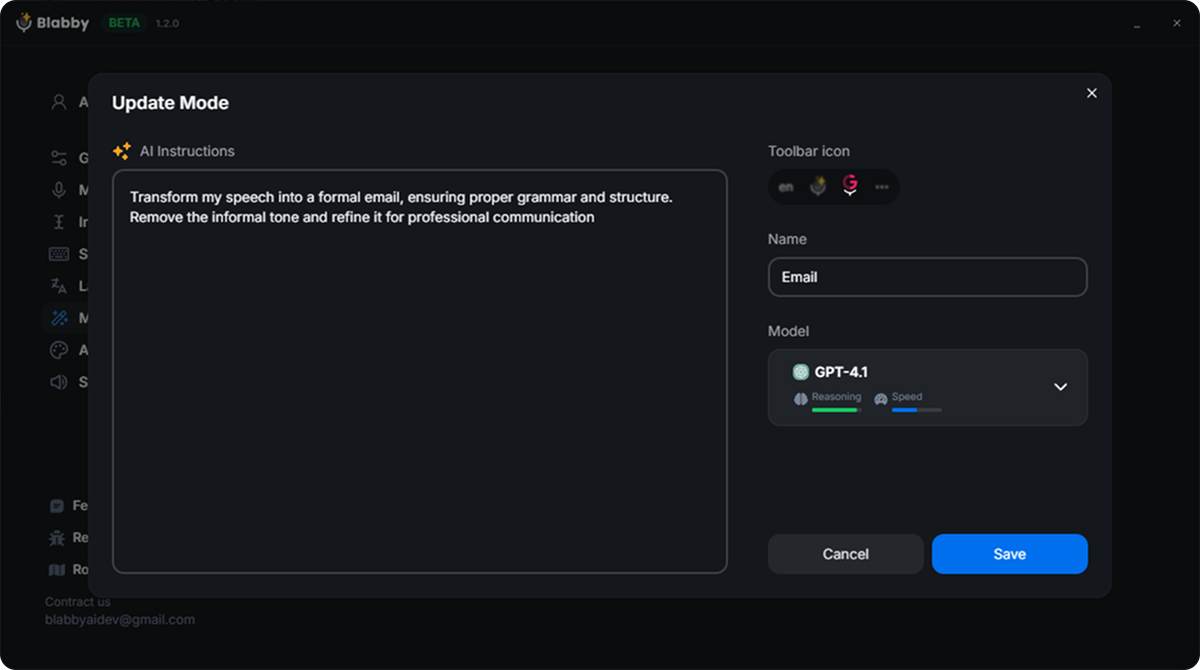
A mode is a written instruction that runs on your speech after it is transcribed and before it is typed. This is the part of Blabby that does the radiology-specific work, and it takes about two minutes to set up. Settings, then Modes, then Create Mode.
01
Write the instruction in plain English
There is no syntax to learn. A working chest CT instruction reads: "Format my dictation as a radiology report with Findings and Impression headings. Expand anatomical abbreviations. Write all measurements as digits followed by mm or cm. Never invent a finding I did not say."
02
Define your own spoken commands
The AI receives the full literal transcript, including words you meant as commands, so you can define them yourself. Add: "When I say new paragraph, insert a paragraph break instead of writing those words. When I say scratch that, delete the sentence I just said." That gives you the classic dictation command vocabulary, except you choose the words.
03
Pick a model and a shortcut
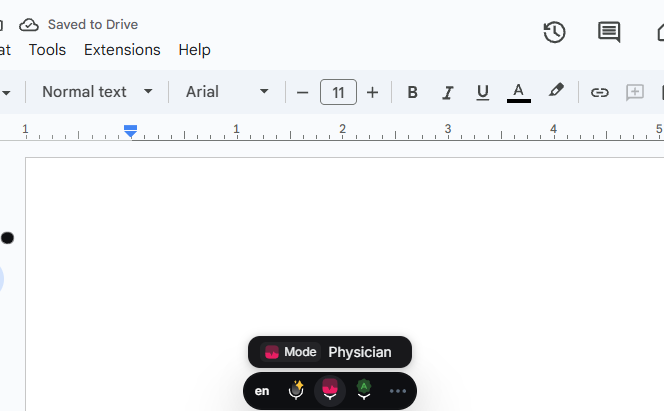
Choose from OpenAI, Google or Meta models, name the mode, and assign it a keyboard shortcut on the Shortcuts tab. Press that shortcut and the toolbar switches into the mode.
04
Build one per study type
A Chest CT mode, an MRI mode, an Impression-only mode, a mode for referral letters that writes in prose instead of report headings. Each gets its own shortcut, so switching between them is one keystroke rather than a settings trip.
The one thing to get right about modes
Your speech is the input, not a prompt. A mode reshapes what you actually said; it does not answer you or write on your behalf. If a reporting mode is active and you say "write me a normal chest report", you get that sentence reformatted, not a normal chest report. You dictate the findings, and the mode structures them. That constraint is deliberate, and on a clinical document it is the behaviour you want.
Structured reporting, and where a dictation tool fits
Structured reporting means the report follows a fixed skeleton, organ by organ or per the relevant lexicon, rather than free narrative. The enterprise platforms implement this as templates wired into the RIS: you pick the study type and the headings appear, prefilled and clickable.
What the platforms do
Template management across a department, auto-population from the RIS worklist, quality checks that flag a laterality or sex mismatch against the order, AI-drafted impressions built from the findings you dictated, and the report filed back into the system automatically. If you need that, you need one of those platforms, and it is bought through the institution.
What a mode does instead
Blabby carries the structure in the instruction rather than in a template file. Tell the mode to always emit Technique, Findings and Impression headings, to order findings by organ system, to put the actionable finding first in the impression, and it does that every time, in any application. No template library, no RIS. It travels with you between sites because it is attached to your account, not the building.
The honest boundary is worth stating plainly: Blabby writes text into a field. It does not read your worklist, cannot pull the patient identifiers off the order, and will not file the report for you when you are done. What it does do is cover every text field you touch all day, the report and the referral letter and the email to the referrer and the note in the teaching file, for one price, in one keystroke, on any Windows machine you sit down at.
What a dictated report actually looks like
People search for radiology dictation templates and examples constantly, and mostly find PDFs of report skeletons. The more useful thing to see is the gap between what a radiologist says out loud and what needs to end up in the record, because that gap is the entire job of the software.
WHAT YOU SAY
"new paragraph technique axial CT of the chest performed after IV contrast new paragraph findings there is a six millimeter spiculated nodule in the right upper lobe no mediastinal or hilar lymphadenopathy heart size is normal no pleural effusion new paragraph impression six millimeter right upper lobe nodule recommend follow up CT in twelve months per Fleischner criteria"
WHAT GETS TYPED
TECHNIQUE
Axial CT of the chest performed after IV contrast.
FINDINGS
There is a 6 mm spiculated nodule in the right upper lobe. No mediastinal or hilar lymphadenopathy. Heart size is normal. No pleural effusion.
IMPRESSION
6 mm right upper lobe nodule. Recommend follow-up CT in 12 months per Fleischner criteria.
Four things happened between those two boxes, and every one of them came from the written instruction rather than a built-in feature. The spoken words "new paragraph" became actual breaks instead of text. The section names became headings. Spelled out numbers became digits with units, so "six millimeter" became 6 mm. And the whole thing kept the clinical content exactly as dictated, because the instruction tells it to reformat and never to invent a finding. Change your mind about any of it, and you edit one sentence in the mode rather than filing a request with a vendor.
Radiology dictation questions, answered
The questions people actually search alongside this one.
What is the best dictation software for radiology?
It depends entirely on whether you are reading inside an institution or outside one. If your reports are filed through a hospital PACS and RIS, the enterprise platforms that integrate with it, Nuance PowerScribe One and Rad AI among them, are built for that workflow and are bought through the institution. If you are reading independently, on locums shifts, or writing anything outside the reporting system, a standalone tool is both faster to start and vastly cheaper. BlabbyAI is $8.49 a month, types into any Windows application, and has a free tier you can test on a real report today.
Is there free radiology dictation software?
Windows includes free voice typing with the Windows key plus H, and it will transcribe general speech into any text field. It has no clinical vocabulary tuning, no report formatting, and no way to teach it a term it keeps getting wrong, so it tends to fail on exactly the words a radiology report is made of. BlabbyAI has a free tier of 60 credits a week, roughly 2,000 words, with no card required, which is enough to dictate a few reports and see whether the terminology holds up before paying anything.
How accurate is speech recognition for radiology reports?
Accurate enough to be standard practice, and not accurate enough to sign unread. A 2024 study in Radiology: Artificial Intelligence reviewed 3,233 CT and MRI reports and found 44.2% contained at least one speech recognition error, with 3.2% containing an error the reviewers judged clinically significant. Errors clustered in long reports, resident dictation, and overnight shifts. Modern transformer models handle clinical vocabulary far better than the systems those studies measured, but proofreading before signing remains part of the workflow with every product in this category.
Can I use dictation software with Epic, Cerner, or my PACS?
BlabbyAI types into whatever text field your cursor is in, so it works in Epic, Cerner, a DICOM viewer report pane, Word, a browser form, or an email client without any plugin or integration. There is nothing to install on the application side and nothing for IT to approve beyond the app itself. The limit is that it only types: it will not click buttons, submit the report, or pull data from your worklist.
How much does Nuance PowerScribe cost?
Microsoft, which now owns Nuance, publishes no price for PowerScribe One or for Dragon Medical One. We checked both product pages on 24 August 2026 and neither carries a cost anywhere. Every figure circulating online, including the widely repeated $5,000 to $10,000 per radiologist per year, comes from third-party blogs and resellers rather than the vendor, usually with no methodology stated. Pricing is by quote through an institutional contract. BlabbyAI publishes $8.49 per month on its pricing page.
What do radiologists use for dictation when they work independently?
This is the gap in the category. Enterprise reporting platforms are licensed to institutions, so locums shifts, second-opinion work, medicolegal reads, teaching files and research writing often fall outside any licence you hold. The options are typing it, paying for a per-provider medical dictation seat through a sales process, or using a general-purpose dictation app that types into whatever you are already working in. BlabbyAI is the third: a Windows app you install yourself, tied to your account rather than a site.
Does BlabbyAI handle radiology terminology?
It runs on Whisper v3 Turbo, which handles terms like pneumothorax, spondylolisthesis, lymphadenopathy and ureterovesical junction without the per-word voice training older systems required. For the terms that are specific to you rather than to radiology, a colleague with an unusual surname, a device brand, your department shorthand, custom spelling lets you teach the exact spelling once and it is matched from then on.
Can it format findings into a structured report automatically?
Yes, through a custom mode. You write an instruction once, telling it to emit Technique, Findings and Impression headings, order findings by organ system, render measurements as digits with units, or expand abbreviations, and every dictation through that mode comes out in that shape. You can build a different mode per study type and switch between them with a keyboard shortcut. The mode reformats what you dictated and does not add findings you did not say.
Why reporting speed keeps getting more valuable
Between the end of 2017 and early 2024, imaging examination volume across 167 US radiology practices grew 31%, a compound annual rate of 4.6%. The radiologist workforce over the same period grew 24%, a rate of 3.6%. Those two lines do not meet. The gap is absorbed by the people already reading, and the analysis found the load landing very unevenly: radiologists in the top quartile went from 57 to 74 examinations a day, a 31% increase, while the bottom quartile went the other way.
Reporting is the part of that day most exposed to the squeeze, because it is the part that scales directly with volume. Every extra study is another report to compose, proofread and sign. It is also, unlike interpretation, the part where the tooling makes a measurable difference: the move to speech recognition cut mean turnaround time from 24 hours 46 minutes to 4 hours 40 minutes in one large study, and lifted the share of reports available within an hour from 26% to 58%.
The uncomfortable finding sitting next to that one is the error data. Longer reports carry more errors, at roughly 0.1% additional likelihood per word. Overnight shifts carry 1.9 times the odds of a daytime shift. In other words, the conditions that rising volume creates, longer sessions and later hours, are precisely the conditions that produce dictation errors. Faster dictation helps on both sides of that: fewer words fought with, and less of the shift spent composing.
This is the argument for dictation generally, and it is not specific to any vendor. Where the products differ is what they cost, what they demand from your IT department, and whether they work on the machine in front of you right now. On all three of those, a standalone tool wins for anyone not covered by an institutional licence.
Most of what a radiologist types is not a report
This is the part the enterprise platforms structurally cannot cover, and it is worth being concrete about. PowerScribe lives in the reporting workflow. Everything outside that workflow, you type by hand. For most radiologists that is a substantial share of the working day, and none of it is covered by the licence the hospital bought.
Correspondence with referrers
The email explaining why you recommended the follow-up interval, the note asking for prior imaging, the reply to a clinician who wants the finding in plainer language. All of it prose, all of it typed into an email client the reporting platform never sees.
Teaching and conference material
Case write-ups for the teaching file, slides for the departmental meeting, the annotated summary for a resident. A mode set to write clean prose rather than report headings turns a spoken walk-through of the case into a draft.
Medicolegal and second-opinion work
Expert reports run long, are written in narrative rather than structured form, and are usually produced at your own desk on your own machine, outside any hospital system. This is dictation work that no institutional licence covers.
Research and administration
Methods sections, grant text, protocol notes, quality-assurance documentation, the endless committee email. Nothing clinical, all of it typing, and the same shortcut handles it.
The framing that makes sense here is both, not instead. If your department runs an enterprise reporting platform, keep it: it is built for structured reporting inside the PACS and a standalone dictation app is not a replacement for it. What BlabbyAI replaces is the typing you do everywhere else, for $8.49 a month, on the same keyboard shortcut, in every application you open. For a radiologist reading independently, with no platform licence at all, it covers the reports too.
Trying it on a real report
The advantage of a tool that publishes its price and has a free tier is that you can evaluate it properly instead of sitting through a demo. A sensible test takes one afternoon and tells you more than any vendor comparison, including this one.
01
Dictate one report you have already signed
Pick something recent and moderately complex, ideally with measurements and a few terms you expect to trip it up. You already know what the correct text looks like, which makes it the cleanest possible accuracy test. Dictate it into a blank document and compare.
02
Note every word it gets wrong, then teach it those words
This is the step people skip. Custom spelling takes a term and its exact spelling and applies it from then on. Ten minutes spent on the twenty terms specific to your practice, local surgeon names, the device brands you name often, department shorthand, removes most of the recurring corrections permanently.
03
Write one mode and dictate the same report again
Start with the formatting rules that annoy you most: headings, measurements as digits, expanded abbreviations, spoken paragraph breaks. Run the same dictation through it. The difference between the raw transcript and the mode output is the actual value of the tool, and it is visible in one comparison.
04
Use it for a week on everything except reports
Email, letters, notes. This is where the time saving shows up first and where the risk is lowest, because nothing you dictate is going into a clinical document. If it has not earned the $8.49 by the end of the week, you have lost nothing: the free tier needs no card.
How to choose, in three questions
Vendor comparison tables tend to line up features that most buyers will never use. In practice the decision in this category collapses to three questions, and the answers point clearly at one kind of product or the other.
Does the report have to be filed by the software?
If the report must land in the RIS automatically, populated from the worklist and signed inside the platform, that is an enterprise reporting system and nothing else will do the job. A dictation tool writes text into a field; it does not file anything. If instead you are composing the text and handling where it goes yourself, which is the normal situation for independent work, then the reporting platform is doing very little for you that a dictation app cannot.
Who is paying, and can they get a quote?
An institution with a procurement process can absorb a quote-only vendor, a contract term and an implementation project. An individual cannot, and should not have to. If you are paying for this yourself, the shortlist is effectively the vendors that publish a price: VoiceboxMD at $49 to $99 per provider per month for a medical-specific cloud suite, or BlabbyAI at $8.49 per month for general-purpose dictation that covers reports and everything else you type. The free tier means you can answer the question empirically before you spend anything.
How many different applications do you type into?
If the honest answer is one, a platform tied to that one application is fine. For most radiologists the answer is closer to eight: the viewer, the reporting field, email, Word, a browser, a PDF annotator, a spreadsheet, a chat client. A tool that types at the operating-system level covers all of them with the same shortcut and the same custom vocabulary, and it keeps working when you sit down at a different machine or take a shift somewhere else. That breadth is the practical argument for a standalone tool, and it is why BlabbyAI ends up used far more often for the writing around the reads than for the reads themselves.
Running it on a radiology workstation
A reading workstation is not a normal desktop. It may be locked down, shared between people across shifts, and running a viewer that takes the whole screen. Those constraints rule out a lot of clinical software, so it is worth being specific about what BlabbyAI actually needs.
It is a Windows desktop application, not a plugin
You install one app. There is nothing to add to the viewer, nothing to register with the PACS, and no per-application configuration. It sits in the background and activates on a keyboard shortcut, which means the viewer keeps the whole screen and the app never needs focus.
Push to talk, on a shortcut you choose
The default is Ctrl+Space: press it, speak, press it again to stop. If that collides with something in your viewer, remap it. This matters more in radiology than elsewhere, because reading software tends to claim a lot of keys and function-key combinations for its own hanging protocols.
The text arrives in whatever field has the cursor
Blabby types at the operating system level, the same way a keyboard does. That is why it works in applications nobody wrote an integration for, and it is also the reason it cannot press buttons or submit anything: it is only ever producing keystrokes into the field you already selected.
Your settings follow the account, not the machine
Custom modes and custom spellings live with your account. Sign in on a different workstation, at a different site, and your Chest CT mode and the twenty terms you taught it are already there. For anyone covering shifts across more than one location, this is the difference between the tool being useful and being a per-machine setup chore.
A short honest note on what it will not do
It processes one recording at a time, after you stop speaking, rather than editing live as you talk. It has no memory between recordings. And it types text, nothing more: no clicking, no navigating, no filing. Knowing the boundary up front is better than discovering it mid-shift.
On privacy, the transcription runs under a zero data retention policy, and the recording history feature stores audio locally on the machine and never uploads it. Where dictation involves patient identifiers, follow whatever your institution requires of any software touching that data, exactly as you would when choosing any tool for the reading room.
The short version
Radiology dictation software splits into two products that share a name. The enterprise reporting platforms are genuinely good at structured reporting inside a PACS, and they are sold by quote to institutions, which is why almost none of them will tell you a price on their own website. If your department already runs one, it is doing a job a dictation app does not do.
Everything else you write is unclaimed. The referral letters, the emails to referrers, the teaching files, the medicolegal reports, the research text, and, if you read independently or cover locums shifts, the reports themselves. That work happens in ordinary Windows applications on whatever machine is in front of you, and it is where BlabbyAI is built to live: one keyboard shortcut, any text field, clinical vocabulary handled by Whisper v3 Turbo, formatting handled by instructions you write in plain English, $8.49 a month with a free tier that needs no card.
The evidence on accuracy says the same thing about every product here, ours included: speech recognition is fast enough to have become standard practice and error-prone enough that you read before you sign. Pick the tool that shortens the proofreading rather than the one that promises to remove it, and test that claim yourself on a report you have already signed. It takes an afternoon and costs nothing.
Trusted by Professionals
4.9
Average Rating
Trung Thinh
A phenomenon product to increase your productivity. With another way of Voice typing, you will have to double check or check or supervise before send it. But with BlabbyAI, it trying to understand context that you say. So most of the time the output is correct and you just need to send it
Dr. David Ramos Barbón
I had been long time waiting for a speech-to-text dictation tool that would free me from Dragon Naturally Speaking with its very high cost and, still, significant limitations. Moreover, a cross-platform tool that would allow me to work on any OS including Linux. It finally came with amazing super-accuracy, even if you dictate specialized scientific or technical text. It has a tool to add your own custom words (really few to add in the biomedical field!). The direct English translation tool yields top quality English and you can enable grammar correction modes. The future of cross-platform speech-to-text dictation has arrived!!!
Felipe Ramos
Incredible!! I use this feature a lot because it's much easier to say than type
Sam "Anselme" Levan
This tool is extraordinary. I usually don't spend time writing reviews, but it's such a game changer. I've tried a lot of different tools to do the voice-to-text, but none of those have the simplicity and the level of integration like this one. I'm happily paying for a paid plan. It's been a game changer in the way I do my emails, or write for work, or even journal.
Sean Stahursky
It is the best option for voice typing, as it allows for forming sentences with proper conventions. I would like to see Safari support added. Good job so far!
Nod Ulus
This plugin is a top-tier tool that shines in both design and functionality. Interface: Simply Stunning The UI/UX is sleek and intuitive, making it a pleasure to use. The design is clearly well-thought-out and user-friendly. Two-Step Processing: A Game Changer Voice Recognition: Precision at Its Best The voice recognition is highly accurate, converting speech to text with impressive precision, even with accents or unclear speech. LLM Processing: Polished Perfection The text undergoes LLM processing, where it CAN be refined like this or translating or whatever you want!!!!:
Frequently Asked Questions
Everything you need to know about BlabbyAI
How does BlabbyAI work?
You press a shortcut (Ctrl+Space by default), speak, and press it again to stop. The recording goes through OpenAI's Whisper v3 Turbo model, and the text is typed into whatever field your cursor was in. That works in any app on Windows with a text field.
Is BlabbyAI free to use?
Yes. Every account gets 60 free credits per week, roughly 2,000 words of dictation, and no credit card is required to start. If you need more than that, unlimited use is $8.49 per month.
Is BlabbyAI available in multiple languages?
Yes! BlabbyAI supports 90+ languages and can accurately transcribe speech in various languages and accents.
Is my data secure?
Yes! Your voice data is processed securely and is not stored after transcription. All communication is encrypted, and we adhere to strict privacy standards to protect your information. Learn more about our data handling practices in our Privacy Policy.
Can I customize the transcription output?
Absolutely! BlabbyAI offers custom modes that allow you to format your text, add punctuation automatically, and even adjust the writing style. You can create different modes for different purposes, like emails, documents, or casual messages.
More medical dictation guides
Medical speech recognition software
How AI speech recognition handles clinical vocabulary.
Physician dictation software
Notes, letters, and documentation dictated between patients.
Dictation for healthcare professionals
The overview for nurses, therapists, and clinic teams.
Comparing options beyond medicine? See the full guide to dictation software in 2026.
Ready to clear your queue?
Try BlabbyAI for Windows today. No credit card required for the free tier.