

Voice typing software for Windows
Type faster than ever before. BlabbyAI works system-wide in every Windows app, Word, Outlook, Teams, Chrome, and more, so you can write documents, emails, and messages with your voice.
Trusted by 10,000+ users
Works on Windows 10 and Windows 11
Free to download
You talk faster than you type
Average typing is 40 WPM. Speaking is 160. Stop fighting the keyboard.
Keyboard
40 Words Per Minute
Blabby voice typing
160 Words Per Minute
Works with all Windows applications
BlabbyAI Windows app integrates seamlessly with Microsoft Word, Outlook, Teams, Notepad, and virtually any Windows application. Use voice typing system-wide on your PC.






+50K
Websites
What Is BlabbyAI for Windows?
A native desktop app that brings AI-powered speech-to-text to your entire PC, not just the browser.
System-wide dictation
Works in Word, Outlook, Teams, and any app
Auto punctuation
Commas, periods, and question marks added automatically
No voice training
Works out of the box with any accent
Windows 10 & 11
Native app, no browser required
Where BlabbyAI fits on Windows
Windows’ built-in Voice Typing (Win+H) is free but adds limited punctuation and works inconsistently across apps. Dragon is the long-standing premium option for legal and medical dictation, but it is expensive and Windows-heavy.
BlabbyAI sits in between: it works system-wide in every Windows app, adds automatic punctuation and AI editing, runs on OpenAI Whisper v3 Turbo, and is free to start. One keyboard shortcut, accurate dictation everywhere, no premium price.
System-wide in every app
Free to start
The same sentence, dictated two ways
Built-in Windows speech recognition transcribes words but skips punctuation, capitalization, and formatting. BlabbyAI returns text you can send as-is.
BlabbyAI
AI PoweredHi Sarah, I hope you're doing well. Can we schedule a meeting for Thursday at 3:00 PM?
AI-powered transcription
Perfectly formatted
Automatic punctuation
Windows Native
Hi Sarah
Basic transcription
No formatting
Manual corrections needed
Your Workflow, Your Rules.
BlabbyAI doesn’t just transcribe, it transforms your speech using custom AI Modes. Define an instruction once, and every time you speak, the AI rewrites your words exactly the way you want.
Define your instruction
Create a Mode like “Professional Email” and tell the AI: “Turn my speech into a polished, professional email.”
Say it naturally
“Hey John, send me that report”
Get polished output
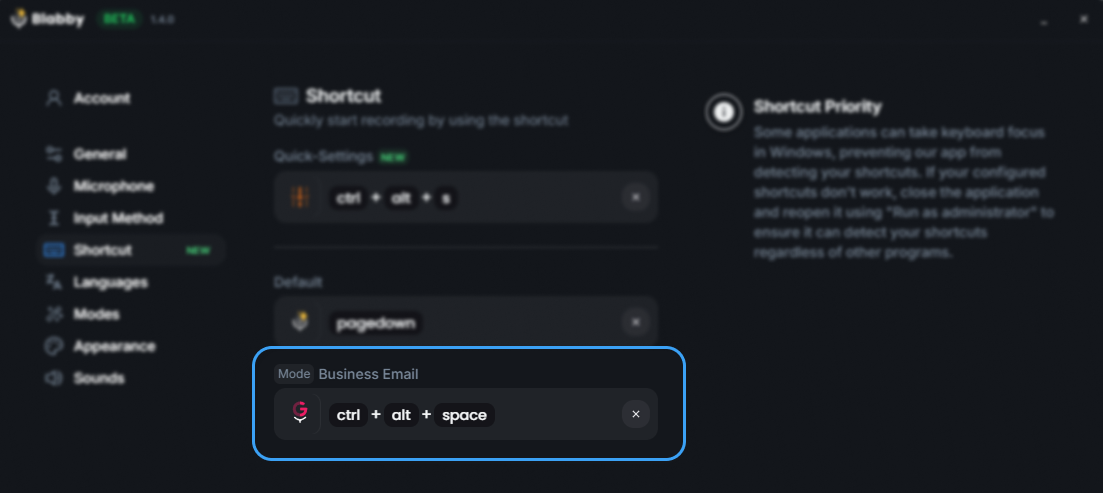
Switch Modes with a shortcut
Plain English instructions
Why choose BlabbyAI for Windows?
System-wide voice typing
Works in any Windows application: Word, Outlook, Teams, Notepad, and more. No need to switch between different tools.
Better than Microsoft Voice Typing
More accurate transcription, better punctuation, and works everywhere, not just in Microsoft apps.
Save time
Get more done. BlabbyAI cuts down on typing time, boosting your productivity across all your Windows applications.
Perfect for Professionals
Whether you are a doctor documenting patient notes, a writer drafting your next chapter, or simply want to reply to emails faster.
Doctors & Healthcare
Writers & Bloggers
Project Managers
Developers
Trung Thinh
A phenomenon product to increase your productivity. With another way of Voice typing, you will have to double check or check or supervise before send it. But with BlabbyAI, it trying to understand context that you say. So most of the time the output is correct and you just need to send it
Dr. David Ramos Barbón
I had been long time waiting for a speech-to-text dictation tool that would free me from Dragon Naturally Speaking with its very high cost and, still, significant limitations. Moreover, a cross-platform tool that would allow me to work on any OS including Linux. It finally came with amazing super-accuracy, even if you dictate specialized scientific or technical text. It has a tool to add your own custom words (really few to add in the biomedical field!). The direct English translation tool yields top quality English and you can enable grammar correction modes. The future of cross-platform speech-to-text dictation has arrived!!!
Felipe Ramos
Incredible!! I use this feature a lot because it's much easier to say than type
Sam "Anselme" Levan
This tool is extraordinary. I usually don't spend time writing reviews, but it's such a game changer. I've tried a lot of different tools to do the voice-to-text, but none of those have the simplicity and the level of integration like this one. I'm happily paying for a paid plan. It's been a game changer in the way I do my emails, or write for work, or even journal.
Sean Stahursky
It is the best option for voice typing, as it allows for forming sentences with proper conventions. I would like to see Safari support added. Good job so far!
Nod Ulus
This plugin is a top-tier tool that shines in both design and functionality. Interface: Simply Stunning The UI/UX is sleek and intuitive, making it a pleasure to use. The design is clearly well-thought-out and user-friendly. Two-Step Processing: A Game Changer Voice Recognition: Precision at Its Best The voice recognition is highly accurate, converting speech to text with impressive precision, even with accents or unclear speech. LLM Processing: Polished Perfection The text undergoes LLM processing, where it CAN be refined like this or translating or whatever you want!!!!:
Use Cases
Discover how BlabbyAI transforms your Windows workflow with AI-powered speech-to-text.
Voice Typing in Microsoft Word
Write documents faster with hands-free voice typing. Perfect for reports, essays, and professional documents.
Dictation in Outlook
Compose emails faster with voice dictation. Perfect for busy professionals managing multiple inboxes.
Voice Typing in Teams
Communicate faster in Teams chats. Use voice typing for quick messages and longer conversations.
Windows voice recognition software: what the term actually means
Voice recognition software and speech-to-text software describe the same job on Windows: you talk, the computer types. The distinction that matters is not the label, it is whether the tool only works inside one app or everywhere on your PC. BlabbyAI is the second kind. It is a native Windows app that types into whatever text field has your cursor, so the same shortcut works in Word, Outlook, Teams, Chrome, and your IDE.
Older voice recognition packages asked you to read training scripts for twenty minutes before they understood you, and they degraded the moment someone else used the machine. BlabbyAI skips that entirely. It runs on OpenAI Whisper v3 Turbo, part of the Whisper large-v3 family, which scored 97.93% accuracy in MLCommons’ 2025 benchmark, and needs no enrollment, no profile, and no per-user training.
No voice training required
There is no enrollment step and no voice profile to build. Install it, pick your microphone, and dictate. Accents are handled by the model rather than by a profile you have to teach.
Works outside the office suite
Plenty of voice recognition tools stop at Word. Because BlabbyAI types into the focused field, it also covers Slack, Notion, Todoist, your browser address bar, and any internal web app your company runs.
Punctuation without saying it
You do not have to say “comma” and “period” out loud. Punctuation and capitalization are added from context, and custom modes can reformat the result as you speak.
Does it run on Windows 10?
Yes. BlabbyAI supports Windows 10 and Windows 11, and the feature set is the same on both: system-wide dictation, automatic punctuation, and custom AI modes. Windows 10 also ships its own built-in dictation on Win+H, though on Windows 10 that shortcut opens the older Windows Speech Recognition dictation box rather than the redesigned Windows 11 voice typing panel. If you are on Windows 10 and Win+H behaves differently from the tutorials you have seen, that is why.
The practical difference is that the built-in tools stop at the app boundary and add little punctuation, while BlabbyAI runs across the whole system on either version. There is no separate Windows 10 build to hunt for and no legacy edition to install.
Frequently Asked Questions
What is the best voice typing software for Windows?
The best voice typing software for Windows depends on your needs. Windows has a free built-in option (Voice Typing, Win+H), but it lacks reliable punctuation and AI editing. BlabbyAI is a strong system-wide choice: it works in every app, adds automatic punctuation, and runs on OpenAI Whisper v3 Turbo, from the large-v3 family that scored 97.93% accuracy in MLCommons’ 2025 benchmark. It is free to start.
Is there free voice typing software for Windows?
Yes. Windows 10 and 11 include free built-in Voice Typing (press Win+H in any text box). BlabbyAI also starts free, with weekly credits and no credit card, and adds system-wide dictation, automatic punctuation, and AI modes that the built-in tool does not offer.
How is BlabbyAI different from the built-in Windows voice typing (Win+H)?
Windows Voice Typing (Win+H) is free and built in, but it adds limited punctuation and no AI formatting. BlabbyAI works system-wide across every app, adds automatic punctuation and capitalization, runs on the more accurate Whisper v3 Turbo model, and offers custom AI modes that rewrite, translate, or format your speech as you dictate.
Does BlabbyAI voice typing work in Microsoft Word and Outlook?
Yes. BlabbyAI is a native Windows app that types into any focused text field, so it works in Microsoft Word, Outlook, Teams, Notepad, Chrome, and virtually any Windows application. You trigger it with one keyboard shortcut and your speech appears as text wherever your cursor is.
Do I need to train BlabbyAI to recognize my voice?
No. BlabbyAI works out of the box with no voice training and handles a wide range of accents, because it runs on OpenAI’s Whisper v3 Turbo speech model. Just install it on Windows 10 or 11, pick your microphone, and start dictating.
What is the best voice recognition software for Windows?
Voice recognition software and speech-to-text software mean the same thing on Windows, so the real question is scope. Windows includes free built-in dictation (Win+H) that works in most text boxes but adds little punctuation. BlabbyAI is a system-wide option: it types into any focused text field across every app, adds punctuation and capitalization automatically, runs on OpenAI Whisper v3 Turbo (large-v3 family, 97.93% accuracy in MLCommons’ 2025 benchmark), and needs no voice training. It is free to start on Windows 10 and 11.
Does BlabbyAI work on Windows 10?
Yes. BlabbyAI runs on both Windows 10 and Windows 11 with the same features: system-wide dictation, automatic punctuation, and custom AI modes. There is no separate Windows 10 version to download. Note that Windows 10’s own Win+H shortcut opens the older Windows Speech Recognition dictation box rather than the Windows 11 voice typing panel, which is why built-in dictation looks different across the two versions.
Is there free voice recognition software for Windows 10?
Yes. Windows 10 has free built-in dictation via Win+H, and Windows Speech Recognition is also included in the operating system. BlabbyAI starts free as well, with weekly credits and no credit card required, and adds system-wide coverage, automatic punctuation, and AI modes that the built-in Windows 10 tools do not provide.
Just want the built-in tool? How to use Win+H voice typing on Windows covers every command and every fix, and what Windows voice typing can and cannot do walks through the limits people hit.
Get started with Windows voice typing
Download BlabbyAI for Windows and start using AI-powered speech-to-text in any application on your PC. Free to download, works on Windows 10 and Windows 11.
Free to download • Works on Windows 10 and 11