
Published July 24, 2026 · By Sumbat.T
Speechnotes Alternative: BlabbyAI vs Speechnotes in 2026
Quick Verdict
- Speechnotes is a free, no-install voice-to-text pad in your browser. It is genuinely handy for quick notes, but it works inside its own web editor, runs on the browser's built-in speech engine, shows ads, and needs spoken punctuation commands.
- BlabbyAI is a real Windows app on OpenAI's Whisper v3 Turbo that dictates system-wide into any app, not just one tab, with automatic punctuation and AI modes for cleanup and translation.
- BlabbyAI also ships an Android app, free during the beta, and a Chrome extension, so it covers your phone and the browser too, and its free tier uses the same Whisper engine paid users get.
- If you want to dictate everywhere you write instead of copy-pasting out of a web pad, BlabbyAI is the easy upgrade. Unlimited Windows use is $8.49/month.
Get BlabbyAI for Windows
Dictate in any app on your PC, not just one browser tab.
Most people talk at roughly 130 to 150 words a minute but type at around 40 (Mobius MD, 2025). That gap is why so many people reach for a free voice-typing tool, and Speechnotes is one of the first they find. It is free, opens in a browser, and needs no account. But the moment you want to dictate somewhere other than its own notepad, its limits show. This is an honest, side-by-side look at BlabbyAI versus Speechnotes, so you can pick the right one.
What Are BlabbyAI and Speechnotes?
Both turn your speech into text, but they are built very differently. The core split is simple: Speechnotes is a website you dictate into, and BlabbyAI is an app that dictates into everything else.
Speechnotes is a free, browser-based voice-to-text notepad at speechnotes.co. You open its site in Chrome, click the microphone, and your words appear in an on-screen editor that you then copy out or export. It also has a Chrome extension and an Android app. Recognition is delegated to the browser's built-in Web Speech API (Google's engine in Chrome), it uses spoken punctuation commands, and it is free and ad-supported. There is no desktop app and no offline mode.
BlabbyAI is AI dictation built on OpenAI's Whisper v3 Turbo, one of the most accurate open speech models available. It is Windows-first, works system-wide across every app you use, formats punctuation automatically, and adds custom AI modes you write yourself for grammar fixes, rewriting, and translation. For the wider landscape, see our guide to the best voice typing software in 2026.
Dictate Everywhere, Not Just in a Web Pad
This is the biggest practical difference. The Speechnotes web app works inside its own notepad. You dictate into its editor, then copy and paste the result into wherever you actually needed it, your email, a document, a chat box. Its Chrome extension is meant to help here, but reviewers repeatedly report it failing outside its own site. One Chrome Web Store reviewer puts it bluntly: it "does not work at all in Gmail," and others report the same in ChatGPT and Facebook.
BlabbyAI works the opposite way. Press a hotkey, speak, and your words land directly at your cursor in whatever app is open, Gmail, Word, Notion, Slack, ChatGPT, anywhere. No copy-paste, no switching tabs. If you do want a browser-only option too, BlabbyAI also has a voice-to-text Chrome extension. And if Windows is where you work, see our voice typing on Windows 11 guide for setup.
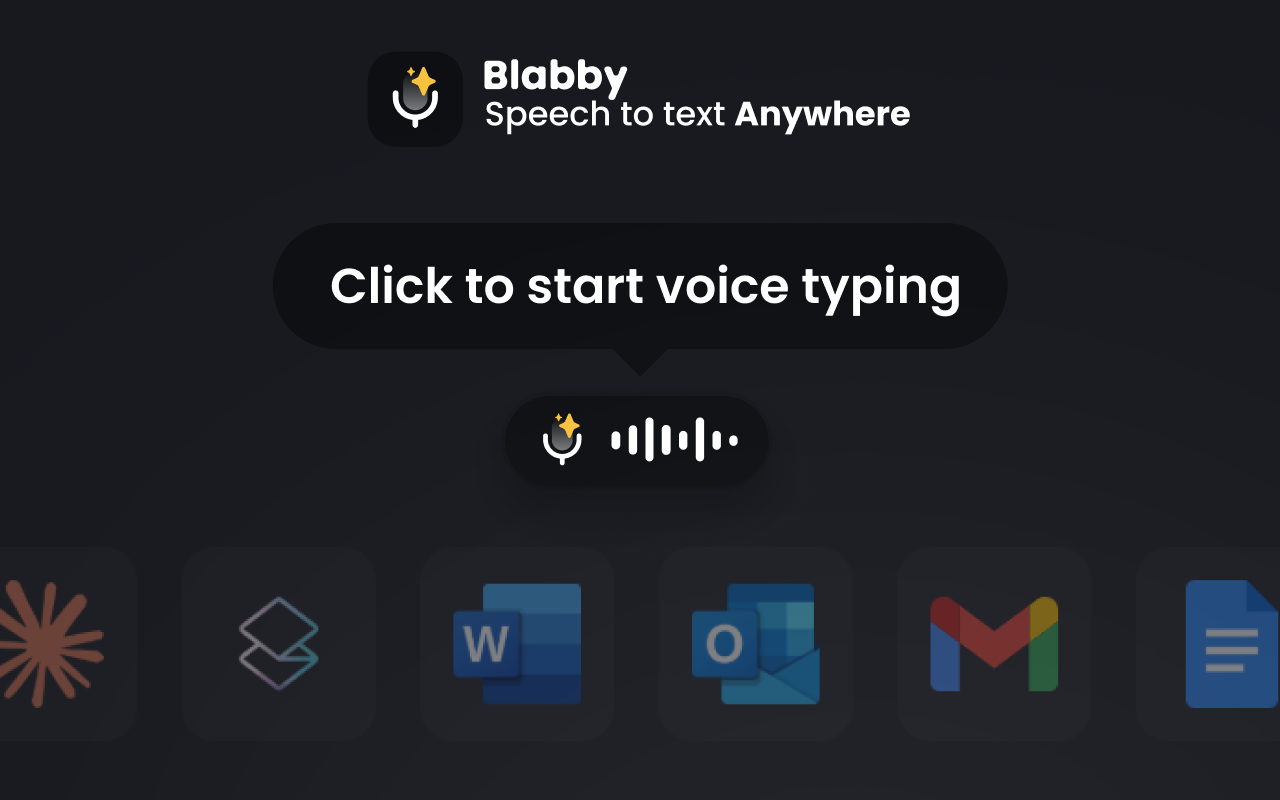
Why this matters: A browser dictation pad is fine for jotting a note you will paste later. But most writing does not happen on a single website, it happens across a dozen apps. A system-wide tool like BlabbyAI meets you where you already are, instead of making you come to it.
Accuracy: A Modern Engine vs the Browser Default
Speechnotes routes your voice through the browser's built-in Web Speech recognition (Google's engine in Chrome). For simple notes in a quiet room it is fine, and Speechnotes markets high accuracy on clean audio, but that browser engine tends to stumble on proper nouns, technical terms, and any background noise, and there is no offline mode or personalization on top.
BlabbyAI runs on OpenAI's Whisper v3 Turbo, the same family of models that set recent benchmark records. In MLCommons' 2025 benchmark, Whisper reached 97.93% word accuracy on clean LibriSpeech audio (MLCommons, September 2025). Your real-world number always depends on your microphone, accent, and surroundings, but building on Whisper means the accuracy ceiling is genuinely high, and independently verified.
Why the engine matters: Picking a dictation tool is partly picking a speech model. BlabbyAI runs on Whisper v3 Turbo, a model with public, third-party accuracy results you can look up. Speechnotes' live dictation borrows whatever engine the browser provides, with no benchmark of its own and no way to run offline.
BlabbyAI vs Speechnotes: Feature Comparison
| Feature | BlabbyAI | Speechnotes |
|---|---|---|
| Speech engine | OpenAI Whisper v3 Turbo (public benchmark) | Browser's built-in Web Speech (Google/Microsoft) |
| Works system-wide | Yes, in any app | No, its own pad (extension is limited) |
| Native Windows app | Yes (Windows 10 & 11) | No (web + Chrome ext + Android) |
| Punctuation | Automatic | Spoken commands |
| AI editing modes | Grammar, rewrite, translate, custom | None |
| Offline | Not required to be online for the app | No (needs the cloud engine) |
| Ads | None | Yes (free tier is ad-supported) |
| Price | Free tier, $8.49/month unlimited | Free (ads), Premium ~$1.90/mo |
The honest summary: Speechnotes competes on being free and instant in a browser. BlabbyAI competes on everything after that, where the words go, how accurate they are, and what the AI can do with them, while still giving you a free tier to start.
AI Modes: More Than Raw Transcription
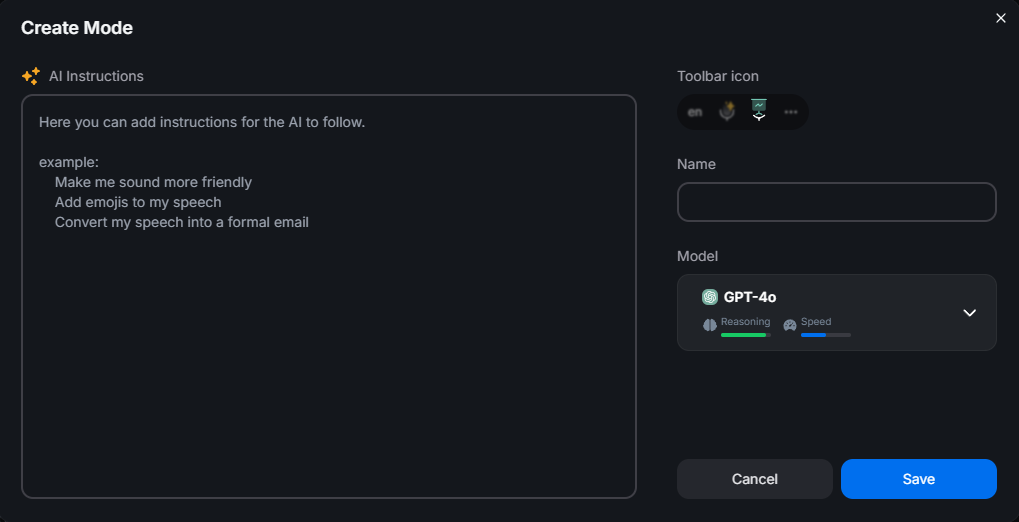
Speechnotes does one job: it converts speech to text and stops there. There is no grammar cleanup, no rewriting, no translation on the live dictation. BlabbyAI adds a layer on top, custom modes you write yourself as plain instructions.
A few things you can set up in BlabbyAI in seconds:
- Translate as you speak: talk in your language, get clean English (or another language) out.
- Match a format: "turn this into a bulleted summary," or "write it as a short, professional email."
- Keep it raw: exact words, no cleanup, ideal for LLM prompts and code.
- Grammar-only: fix mistakes without changing your voice or tone.
Pricing: Free vs Free (and What You Get)
Both are free to start, so price alone will not decide this. Speechnotes live dictation is free but ad-supported and limited to its own pad; a Premium plan at about $1.90/month removes ads, and a separate transcription service for uploaded audio files runs about $0.10/minute. BlabbyAI is free to start with no ads, and its free tier runs the same Whisper v3 Turbo engine paid users get. When you outgrow it, unlimited Windows use is a flat $8.49/month with the ongoing Windows discount, which buys system-wide dictation, automatic punctuation, and AI modes.
Which Should You Choose?
Choose BlabbyAI if
- You want to dictate into any app, not copy-paste from a web pad
- You are on Windows and want a native app
- You want modern Whisper accuracy and automatic punctuation
- You want AI cleanup, rewriting, or translation as you talk
- You would rather not type next to ads
Choose Speechnotes if
- You just want a free, zero-install browser pad
- You only need occasional quick notes
- You do not mind copy-pasting and don't need AI
Both are capable at what they set out to do. But if you dictate more than the occasional note, and you want those words to land straight in the app you are working in, BlabbyAI is built for exactly that, and it still starts free.
Try BlabbyAI Free
Test real dictation on Whisper v3 Turbo with no credit card, then go unlimited on Windows from $8.49/month whenever you are ready.
Frequently Asked Questions
Is BlabbyAI a good Speechnotes alternative?
Yes. Speechnotes is a free, no-install voice-to-text pad that runs in your browser, which is genuinely handy for quick notes. But it works inside its own web editor, leans on the browser’s built-in speech engine, and needs spoken punctuation commands. BlabbyAI is a real Windows app on OpenAI’s Whisper v3 Turbo that dictates system-wide into any app, adds punctuation automatically, and layers on AI modes for cleanup and translation. It also ships a Chrome extension, so it covers the in-browser case too. For dictating everywhere you write, BlabbyAI is the upgrade.
Is Speechnotes free?
Yes. Speechnotes live dictation is free and ad-supported, with no download or account needed. A Premium plan at about $1.90/month removes ads, and there is a separate pay-as-you-go transcription service for uploaded audio files at about $0.10/minute. BlabbyAI is also free to start, and its free tier uses the same Whisper v3 Turbo engine paid users get; unlimited Windows use is $8.49/month with the ongoing Windows discount.
Why can’t Speechnotes type into Gmail, Word, or ChatGPT?
The Speechnotes web app dictates into its own on-screen notepad, so you copy the text out and paste it where you need it. Its Chrome extension can push text into some other sites, but reviewers repeatedly report it failing in places like Gmail, ChatGPT, and Facebook. BlabbyAI works the other way around: it is system-wide on Windows, so you press a hotkey and your words appear directly at your cursor in Gmail, Word, ChatGPT, Slack, and everywhere else you write.
What speech engine does Speechnotes use?
For live dictation, Speechnotes delegates recognition to the browser or operating system, the Web Speech API in Chrome (Google’s cloud engine) or Edge (Microsoft’s). It does not run its own modern model for live dictation, and there is no offline mode. Its separate paid file-transcription product also runs on Google or Microsoft engines server-side. BlabbyAI runs on OpenAI’s Whisper v3 Turbo, a different and more modern class of speech model.
Does Speechnotes add punctuation automatically?
Not fully. Speechnotes auto-capitalizes and spaces text, but you add punctuation by speaking commands like “period” and “comma.” Some users report it mishearing those commands. BlabbyAI formats punctuation automatically as you talk, and its AI modes can clean up grammar and structure on top, so you get finished text without narrating every comma.
Does Speechnotes have a desktop app for Windows?
No. Speechnotes is a web app with a Chrome extension and an Android app; there is no native Windows or Mac desktop application, and no official first-party iOS app. BlabbyAI is a native Windows 10 and 11 app that dictates across your whole system, and it also has an Android app (free during the beta) and a Chrome extension for browser-only situations like a Chromebook or a locked-down work laptop.
Is BlabbyAI more accurate than Speechnotes?
BlabbyAI runs on OpenAI’s Whisper v3 Turbo, part of the Whisper large-v3 family that reached 97.93% word accuracy on clean LibriSpeech audio in MLCommons’ 2025 benchmark. Speechnotes’ live dictation relies on the browser’s built-in Web Speech engine, which is fine for simple notes but tends to stumble on proper nouns, technical terms, and background noise. A modern Whisper engine sets a noticeably higher accuracy ceiling, though your real-world result always depends on your microphone and surroundings.
Should I choose BlabbyAI or Speechnotes?
Choose Speechnotes if you want a free, zero-install browser pad for occasional quick notes and you do not mind copy-pasting the result. Choose BlabbyAI if you want to dictate directly into any app on Windows, with a modern Whisper engine, automatic punctuation, and AI modes, starting free and going unlimited from $8.49/month.
The Bottom Line
Speechnotes is a genuinely useful free tool for quick voice notes in a browser, and if that is all you need, it does the job. But it lives in its own pad, runs on the browser's built-in engine, needs spoken punctuation, and stops at raw transcription. BlabbyAI is built for Windows, dictates system-wide into every app, runs on a benchmark-leading Whisper v3 Turbo engine, formats punctuation for you, and layers on AI modes, all with a free tier to start and unlimited use from $8.49/month. It even ships a Chrome extension for the times you need one. If you dictate more than the occasional note, start free with BlabbyAI and let your own results make the case.
Sources
Specifications, features, engine details, and pricing were gathered from Speechnotes' official website and its Chrome Web Store listing, plus the third-party sources listed below, as of July 2026. Pricing and features can change; check the vendor's site for the latest.
- Speechnotes, speechnotes.co (retrieved 2026-07-24).
- Speechnotes on the Chrome Web Store, user reviews, chromewebstore.google.com (retrieved 2026-07-24).
- MLCommons, "Whisper: An MLPerf Inference Benchmark for ASR," September 2025, mlcommons.org (retrieved 2026-07-24).
- Mobius MD, "Typing vs. Dictation: Which is faster?," mobius.md (retrieved 2026-07-24).