
Published July 25, 2026 · By Sumbat.T
Best AI Transcription Software 2026: 10 Tools Compared by Real Cost
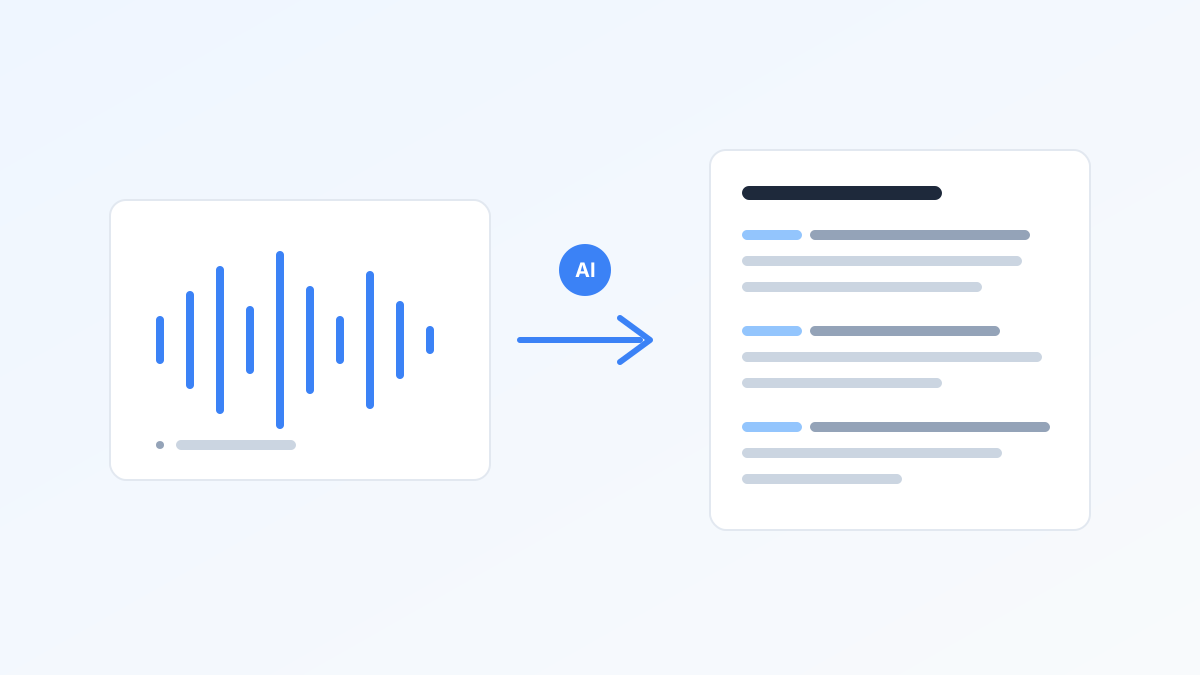
The best AI transcription software depends on whether you need a meeting bot, a file converter, or an editor, and the pricing pages make comparison deliberately hard. In July 2026 we verified prices against vendor pricing pages where accessible (7 of 10 tools; see sources), normalized them to cost per audio hour, and noted which tools actually ship a Windows desktop app, because almost none of the big roundups do.
Key Takeaways
- Many tools share one engine. TurboScribe, BlabbyAI, and many others run OpenAI Whisper, which scored 97.93% word accuracy on clean audio (MLCommons 2025). You are mostly paying for the workflow around it.
- Normalize to cost per audio hour: Sonix $10 pay-as-you-go, Happy Scribe overage $12, human services ~$120. Subscriptions only win at high monthly volume.
- Windows desktop apps are rare: of the ten tools here, only Otter, Descript, tl;dv, and BlabbyAI have one; the rest are web-only.
- Free tiers hide their catches: Otter caps conversations at 30 minutes, Notta free recordings at 3 minutes, Fireflies storage at 400 minutes.
- Consent is becoming an issue: AI notetakers have joined meetings for 1 in 3 US workers, but only a third were always asked first (Stacker, July 2026).
Skip the recording step entirely
BlabbyAI types your words into any Windows or Android app as you speak them, punctuated and cleaned up by AI modes. Free to start.
First: Do You Need Transcription, or Dictation?
Transcription converts audio that already exists: meetings, interviews, podcasts, voice memos. Dictation converts your live speech into text as you speak, directly into an email or document. People shopping for "transcription software" often actually want the second thing: they record voice memos about work only to retype them later, when dictating would have skipped both steps.
This roundup covers both, honestly labeled. The meeting bots (Otter, Fireflies, tl;dv, Notta) transcribe calls. The file converters (TurboScribe, Sonix, Rev, Happy Scribe) process uploads. Descript is an editor built on transcripts. BlabbyAI is pure dictation, the only tool here designed to replace typing rather than document what was said. If the dictation side is what you are after, our guide to using speech to text at work walks through five daily workflows.
All 10 Tools at a Glance
| Tool | Type | Free tier | Paid from | Windows app |
|---|---|---|---|---|
| BlabbyAI | Live dictation | 60 credits/week | $8.49/mo | Yes |
| Otter.ai | Meeting bot | 300 min/mo | $8.33/mo (annual) | Yes |
| Fireflies.ai | Meeting bot | Unlimited (400 min storage) | $10/seat/mo (annual) | No |
| tl;dv | Meeting recorder | Unlimited recordings | ~$18/user/mo (annual) | Yes (botless capture) |
| Notta | Meeting bot + files | 120 min/mo, 3-min cap | $8.17/mo (annual) | No |
| TurboScribe | File upload | 3 files/day | ~$10/mo (annual) | No |
| Sonix | File upload | 30-min trial | $10/hour, no plan | No |
| Rev | Files + human option | 45 min/mo | $25.49/mo (annual) | No |
| Happy Scribe | Files + human option | 10-min trial | $8.50/mo (annual) | No |
| Descript | Transcript editor | 60 min/mo | $16/mo (annual) | Yes |
For Meetings: Real-Time Transcription
1. Otter.ai · the default meeting notetaker
OtterPilot joins Zoom, Meet, and Teams calls, transcribes live, and drafts summaries. Free plan covers 300 minutes a month with a 30-minute cap per conversation and only 3 file imports for life. Pro runs $8.33/month billed annually. Windows desktop app available. Limitation: that lifetime import cap makes the free plan useless for existing recordings.
2. Fireflies.ai · most generous free transcription
Unlimited transcription even on the free plan; the catch is 400 minutes of storage per team, so old transcripts effectively expire. Pro is $10/seat/month billed annually. Web plus Chrome extension, no Windows desktop app. Strong integrations with CRMs make it the sales team favorite.
3. tl;dv · records without a visible bot
Its Windows desktop app captures system audio, so no "Recording Bot has joined" announcement disrupts the call, a real advantage now that consent norms are catching up with the technology. Free plan has unlimited recordings with 10 AI summaries a month. Paid pricing is promo-heavy, typically around $18/user/month billed annually. Limitation: exact prices shift often; check before buying.
4. Notta · best language coverage
Transcribes 58 languages with particularly strong Japanese and Chinese support, and claims 98.86% accuracy on clear audio. Pro is $8.17/month billed annually. Web only. Limitation: the free tier's 3-minute cap per recording makes it a demo rather than a tool.
One caveat for all four: a raw transcript is a record, not notes. If meeting transcripts pile up unread, our note-taking methods guide compares ten systems for turning captured words into something you will actually revisit.
For Recordings: File Upload and Editing
5. TurboScribe · cheapest unlimited uploads
Whisper-based file transcription with an unlimited plan at about $10/month billed annually, files up to 10 hours or 5 GB. Free plan: 3 files a day, 30 minutes each. Limitation: upload-only, minimal editing, no meeting features. It is the pure commodity play on the shared engine.
6. Sonix · pay-as-you-go without a subscription
$10 per audio hour with no monthly plan required, 54+ languages, and a polished browser editor. Limitation: that works out to about $0.167/minute, pricier than Whisper-based rivals, and subscription tiers only add hours, not features.
7. Rev · the human-accuracy option
The only mainstream service with one-click escalation from AI transcription to human transcribers (advertised at 99% accuracy, around $1.99/minute). AI plans start at $25.49/month billed annually with 5,000 minutes. Limitation: clearly priced for teams; individuals with occasional files will overpay.
8. Happy Scribe · AI plus human proofreading
Metered AI plans from $8.50/month billed annually (120 minutes) with human proofreading add-ons from $2.00/minute, and 150+ language support. Limitation: every tier meters minutes, and overage at $0.20/minute ($12/audio hour) stings.
9. Descript · edit media by editing text
Transcribes your audio or video, then lets you cut the media by deleting words from the transcript, including filler-word removal in one click. Native Windows app. Hobbyist plan $16/month billed annually. Limitation: the quota counts media editing hours, not just transcription, and it is overkill if you only need text.
10. BlabbyAI · for when the words are not recorded yet
BlabbyAI approaches the problem from the other end: instead of recording meetings, it turns your voice into finished text in any Windows app, Android app or Chrome tab, emails, docs, tickets, at roughly 3x typing speed (Ruan et al. 2016, a mobile text-entry study) with punctuation handled automatically. Custom AI modes post-process your speech on the fly (fix grammar, translate to English, format as an email) using instructions you write yourself. Free tier of 60 credits a week, about 2,000 words; unlimited from $8.49/month at the current discount. Limitation: it does not transcribe recordings or join meetings, it produces new text from your voice; if you need every call archived and searchable, pair it with Fireflies or Otter. Full context in our voice to text software guide.
What Engine Is Under the Hood (and Why Accuracy Claims All Sound the Same)
Here is the industry's open secret: a large share of the tools in this space, including TurboScribe and BlabbyAI, run OpenAI's Whisper family. MLCommons measured Whisper large-v3 at 97.93% word accuracy on clean English audio in its 2025 MLPerf benchmark, a 72% error reduction versus the previous benchmark model. The Turbo variant most products deploy trades a minor accuracy loss for roughly 8x faster processing.
Practical consequence: among Whisper-based tools, you are not paying for accuracy, you are paying for workflow: upload limits, editors, meeting bots, integrations, and price structure. Vendor claims of "99% accuracy" describe ideal recordings; noisy, multi-speaker real-world audio scores lower on every engine. For irreplaceable recordings, human review remains the gold standard, which is what Rev and Happy Scribe sell.
The Real Cost per Hour of Audio
| Option | Effective rate | Cost per audio hour |
|---|---|---|
| Sonix (pay-as-you-go) | $0.167/min | $10.00 |
| Happy Scribe overage | $0.20/min | $12.00 |
| Rev human service | ~$1.99/min | ~$119 |
Subscription plans beat these rates only at volume: TurboScribe unlimited at ~$10/month wins past one hour of uploads a month; Otter Pro's 1,200 annual-plan minutes work out to well under a cent a minute if you genuinely use them. For everyone who transcribes occasionally, pay-per-use avoids the classic gym-membership math. Converting files is only half the story though; our audio to text converter guide covers formats, free routes, and phone voice memos.
Frequently Asked Questions
What is the best AI transcription software?
It depends on the job. For meetings, Otter.ai or Fireflies.ai join calls and transcribe live. For audio files, TurboScribe (unlimited, ~$10/month annual) or Sonix ($10/hour pay-as-you-go) are the value picks. For editing podcasts and video, Descript. For producing text directly instead of transcribing recordings, BlabbyAI dictates into any Windows app with AI cleanup modes, from $8.49/month, and its Android app is free during the beta.
Is there completely free transcription software?
Fireflies.ai offers unlimited free transcription, though free storage caps at 400 minutes per team. Otter.ai gives 300 minutes a month with a 30-minute per-conversation limit. Notta allows 120 minutes a month but caps free recordings at 3 minutes each. OpenAI Whisper itself is free and open source if you are comfortable running it locally.
How accurate is AI transcription?
On clean audio, the best engines are near-human: MLCommons measured OpenAI Whisper large-v3 at 97.93% word accuracy in its 2025 benchmark. Real-world meeting audio with crosstalk and noise scores meaningfully lower. Human transcription services still advertise 99% and remain the standard for legal and medical work.
What is the difference between dictation and transcription software?
Dictation software converts your live speech into text as you speak, into whatever app you are using. Transcription software converts recorded audio, meeting calls or uploaded files, into a transcript afterward. If the goal is producing documents and emails faster, you want dictation; if the words are already recorded, you want transcription.
How long does it take to transcribe 1 hour of audio?
Manually, about 4 hours for an average typist, 2 to 3 hours for professionals. AI transcription processes an hour of audio in a few minutes. The engine matters less than you would think, since many tools run the same Whisper model under the hood; upload limits and pricing are the real differences.
Is AI transcription cheaper than human transcription?
Dramatically. AI pay-as-you-go runs about $0.17 per minute (Sonix), and unlimited plans like TurboScribe drop the effective rate far lower, while human services charge around $1.99 to $2.00 per minute, roughly a 10 to 20x difference. The practical middle path for important recordings: AI draft first, human review only where accuracy is critical.
Does Windows have built-in transcription software?
Partially. Windows voice typing (Win+H) handles live dictation but cannot open audio files, and Word Transcribe (Microsoft 365) uploads up to 300 minutes a month. Neither offers speaker labels plus timestamps plus flexible formats the way dedicated tools do. Among the tools in this roundup, Otter, Descript, tl;dv, and BlabbyAI ship real Windows desktop apps.
Do AI notetakers need consent to join meetings?
Recording consent laws vary by state and country, and practice is lagging: a July 2026 Stacker survey found AI notetakers have sat in on meetings for 1 in 3 US workers, but only about a third say they were always asked first. Bot-free approaches, desktop capture or dictating your own notes, avoid the awkwardness entirely.
Faster than typing, in every app
Dictate emails, docs, and messages at speaking speed with custom AI modes. Whisper v3 Turbo engine, free to start, from $8.49/month.
Sources
- MLCommons, MLPerf Inference v5.1 Whisper benchmark, September 2025, mlcommons.org, retrieved 2026-07-25. OpenAI, Whisper large-v3-turbo model card, huggingface.co, retrieved 2026-07-25.
- Stacker via KESQ, AI notetaker consent survey, July 16, 2026, kesq.com, retrieved 2026-07-25.
- Rev, "How long does it take to transcribe audio?" rev.com, retrieved 2026-07-25.
- Ruan, Wobbrock, Liou, Ng, and Landay, "Speech Is 3x Faster than Typing for English and Mandarin Text Entry on Mobile Devices" (a mobile text-entry study), 2016, arxiv.org, retrieved 2026-07-26.
- Vendor pricing pages, retrieved 2026-07-25: Otter, Fireflies, Rev, Happy Scribe, Sonix, Descript. TurboScribe, Notta, and tl;dv pricing corroborated via multiple third-party reviews (vendor pages block automated retrieval); verify current promos before purchase.