
Published July 25, 2026 · By Sumbat.T
Audio to Text Converter: How to Turn Any Recording Into Text (2026)
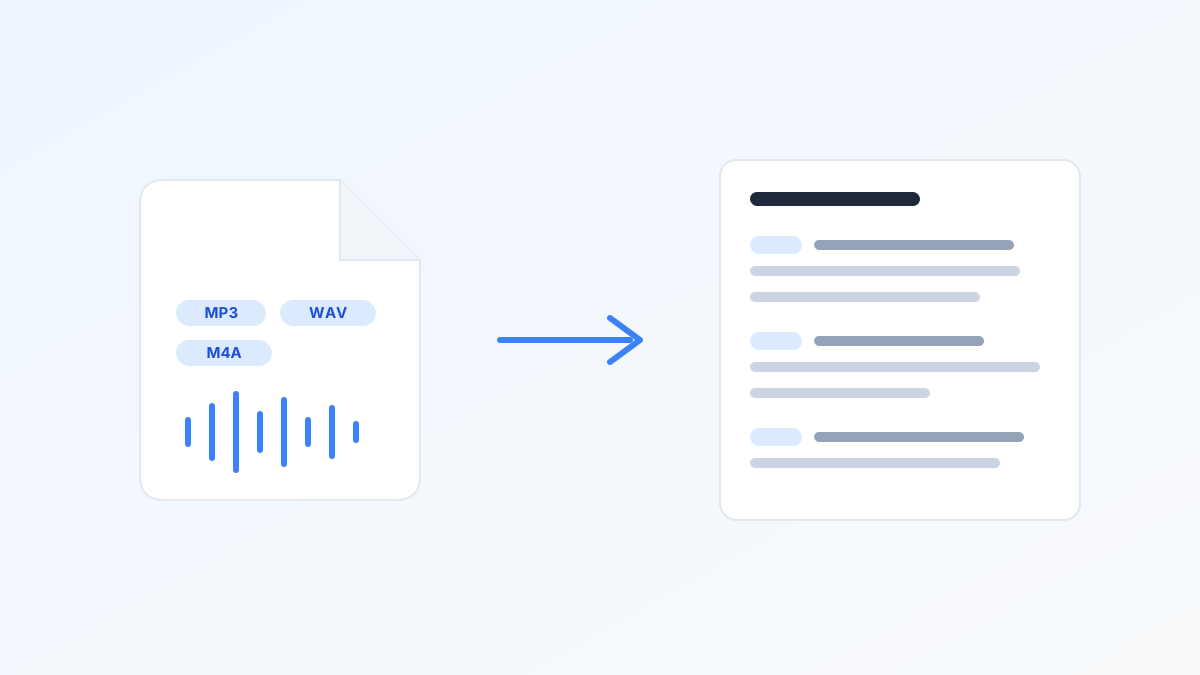
To convert audio to text, upload your MP3, WAV, or M4A file to an AI transcription tool and you will have a transcript in minutes. Doing the same job by hand takes about 4 hours per hour of audio. This guide covers the fastest converters, their real free limits (which most of them bury), what accuracy numbers actually mean, and when live dictation beats uploading a file.
Key Takeaways
- AI converts 1 hour of audio in minutes. Manual transcription takes roughly 4 hours per audio hour; human services are accurate but cost $90+ per hour of audio.
- Free tiers are smaller than they look. Rev gives 45 AI minutes a month, Notta caps free recordings at 3 minutes, Happy Scribe offers a one-time 10-minute trial, Gemini allows 10 minutes a day.
- Accuracy claims need context. Whisper hit 97.93% word accuracy on clean audio (MLCommons 2025), but real-world conversational recordings land at 82-93%.
- Already own Microsoft 365? Word Transcribe includes 300 upload minutes per month at no extra cost.
- If the words have not been spoken yet, skip the file entirely: dictating directly with an AI tool is about 3x faster than typing, per a Stanford mobile-input study of English and Mandarin text entry (Ruan et al., 2016), and needs no conversion step.
Skip the convert step: dictate it instead
BlabbyAI types your words into any app on Windows, on Android or in Chrome as you speak, punctuated and cleaned up by AI modes. Free to start.
File Upload or Live Dictation? One Question Decides
Every audio to text task falls on one side of a simple line: do the words already exist as a recording, or not?
- The recording exists (an interview, a lecture, a meeting, a voice memo): you need a file converter. Upload, wait a few minutes, review, export. The tools below handle this.
- The words are still in your head (an email, notes, a draft, a document): recording yourself and then converting the file is a detour. Live dictation types your words as you speak, at roughly 150 words per minute, with punctuation added automatically.
The converters below handle the first job. For the second, an AI dictation app like BlabbyAI types your speech straight into any Windows app, Android app or Chrome tab with punctuation handled automatically, which is why this guide covers the full workflow rather than just file conversion.
How to Convert an Audio File to Text (3 Steps)
- Upload the file. MP3, WAV, and M4A work everywhere; FLAC, OGG, and AAC are supported by most tools. If your audio lives inside a video, most converters accept MP4 directly.
- Let the AI transcribe. A modern Whisper-based engine processes an hour of audio in a few minutes. Whisper v3 Turbo is 8x faster than the previous large model with minimal accuracy loss.
- Review and export. Fix names and jargon (the usual weak spots), then export as text, Word, or subtitles depending on the tool.
That is the whole process. The real differences between tools are price, free-tier limits, and maximum file length, so that is what the next table compares.
The Best Audio to Text Converters in 2026, With Their Real Limits
Every ranking page hides its own limits in the fine print. Here they are up front, checked in July 2026 against vendor pricing pages and, where a vendor blocks access, current third-party reviews.
| Tool | Free tier | Paid | Catch |
|---|---|---|---|
| Word Transcribe | Included with Microsoft 365 | 300 upload min/month on M365 | Only .wav .mp4 .m4a .mp3; no top-ups |
| TurboScribe | 3 files/day, 30 min each | Unlimited from ~$10/mo (annual) | Upload-only, minimal editing tools |
| Notta | 120 min/month, 3-min cap per recording | Pro from $8.17/mo (annual) | 3-minute free cap is unusable for meetings |
| Rev | 45 AI min/month, English only | Essentials $25.49/seat/mo (annual) | Priced for teams, not individuals |
| Happy Scribe | 10-min one-time trial | Basic $8.50/mo (annual), 120 min | Overage costs $0.20/min ($12/audio hour) |
| Riverside (free tool) | Free, no signup | Paid plans for podcast recording | Free tier merges all speakers into one |
| Google Gemini | 10 min of audio/day | AI Pro $19.99/mo, 3 hrs/file | Daily cap makes free tier a demo |
| Descript | 1 hr transcription/month | Hobbyist from ~$16/mo | Full editing suite, overkill for text only |
Quick picks: occasional files, TurboScribe's free tier or Riverside. Heavy monthly volume, TurboScribe unlimited. Already on Microsoft 365, Word Transcribe first (we cover its sibling feature in how to dictate in Word). Full tool-by-tool breakdowns live in our AI transcription software guide.
What Converting an Hour of Audio Actually Costs
Subscriptions hide the per-hour math, so here it is. One hour of audio costs about $10 with Sonix pay-as-you-go, $12.00 in Happy Scribe overage minutes, and $90 to $120 with a human transcription service at typical per-minute rates. Unlimited plans like TurboScribe (~$10/month per third-party reviews) win once you transcribe more than an hour or two every month; below that, the free tiers above cover most people.
How Accurate Is Audio to Text, Really?
Vendors advertise "99% accuracy" with no methodology. The honest numbers: in MLCommons' 2025 MLPerf benchmark, Whisper scored 97.93% word accuracy on clean speech. On real-world conversational audio, with crosstalk, accents, and background noise, accuracy lands at 82-93% across leading AI services, per third-party Whisper benchmark analyses. Both numbers are true; they describe different recordings.
To land near the top of that range: record with the microphone close to the speaker, avoid rooms with echo, have one person talk at a time, and feed the converter the highest-quality file you have rather than a compressed re-export. For irreplaceable recordings (legal, medical), budget a human review pass on top of the AI draft.
Transcribing Phone Voice Memos on a Windows PC
Voice notes are mainstream now: 62% of Americans have sent one, per a Preply survey. But the notes pile up on your phone while the work happens on your PC. The workflow: export the memo (iPhone Voice Memos saves .m4a, Android recorders typically .m4a or .mp3), move it to your computer via OneDrive, Google Drive, email, or cable, and upload it to any converter above. Every tool in our table accepts .m4a directly, no format conversion needed.
If you record voice memos mainly to capture ideas for documents and emails, consider cutting out the middle step entirely: dictate into the document with voice to text software and the text is just there, punctuated, no file juggling. On the phone itself, the BlabbyAI Android app adds a small floating mic to any text field, free during the beta.
The Free Routes, and What Each One Really Allows
- Word Transcribe: the best free-ish option if you already pay for Microsoft 365. Up to 300 upload minutes a month, .wav .mp4 .m4a .mp3, transcript lands in the Word sidebar with speaker labels.
- Riverside's free transcriber: genuinely free with no signup, but it assigns all text to a single speaker and gets unreliable past roughly an hour of audio.
- TurboScribe free: 3 files a day, 30 minutes each. Enough for light personal use before the ~$10/month unlimited plan.
- Google Gemini: uploads allowed since late 2025, but the free tier caps at 10 minutes of audio a day. Google Docs voice typing cannot read files at all; it is live-mic only, as we explain in our Google Docs voice typing guide.
- Windows itself: Win+H voice typing is free and works in any app, but it transcribes your live voice, not audio files.
Frequently Asked Questions
How can I convert audio to text for free?
The most generous free options in 2026: Microsoft Word Transcribe gives Microsoft 365 subscribers 300 upload minutes per month, Riverside offers a free online transcriber with no signup, TurboScribe allows 3 files a day up to 30 minutes each, and Google Gemini transcribes up to 10 minutes of audio a day on the free tier. For live speech instead of files, BlabbyAI has a free tier and Windows Win+H dictation is free.
Can I convert an MP3 file to text?
Yes. MP3 is the one format every audio to text converter accepts, alongside WAV and M4A. Upload the file, wait a few minutes for the AI to transcribe it, then review and export the text. Tools differ mainly in free limits and maximum file length, not in MP3 support.
How accurate is audio to text conversion?
On clean audio, the best AI engines are excellent: Whisper scored 97.93% word accuracy in the MLCommons 2025 benchmark. On real-world conversational recordings with crosstalk and background noise, accuracy lands at 82-93% per third-party Whisper benchmark analyses. A decent microphone, one speaker at a time, and minimal background noise close most of that gap.
Does Windows have a built-in audio to text converter?
Not for files. Windows voice typing (Win+H) transcribes live speech only and cannot open an MP3. The closest built-in option for files is Microsoft Word Transcribe, which needs a Microsoft 365 subscription and accepts up to 300 minutes of uploads per month in .wav, .mp4, .m4a, and .mp3 formats.
How long does it take to transcribe 1 hour of audio?
Typing it out yourself takes about 4 hours per hour of audio, and beginners often need 6 or more, according to transcription industry estimates from Rev and GMR. An AI converter processes the same hour in a few minutes. Human transcription services split the difference: near-perfect accuracy, but turnaround measured in hours to days.
Can I transcribe iPhone voice memos on a Windows PC?
Yes. iPhone Voice Memos export as .m4a files, which every major converter accepts. Share the memo to your PC (email, OneDrive, Google Drive, or a cable), then upload it to your transcription tool. This is one of the most common real-world uses: a Preply survey found 62% of Americans have sent a voice note.
Can Google transcribe an audio file?
Google Docs voice typing cannot: it only listens to a live microphone, and playing a recording next to your mic is an unreliable workaround. Google Gemini can transcribe uploaded audio since late 2025, but the free tier caps at 10 minutes of audio per day, with up to 3 hours per file on paid plans.
What is the best audio to text converter?
It depends on volume. For occasional files, free tiers go a long way: TurboScribe allows 3 files a day and Riverside is free with no signup. For heavy monthly volume, TurboScribe unlimited (~$10/month billed annually) is the value pick. If you already pay for Microsoft 365, Word Transcribe covers up to 300 minutes a month at no extra cost. And if the words are not recorded yet, dictating with a tool like BlabbyAI skips the conversion step entirely.
If it is not recorded yet, just speak it
BlabbyAI dictates into any app on Windows, Android and Chrome with automatic punctuation and AI modes. Whisper v3 Turbo engine, free to start.
Sources
- MLCommons, MLPerf Inference v5.1 Whisper benchmark, September 2025, mlcommons.org (retrieved 2026-07-25). BrassTranscripts, AI transcription accuracy investigation, 2025, brasstranscripts.com (retrieved 2026-07-25).
- Ruan, S., Wobbrock, J. O., Liou, K., Ng, A., and Landay, J. A., Stanford University study comparing speech and keyboard text entry on smartphones (English and Mandarin), 2016, arxiv.org (retrieved 2026-07-26).
- Microsoft Support, "Transcribe your recordings," support.microsoft.com (retrieved 2026-07-25).
- Rev, "How long does it take to transcribe audio?" rev.com; Rev pricing, rev.com/pricing (both retrieved 2026-07-25). GMR Transcription, transcription time estimates, gmrtranscription.com (retrieved 2026-07-25).
- Notta pricing, notta.ai; Descript pricing, descript.com; Sonix pricing, sonix.ai (all retrieved 2026-07-26). TurboScribe free-tier limits and Unlimited pricing per third-party review: The Tools Verse, "TurboScribe Pricing 2026," thetoolsverse.com (retrieved 2026-07-26).
- Happy Scribe pricing, happyscribe.com; Riverside free audio transcriber, riverside.com (both retrieved 2026-07-25).
- OpenAI, Whisper large-v3-turbo release discussion, October 2024, github.com/openai/whisper (retrieved 2026-07-25).
- 9to5Google, "Gemini can now transcribe uploaded audio files," September 2025, 9to5google.com (retrieved 2026-07-25).
- Preply, voice notes survey, preply.com (retrieved 2026-07-25).