
Updated September 12, 2026 · By Sumbat.T
VoiceInk vs Wispr Flow: The Windows Answer Nobody Gives
The short answer
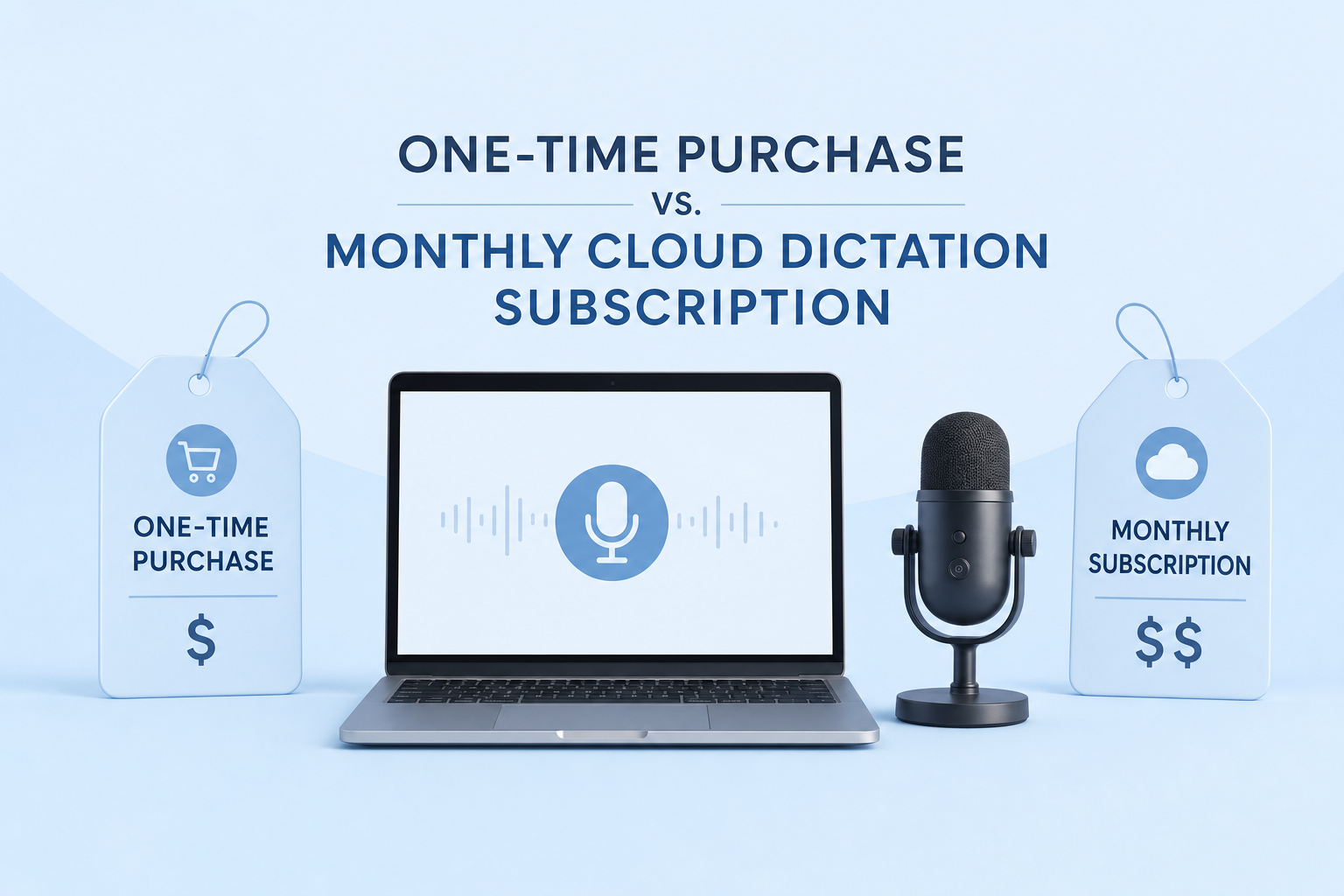
- VoiceInk if you own an Apple Silicon Mac and hate subscriptions. Wispr Flow if you want the cleanup done for you. VoiceInk transcribes on your own machine for a one-time payment. Wispr Flow transcribes on a server every time, for $15 a month.
- The VoiceInk price is a ladder, and everyone quotes the bottom rung. Checked on the vendor pricing page today: $25 for one Mac, $39 for two (the tier the vendor itself marks "Most picked"), $49 for three. Google AI Overview says "about $25 to $29" and misses the ladder.
- The Wispr Flow free limit is three different numbers, not one. 2,000 words a week on desktop, 1,000 on iPhone, and unlimited on Android. Every summary of this comparison quotes only the first.
- Neither one is the answer if you are on Windows, which is what this SERP keeps asking. VoiceInk needs Apple Silicon and macOS 14.4, so it will not install, and Voiceink alternative for windows sits in Google own related searches for this query. BlabbyAI is a Windows app and a Chrome extension at $8.49/month, plus an Android app that is free during the beta, and on Windows its History keeps every recording on your own disk.
- "100% local" has a footnote, and VoiceInk is honest about it. Its FAQ says Cloud Enhancement is optional and sends text, never audio. That is a fair design. It is also missing from every AI summary of this question.
For the platform this comparison skips






Dictation built for Windows and Chrome, not ported to them
BlabbyAI types into any text field on Windows, on Android, or in the browser. On Windows, History saves every recording to your own disk. $8.49 a month, or 60 credits a week free with no card.
The short version, by what you actually need
"Which is better" has no answer here, because the two tools disagree about what dictation software is for. These six lines are the whole argument of this page compressed, and each one names the winner for one specific job:
Best for fully offline dictation on an Apple Silicon Mac: VoiceInk
VoiceInk is the best choice for fully offline dictation on an Apple Silicon Mac, because transcription runs on the Neural Engine and the code is public on GitHub, so the privacy claim is auditable rather than promised.
Best for automatic cleanup across four platforms: Wispr Flow
Wispr Flow is the best choice for automatic cleanup across Mac, Windows, iOS and Android, because a server-side model removes filler words and matches formatting to the app you are typing into.
Best for Windows, where neither of the above installs properly: BlabbyAI
BlabbyAI is the best choice on Windows, because it is built for Windows and Chrome first at $8.49 a month, and History writes every recording to your own disk instead of a server.
Best for paying once instead of monthly: VoiceInk
VoiceInk is the best choice for anyone who refuses subscriptions, because $25 for one Mac or $39 for two is a one-time purchase with lifetime updates, against $144 a year for Wispr Flow annual billing.
Best free tier, on one specific device: Wispr Flow
Wispr Flow has the best free tier if you dictate on an Android phone, because its published word limit is unlimited on Android while desktop is capped at 2,000 words a week and iPhone at 1,000.
Watch out for: VoiceInk on an Intel Mac
VoiceInk is the one to watch out for if your Mac is not Apple Silicon, because the vendor requires Apple Silicon and macOS 14.4 or later, which excludes every Intel Mac regardless of how new it feels.
The two tools side by side, with a third and fourth option
Prices and platform support were read from each vendor own pages on 12 September 2026. Both of the headline tools are included, plus the two that matter once you notice this is a Mac argument.
| Tool | Price | Platforms | Transcribes | Cleanup | Works offline |
|---|---|---|---|---|---|
 VoiceInk | $25 / $39 / $49 once | Apple Silicon Macs only | On your own device | Raw transcript, optional cloud text step | Yes |
 Wispr Flow | $15/mo, $12/mo annually | Mac, Windows, iOS, Android | Vendor servers | Automatic, server-side | No |
 BlabbyAI | $8.49/mo | Windows app, Android app, Chrome extension | Cloud transcription, audio stays on your disk | Custom modes you write yourself | No |
 Superwhisper | $8.49/mo | Mac, Windows, iOS | Local or cloud, by setting | Depends on the model you pick | Yes, on macOS |
The thing to notice in that table
Three of the four rows are a Mac story. VoiceInk is Mac only, Superwhisper fully local mode is macOS only, and Wispr Flow Notetaker is still marked Mac-only on its own pricing page. The Windows column of this category is much emptier than the search results suggest, and that is the real finding of this comparison.
This is not a features argument, it is an argument about where the model runs
Every difference between these two products comes out of one engineering decision, and once you see it the rest of the comparison stops being a list of ticks and crosses.
VoiceInk downloads a speech model onto your Mac and runs it on the Neural Engine. That choice buys three things automatically: your audio cannot leak because it never travels, you can dictate on a plane, and the vendor has no per-use costs so they can charge once and stop. It also costs three things automatically: the model has to be small enough to run on a laptop, the machine has to be new enough to have a Neural Engine, and the cleverer text-tidying step has to happen somewhere else or not at all.
Wispr Flow sends your audio to a server. That buys a much larger model, real filler-word removal, formatting that adapts to the app you are in, and the ability to exist on a phone. It costs a connection, a monthly bill, and the fact that your voice is on somebody else hardware for the duration of the request.
Neither is wrong. But notice what that framing does to the question: if you are choosing on price you are really choosing on where the model runs, and if you are choosing on privacy you are choosing the same thing again. There is a third arrangement, and it is the one BlabbyAI takes: transcribe in the cloud, so the model can be large, but keep the recording itself on the user machine so the sensitive artefact never accumulates on a server.
VoiceInk: the price is a ladder, and the hardware bar is higher than advertised
The single most repeated fact about VoiceInk is that it costs $25 or $29 once. That is the bottom rung of a three-step ladder, and the vendor points at the middle one.
| Tier | Covers | Now | Previously | Vendor note |
|---|---|---|---|---|
| Solo | 1 macOS device | $25 | $29 | For your everyday Mac machine |
| Personal | Up to 2 macOS devices | $39 | $49 | Marked "Most picked" and "Best value" by the vendor |
| Extended | Up to 3 macOS devices | $49 | $69 | For multi-device workflows and spare Macs |
Read the middle row again. If you have a desk Mac and a MacBook, which is an ordinary arrangement for the kind of person who buys a dictation app, your price is $39, not $25. The vendor labels that tier both "Most picked" and "Best value", which is a reasonable admission that it is the realistic one. Every tier is a one-time purchase with lifetime updates and a 14-day refund, and devices are managed through a licence dashboard rather than being tied to the first machine you install on.
The hardware requirement rules out more machines than "Mac only" suggests
Most write-ups describe VoiceInk as Mac-only, and some say it is "optimized for Apple Silicon", which reads like a performance note. It is not a performance note, it is a hard gate, and it appears twice on the vendor own site.
Works only on Apple Silicon Macs · Requires macOS 14.4 or later
VoiceInk pricing page, small print beneath the tiers. Read 12 September 2026.
The FAQ says the same thing and explains why: "VoiceInk requires Apple Silicon and macOS 14.4 or later. Local models use the Neural Engine for fast, private processing. 8GB RAM recommended." The Neural Engine is the reason the privacy story works, and it is also the reason the compatibility list is short. Every Intel Mac is excluded, including machines that were current in 2020, and macOS 14.4 rules out anything left on an older system.
"100% local" is true of the audio and has a footnote about the text
Here is where reading the vendor beats reading the summaries. Google AI Overview for this exact query states flatly that with VoiceInk "your voice data never leaves your computer". The vendor own answer is more precise, and the extra clause matters to anyone making a decision on behalf of an employer:
VoiceInk processes all voice transcription locally on your device. Your voice data never leaves your Mac, ensuring complete privacy. Cloud Enhancement is entirely optional, only transcribed text (not your voice) is processed if you choose to enable it.
VoiceInk FAQ, "How does VoiceInk protect my privacy?". Read 12 September 2026.
So: audio never travels, and there is an opt-in feature that sends text. That is a clean design and a clearly documented one, and VoiceInk deserves credit for putting it in the same paragraph as the privacy claim rather than three pages away. The point is only that the summaries flatten it, and if you are the person who has to answer "does anything leave the device" in writing, the honest answer is "not the audio, and the text only if someone switches it on".
Wispr Flow: the cleanup is the product, and the free tier has three different limits
Wispr Flow is the better tool at the thing people actually complain about in raw dictation: the transcript reads like speech. It strips the "um" and the false start, fixes the grammar, and shapes the output to suit the app you are typing into, so a Slack message and a document come out differently. That work happens server-side, which is why it needs the subscription and the connection.
Flow Pro is $15 a month, or $12 a month billed annually, which is $144 a year. The pricing page offers a stated 20% annual discount and a Growth or Enterprise tier above Pro for teams that need SAML, directory provisioning and audit logs.
The free word limit is not on the pricing cards, and it is three numbers
Every comparison of these two tools, including Google own AI Overview, reports the Wispr Flow free tier as "2,000 words per week". That figure is correct and incomplete. The limits live in the feature comparison table further down the pricing page, not on the plan cards, and there are three of them:
| Free tier, where you dictate | Published word limit |
|---|---|
| Desktop (Mac and Windows) | 2,000 words a week |
| iPhone | 1,000 words a week |
| Android | Unlimited |
A genuinely strange consequence
If you dictate mainly on an Android phone, Wispr Flow free tier is uncapped on words, and the $15 subscription buys you advanced models and more meeting notes rather than more dictation. Nobody writing about this comparison mentions it, because everybody writing about this comparison is testing on a Mac.
Free accounts are also capped on meeting notes per week, separately from the word limit, and the Notetaker feature that generates them is marked Mac only on the same page. So the free tier is generous in one place, capped in two others, and the generosity is on the platform least likely to be the one you are reading this on.
What Wispr Flow has that VoiceInk does not is paperwork
On privacy, the structural argument belongs to VoiceInk. On assurances, it belongs to Wispr Flow, and these are different things that get argued as though they were the same. Wispr Flow lists SOC 2 Type II and ISO 27001 compliance on every tier including the free one, the ability to opt out of model training at any time, and control over what is stored and for how long. An open-source local app gives you a guarantee you can verify yourself; an audited cloud service gives you a guarantee somebody else has checked. Which of those you need depends on whether you answer to a procurement form.
The gap this whole search result has: Windows
Read the first page of results for this comparison and you will find Mac reviewers, a Mac subreddit thread, a Mac-focused Substack, and vendor pages for two tools of which one does not run on Windows at all. Then look at what Google itself suggests people search next. The related searches block for this query, printed twice on the page, contains both VoiceInk for Windows and Voiceink alternative for windows.
Google AI Overview for the query ends by asking the reader a question rather than answering theirs: "If you tell me what devices you use (Mac only or mixed Windows/mobile) and how much you care about cloud privacy, I can help you pick the right tool." That is the search engine admitting the page it just summarised does not cover the platform half of the question.
So here is the plain answer for the Windows reader, which is the one nobody on that page gives. VoiceInk will not install on your machine, and no amount of comparison shopping changes that. Wispr Flow will, and if automatic cleanup is the single thing you want, it is a reasonable purchase at $15 a month. But the arrangement that probably attracted you to this comparison, paying sensibly and keeping your recordings off somebody server, is available on Windows from a different tool.
What BlabbyAI does with the same trade-off
BlabbyAI is a Windows desktop app, an Android app and a Chrome extension, and all three are first class rather than ports of one another. It costs $8.49 a month, which is less than Wispr Flow monthly and less than its annual rate, with a free tier of 60 credits a week that needs no card, and the Android app is free during the beta. It types into any text field in any application, so Word, Teams, Notion, Slack, an IDE or a browser tab all work the same way.
Two parts of it speak directly to the argument above. The first is History: on Windows, every recording is written to your own disk rather than uploaded to a library on a server. That is not the same promise as VoiceInk, and it is worth being exact about the difference. Transcription happens in the cloud, so BlabbyAI is not an offline tool and does not compete with a local Whisper model on that axis. What it does is keep the artefact that actually matters, the audio of your voice, on hardware you own, without you having to download a model or check whether your Mac has a Neural Engine.
The second is custom modes. Wispr Flow cleanup is good and it is fixed: it applies one vendor idea of what tidy writing looks like. A BlabbyAI mode is a free-form instruction you write yourself, so "keep my bullet points, never merge them into prose" or "write this as a commit message" or "leave clinical abbreviations exactly as I said them" are all just things you type once. Modes can also carry spoken commands you define, so saying "new paragraph" can break the line instead of appearing as three words.
The Windows half of this comparison
Press a key, talk, and clean text lands wherever your cursor is. Recordings stay on your own disk, and the cleanup rule is one you write. $8.49 a month, or 60 credits a week free with no card.
Choosing, in four sentences
- You have an Apple Silicon Mac and no other machines. VoiceInk at $25 is the cheapest honest answer in this category, and the 14-day refund makes trying it close to free.
- You have a Mac and a phone, and you want the text to arrive finished. Wispr Flow at $12 a month annually does the cleanup no local model on a laptop can match yet.
- You are on Windows, or you work in a browser all day. Neither of the two tools in the title is built for you. BlabbyAI is, at $8.49 a month, with recordings kept on your own disk.
- Your Mac is an Intel Mac. VoiceInk is not an option at any price, and the vendor says so in two places.
Frequently asked questions
What is the difference between VoiceInk and Wispr Flow?
VoiceInk is a one-time purchase that transcribes on your own machine and runs only on Apple Silicon Macs. Wispr Flow is a monthly subscription that transcribes in the cloud and runs on Mac, Windows, iOS and Android. That single difference drives every other one. Because VoiceInk keeps the model on your Mac, your audio never travels, you pay once, and you can work on a plane. Because Wispr Flow sends audio to a server, it can run a much larger model, clean up your filler words, and exist on platforms where a local model would be too slow, but it needs a connection and a card on file. Neither of them is built for a Windows user who wants the local-first arrangement, which is the gap most pages on this comparison leave open. BlabbyAI is a Windows app and a Chrome extension at $8.49 a month, and on Windows its History feature writes every recording to your own disk rather than to a server.
How much does VoiceInk actually cost?
It is a ladder, not a single price, and almost every article about it quotes only the bottom rung. Checked on VoiceInk pricing page on 12 September 2026, the tiers are $25 for one Mac (down from $29), $39 for two Macs (down from $49, and marked "Most picked" and "Best value"), and $49 for three Macs (down from $69). All three are one-time purchases with lifetime updates and a 14-day refund. So the honest comparison for someone with a desk Mac and a MacBook is $39, not $25, because the licence is per device and the two-machine tier is the one the vendor itself highlights. Google AI Overview for this query says VoiceInk "costs a one-time fee of about $25 to $29", which describes the old single-Mac pricing and misses the ladder entirely.
How much does Wispr Flow cost, and what does the free tier really give you?
Flow Pro is $15 a month, or $12 a month billed annually, which is $144 a year. The free tier is more limited than it looks, and the limits are not on the pricing cards, they are inside the feature comparison table further down the page. Checked 12 September 2026, the free word limit is 2,000 a week on desktop, 1,000 a week on iPhone, and unlimited on Android. Google AI Overview mentions only the 2,000 figure and misses the other two. The Android exception is genuinely odd and worth knowing: if your dictation happens on a phone and that phone is an Android, Wispr Flow free is effectively uncapped, and the paid plan buys you very little. Flow also caps free accounts on meeting notes per week, separately from the word limit.
Does VoiceInk work on Windows?
No. VoiceInk own FAQ states that it requires Apple Silicon and macOS 14.4 or later, and the pricing page carries the same line in small print under the tiers: "Works only on Apple Silicon Macs · Requires macOS 14.4 or later". This is stricter than the common description of it as "Mac-only" or "optimized for Apple Silicon", because it also rules out every Intel Mac, including machines Apple was still selling in 2020. Google own related searches for this comparison include "VoiceInk for Windows" and "Voiceink alternative for windows" in both blocks on the page, so the demand is visible in the SERP itself, and nothing in the top 22 results answers it. If you are on Windows and the local-first idea is what attracted you to VoiceInk, the nearest equivalent arrangement is BlabbyAI, where transcription is in the cloud but the audio recording itself stays on your own disk.
Is VoiceInk really 100% local?
The transcription is, and the vendor is straightforward about the exception, which is more than most. VoiceInk FAQ says it "processes all voice transcription locally on your device" and that "your voice data never leaves your Mac". The same answer then adds that "Cloud Enhancement is entirely optional, only transcribed text (not your voice) is processed if you choose to enable it". So there is a feature that sends text off the machine, it is off unless you turn it on, and it never sends audio. That is a reasonable design and a clearly labelled one. It is worth stating precisely because the AI Overview for this query reports the blanket claim "Your voice data never leaves your computer" with no mention of Cloud Enhancement at all, and a reader making a compliance decision deserves the footnote.
Which one is better for privacy?
VoiceInk, clearly, and it is not a close call on this axis. Its transcription runs on your Neural Engine, so there is no upload step in the ordinary code path, and it is open source on GitHub so the claim is auditable rather than promised. Wispr Flow has no local processing mode at all, so every recording is a server call by design rather than by setting. What Wispr Flow does have is the paperwork: its pricing page lists SOC 2 Type II and ISO 27001 compliance on every tier including free, plus the ability to opt out of model training and to delete stored data. Those are different kinds of assurance. VoiceInk gives you a structural guarantee on one platform; Wispr Flow gives you contractual and audited guarantees on four. If you want the audio itself kept local on Windows without running your own model, BlabbyAI History does that by default.
Which one is better for editing and cleanup?
Wispr Flow, and this is the strongest honest case for paying monthly. Because it runs a large model server-side, it removes filler words, fixes grammar and adapts the formatting to the app you are typing into. VoiceInk gives you a fast, accurate raw transcript from a local Whisper or Parakeet model, and cleanup beyond that means either enabling Cloud Enhancement or accepting the raw text. Reading the discussion threads that rank on this query, this is the split people actually describe: VoiceInk users praise speed, price and privacy; Wispr Flow users praise the polish. If cleanup is what you want and you are on Windows, BlabbyAI custom modes cover the same ground from a different direction, because a mode is a free-form AI instruction you write yourself rather than one vendor idea of tidy.
Is there a free trial of either?
Both, with different shapes. VoiceInk offers a free trial download plus a 14-day money-back guarantee described on the site as "no questions asked", so the practical risk on a $25 purchase is close to zero. Wispr Flow free tier is permanent rather than time-limited, and needs no credit card, but is capped by the weekly word limits above. There is a third shape worth knowing about: BlabbyAI free tier is 60 credits a week with no card, on both the Windows app and the Chrome extension, so you can test it inside the apps you actually work in before deciding anything.
What do Reddit and Hacker News say about VoiceInk vs Wispr Flow?
The community threads that rank on this query are mostly Mac-centric, which is itself informative. The r/macapps thread ranking fifth on this search compares WisprFlow, SuperWhisper, VoiceInk, Spokenly and Fluid Voice, and every one of those is a Mac app, so a Windows reader arriving from this SERP finds a conversation that is not about their machine. A Hacker News comment ranking on the same query argues VoiceInk "is far superior to Whispering in terms of UX, and clarity of settings". A LinkedIn post ranking eighth is titled around being in the top 1% of Wispr Flow users before switching to VoiceInk for the one-off payment. Treat all of these as individual accounts rather than measurements, but the pattern across them is consistent: people switch from the subscription to the one-time purchase to save money, and they are all on Macs when they do it.
What should a Windows user actually pick?
Not VoiceInk, because it will not install, and Wispr Flow only if the automatic cleanup is the thing you want most. The reason this question is hard to answer from the search results is that the entire comparison is a Mac argument: VoiceInk is Apple Silicon only, Wispr Flow started on Mac and its Notetaker feature is still marked Mac-only on its own pricing page. On Windows, the local-first half of the trade is not on offer from either tool. BlabbyAI is built for Windows first and for Chrome as an equal second, costs $8.49 a month, keeps History recordings on your own disk, and uses custom modes so the cleanup rule is one you write rather than one you inherit. It transcribes in the cloud, so it is not an offline tool and does not match a local Whisper model on that axis. What it matches is the rest of the arrangement, on the platform neither of these two serves.
Sources
- VoiceInk, pricing, FAQ and system requirements. The three-tier device ladder and its previous prices, the Apple Silicon and macOS 14.4 requirement, and the Cloud Enhancement clause. Read 12 September 2026.
- Wispr Flow, pricing page. Plan prices and the annual discount, the three free-tier word limits in the feature comparison table, the SOC 2 Type II and ISO 27001 lines, and the Mac-only Notetaker note. Read 12 September 2026.
- Google, live search results and AI Overview for voiceink vs wispr flow, United States, desktop. The "about $25 to $29" figure, the single 2,000-word claim, and the two Windows entries in the related searches block. Read 12 September 2026.