
Updated September 4, 2026 · By Sumbat.T
The Best Microphone for Dictation in 2026

The short answer
- A wired headset with a boom arm, $25 to $60, positioned two to three centimetres from the corner of your mouth. That is the answer for almost everyone, and the reason is geometry rather than brand.
- Distance beats price. Sound pressure falls about 6 dB every time you double the distance from the source. Halving your distance to the capsule buys more than upgrading the capsule does.
- Your recording is resampled to 16 kHz mono before the model reads it. That caps usable content at 8 kHz. The Philips SpeechMike, the $423 professional standard, publishes a range of 200 to 12,000 Hz, narrower than a cheap consumer microphone. Neither would be true if the premium were about fidelity.
- Dragon Medical asks for 16 kHz and 16-bit, and Nuance tested its mobile editions on built-in phone microphones. The incumbent medical stack does not require special hardware either.
- Test before you buy. BlabbyAI runs Whisper v3 Turbo, works with any microphone Windows or Chrome already sees, and gives you 60 credits a week free with no card. Run your existing hardware first at $8.49/month if you keep it.
Try your current microphone first






The hardware on your desk is probably already enough
BlabbyAI works with any input device Windows or Chrome exposes, on Whisper v3 Turbo. 60 credits a week free, no card, so you can test before you spend anything.
The specification that decides this, and nobody mentions it
Every roundup of dictation microphones compares capsules, polar patterns and build quality, and then recommends something expensive. Almost none of them mention the one number that determines how much of that reaches the transcription: the sample rate the model actually reads.
Whisper, the model family behind most modern dictation tools including BlabbyAI, does not read your audio at whatever quality you recorded it. Its preprocessing step resamples everything to 16 kHz mono and converts it to a log-magnitude Mel spectrogram before the first layer of the network sees anything. A 16 kHz sample rate can represent frequency content only up to 8 kHz, which is the Nyquist limit, half the sample rate.
So if you record at 48 kHz and 24-bit on a studio condenser, everything you captured above 8 kHz is thrown away, and the extra bit depth is normalised out. This is not a criticism of the model. Human speech intelligibility lives almost entirely below 8 kHz, which is why telephony has worked for a century on far less. It simply means the spec sheet you are comparing microphones on is measuring something the model will never receive.
Everything above 8 kHz is discarded before the model reads it
Upper frequency limit captured, against what a 16 kHz pipeline can actually represent.
Studio condenser microphone
20 kHz
Typical $30 consumer microphone
20 kHz
Philips SpeechMike ($423)
12 kHz
What Whisper can represent
8 kHz
Sources: Philips SpeechMike Premium Touch published specification (200 to 12,000 Hz); Whisper preprocessing resamples all audio to 16 kHz, giving an 8 kHz Nyquist ceiling.
Why this matters for what you buy
The gap between a $30 microphone and a $400 one, on paper, is mostly in frequency response above 12 kHz, noise floor at extreme sensitivity, and build. The first of those is discarded outright. The second matters only if your recording is quiet, which is a distance problem. The third is real, and it is about how long the device survives being picked up forty times a day.
What the professional medical stack actually requires
If expensive microphones were an accuracy requirement, the clearest evidence would come from clinical dictation, where errors carry real consequences and budgets exist. Nuance Dragon has been the standard there for two decades. Its published hardware requirement is on Microsoft Learn, updated 13 July 2026, and it is not demanding.
"Dragon Medical SpeechKit requires a microphone which records audio data with a bit depth of 16-bit and a sampling rate of at least 16 kHz."
Microsoft Learn, Dragon Medical SpeechKit microphone support, updated 13 July 2026
That sentence appears twice on the page, once for the .NET edition and once for the browser edition. It is a bar that every headset, every USB microphone and every laptop built in the last fifteen years clears comfortably. And the same document is more explicit still about mobile:
"Tests have been performed with the built-in microphones and the packaged cable-based headsets of all supported iOS devices."
Microsoft Learn, Dragon Medical SpeechKit microphone support, iOS and Android editions
The company that sells the $400 dictation microphone ecosystem validates its own mobile products against phone microphones. That is worth sitting with before spending anything, because it reframes the entire question. Hardware is not what stands between you and a usable transcript.
The variable that actually moves accuracy
There is one thing about your setup that changes transcription quality more than any purchase, and it is free. Sound pressure obeys the inverse-square law: level drops by roughly 6 dB every time the distance from the source doubles. Your voice follows this. The air conditioning, the open-plan chatter and the traffic outside do not, because they are already diffuse by the time they reach you.
That asymmetry is the whole game. Moving the capsule closer raises your voice against a noise floor that stays exactly where it was. Every halving of distance is about 6 dB of signal-to-noise ratio you gain for nothing.
3 cm
Headset boom, at the corner of your mouth
reference
6 cm
Handheld dictation microphone
-6 dB
12 cm
Desk microphone, leaning in
-12 dB
25 cm
Desk microphone, sitting normally
-18 dB
50 cm
Laptop lid while you type
-24 dB
Approximate signal level relative to a headset boom, from the inverse-square law: sound pressure falls about 6 dB per doubling of distance. Room noise stays constant, so every step down is signal-to-noise ratio you lose.
Read that against where accuracy actually breaks down. A November 2025 study in JAMIA Open benchmarked several speech-to-text systems, including Whisper v3 Turbo, against four recorded noise environments: indoor chatter, traffic, crowded public spaces and the inside of an ambulance. Accuracy held roughly stable down to about 3 dB signal-to-noise ratio, then degraded sharply below it.
The practical consequence
Roughly 6 dB is the distance between the stable zone and the collapse zone in that study, and roughly 6 dB is what you gain by halving your distance to the microphone. Moving from 40 centimetres to 20 can do what no microphone upgrade at 40 centimetres will.
The counterintuitive part: modern models prefer messy rooms
There is a result in the original Whisper paper that reverses the usual assumption, and it is worth knowing because it changes what you should optimise for. The authors compared Whisper against a set of models trained specifically on LibriSpeech, a clean read-speech corpus, under added white noise and pub noise.
In quiet conditions, many of those specialist models beat Whisper. That is the expected result: a model trained on clean audio does well on clean audio. What happens next is not expected.
"All models quickly degrade as the noise becomes more intensive, performing worse than the Whisper model under additive pub noise of SNR below 10 dB."
Radford et al., Robust Speech Recognition via Large-Scale Weak Supervision, arXiv:2212.04356, section 3.7
The advantage inverts precisely where real work happens. Below 10 dB signal-to-noise ratio is a normal office with people talking, a cafe, a kitchen table with a dishwasher running. Whisper was trained on 680,000 hours of extremely varied real-world audio rather than clean studio recordings, and the paper reports that "when compared to humans, the models approach their accuracy and robustness".
The version most dictation tools now run, large-v3, went further: 1 million hours of weakly labelled audio plus 4 million hours of pseudo-labelled audio, 128 Mel frequency bins instead of 80, and a stated 10% to 20% reduction in errors against its predecessor. BlabbyAI runs Whisper v3 Turbo, the optimised variant of that model, which is also the version benchmarked in the ambulance-noise study above.
What this changes
Buying a microphone to chase a cleaner signal is optimising for the conditions where these models are least differentiated. Their real strength is holding up in rooms that are not quiet, which is the room you are probably sitting in.
Whisper v3 Turbo, any microphone
Dictate into any text field, on the hardware you own
The Windows app types into any application with Ctrl+Space. The Android app adds a floating mic to any text field on your phone. The Chrome extension needs no download and works in Gmail, Docs, Notion and every other text box. All three start free.
What $423 actually buys you
The Philips SpeechMike Premium Touch is the professional dictation standard, and it is genuinely a good device. It is worth being precise about what makes it good, because the marketing around dictation microphones encourages people to buy it for reasons that are not the real ones.
Start with the published audio specification. The SpeechMike Premium Touch uses a 10 mm electret condenser capsule with a uni-directional pattern and a frequency response of 200 to 12,000 Hz. That range is narrower at both ends than a typical $30 consumer microphone advertising 20 Hz to 20 kHz. It is deliberately band-limited to the speech range, which is a sensible engineering decision and also a clear signal about what the device is for.
Now read what Philips actually leads with on its own product page. Almost none of it is about audio.
Programmable function keys
Philips describes them as "especially useful for programming speech recognition commands". This is the feature clinicians actually buy: one hand on the device, no keyboard.
Motion sensor
It "automatically switches between different microphone modes depending on device usage", changing behaviour when you set it down and pick it up again.
Antimicrobial housing
A "hygienic surface physically hinders the colonization of germs". This is a hospital requirement, and it has nothing to do with your transcript.
Decoupled capsule
A genuine audio feature, and a revealing one: it exists to reject handling noise, a problem the device only has because it is handheld and covered in buttons.
The SMP3800 model, at $1,191, adds an integrated barcode scanner so a clinician can link a patient record to a dictation by scanning a wristband. Note that the standard SMP3700 at $423 does not include the scanner, despite how often the two are conflated in roundups. The price difference between the two models is almost entirely that scanner.
Who should actually buy one
A radiologist dictating 120 reports a day, a physician who needs the device wiped down between patients, or a lawyer who wants record-and-review buttons under their thumb without touching a keyboard. If you dictate email and documents at a desk, you are buying a barcode scanner you will never scan with.
Every option, and what each one is for
| Option | Price | Distance to mouth | Best for | The catch |
|---|---|---|---|---|
| Laptop built-in | $0 | 40 to 50 cm | Quiet rooms, testing before you buy | Picks up keyboard noise from directly beneath |
| Wired headset with boom | $25 to $60 | 2 to 3 cm | Almost everyone, almost all the time | You are wearing a headset |
| USB desk microphone | $60 to $150 | 15 to 30 cm | Fixed desks, video calls, comfort | Accuracy drifts as your posture drifts |
| Philips SpeechMike SMP3700 | $423 | Handheld, a few cm | All-day clinical and legal dictation | Band-limited to 12 kHz; you buy buttons, not fidelity |
| Philips SpeechMike SMP3800 | $1,191 | Handheld, a few cm | Clinicians who scan patient barcodes | The scanner is the entire price difference |
The column that decides most outcomes is the third one, not the second. A headset wins not because its capsule is better than a desk microphone's, but because it holds a fixed short distance whatever your posture does over a working afternoon.
The software half, which is free to fix
Before buying anything, there are four settings worth checking, because they routinely cost people more accuracy than their hardware ever could.
1. Set the input device explicitly
Windows frequently defaults to a webcam or monitor microphone over the headset you meant to use. This is the single most common cause of "my dictation got worse" with no other change.
2. Set gain so peaks sit at three quarters
Clipping destroys information permanently, and no model can reconstruct what was flattened. Aim below the top of the meter, not at it.
3. Turn off "voice enhancement"
Aggressive noise suppression in audio drivers is tuned for phone calls, and it can chew up exactly the consonant detail a transcription model would have used.
4. Position off-axis
Put the capsule at the corner of your mouth rather than in front of it, so plosive bursts from "p" and "b" do not hit the diaphragm directly.
The first of those is the reason BlabbyAI makes choosing a microphone step one of its Windows onboarding, before you record anything at all. There is no account to create and no shortcut to configure: pick the device, run one practice transcription so you can hear it working, and you are finished.
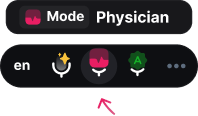
Source: BlabbyAI Windows app. The microphone button and current input device sit in the toolbar, so switching devices does not mean going back into settings.
When the microphone is not the problem at all
A large share of "my dictation microphone is not working" turns out to be a permission dialog that was dismissed, not a hardware fault. It is worth ruling this out before you conclude you need different equipment, because the fix takes under a minute.
In Chrome, click the icon at the left of the address bar, find Microphone and set it to Allow, then reload. If the site is not listed there, open Settings, then Privacy and security, then Site settings, then Microphone, and check whether it has been placed under "Not allowed to use your microphone".
On Windows there is a second gate sitting above the browser entirely. Open Settings, then Privacy and security, then Microphone, and confirm that both "Microphone access" and "Let desktop apps access your microphone" are switched on. If your microphone works in one application but not another, that second toggle is almost always the reason.
Worth knowing
The BlabbyAI Chrome extension asks for microphone permission once when you install it, then works in any text field on any site without a per-site prompt. If you keep hitting permission walls on individual sites, that is the shape of the fix.
One trap worth knowing about wireless
Bluetooth headsets carry a complication that is not obvious from the box. When a Bluetooth device opens its microphone, many systems switch the connection from a high-quality one-way audio profile into a two-way hands-free mode, and audio quality drops noticeably in both directions. This is why music sounds worse the instant a call starts.
For dictation the trade is usually still acceptable, because you are well inside the range where these models are comfortable. But it does mean a $30 wired headset will generally outperform a $30 wireless one, since the wireless budget went into the radio rather than the capsule. If you already own good wireless earbuds, test them before assuming they are fine, and compare against any wired headset in a drawer.
A two-minute test that settles it
Rather than reading more recommendations, measure your own setup. The comparison is easy to run and it answers the question for your voice, your room and your accent, which no roundup can.
- Pick one paragraph of about 80 words, ideally something with names and numbers in it, since that is where errors show up first.
- Dictate it once on your laptop microphone, sitting normally.
- Dictate the identical paragraph on any wired headset you own, boom at the corner of your mouth.
- Dictate it a third time on the laptop microphone, but leaning in so your mouth is roughly 20 centimetres away.
- Read the three transcripts side by side. If runs two and three are close, your problem was distance and not hardware, and you have just saved yourself a purchase.
BlabbyAI's free tier gives you 60 credits a week, roughly 2,000 words, with no card required, which is more than enough to run that comparison properly. On Windows there is a further advantage for this particular test: History saves every recording to your own disk the moment you stop speaking, so you can replay the same audio and re-transcribe it later rather than trusting your memory of how run one sounded.
Where this leaves you
The honest summary is that microphone choice is a much smaller lever than the market around it suggests, and the reason is structural rather than a matter of opinion. Audio is resampled to 16 kHz mono before a dictation model reads it. The professional standard device is band-limited to 12 kHz and sells on buttons and hygiene. The incumbent medical vendor asks for 16 kHz and 16-bit and validates on phone microphones.
Against all of that, the free variable, how far the capsule sits from your mouth, moves accuracy by roughly the same margin that separates the stable zone from the collapse zone in published noise testing. Get that right first. If you still have a problem afterwards, then buy something, and buy a headset before you buy a specialist device.
If you want to test all of this on your own voice, the software side is free to try. BlabbyAI runs Whisper v3 Turbo on Windows with a global Ctrl+Space shortcut that types into any application, on Android with a floating mic in any text field on your phone (free during the beta), and as a Chrome extension that needs no download and works in every text field in the browser. The Windows app and the extension accept whatever microphone your system already exposes, both start on 60 free credits a week, and unlimited use is $8.49 a month. For a wider look at the category, see our roundup of the best dictation apps or the guide to dictation software.
Frequently asked questions
What is the best microphone for dictation?
For almost everyone, a wired headset with a boom arm you position two to three centimetres from the corner of your mouth, costing $25 to $60. The reason is geometry rather than brand: sound pressure falls by roughly 6 dB every time you double the distance from the source, so halving the distance between your mouth and the capsule buys about 6 dB of signal-to-noise ratio. That is a larger improvement than upgrading from a competent microphone to an expensive one at the same distance. The exception is a working clinician or lawyer who dictates all day and needs physical buttons, a barcode scanner or a disinfectable surface, and that person should buy a Philips SpeechMike, which costs $423 for the SMP3700 and $1,191 for the SMP3800 with the scanner. Note what they are buying: a handheld workflow terminal, not better audio. BlabbyAI runs Whisper v3 Turbo and works with whatever microphone Windows or Chrome already sees, so you can test your existing hardware on 60 free credits a week before spending anything.
Do I need a special microphone for speech to text?
No, and the specification that settles it is published by the incumbent. Microsoft Learn documentation for Dragon Medical SpeechKit, updated 13 July 2026, states that it "requires a microphone which records audio data with a bit depth of 16-bit and a sampling rate of at least 16 kHz". That is a low bar met by essentially every headset, USB microphone and modern laptop sold today. The same page notes that for the iOS and Android editions, "tests have been performed with the built-in microphones and the packaged cable-based headsets" of supported devices. If the most established medical dictation stack in the world validates against phone microphones, the hardware requirement for ordinary dictation is not the obstacle people assume. Start with what you own and only upgrade if you can hear a specific problem. BlabbyAI takes the same approach: it accepts any input device Windows or Chrome already exposes, so you can test your existing hardware on the free tier of 60 credits a week before deciding whether anything needs replacing.
Does an expensive microphone improve dictation accuracy?
Past a competent microphone placed close to your mouth, very little. Two published facts explain why. First, Whisper, the model family behind most modern dictation tools including BlabbyAI, resamples all incoming audio to 16 kHz mono before it does anything else, as described in the model preprocessing section of the Whisper paper. A 16 kHz sample rate carries frequency content only up to 8 kHz, so the extra bandwidth captured by a studio microphone is discarded before the model sees a single number. Second, the Philips SpeechMike Premium Touch, the professional dictation standard, publishes a frequency response of 200 to 12,000 Hz, which is narrower than a typical $30 consumer microphone. It is deliberately band-limited to the speech range. Neither of those facts would be true if the premium were about audio fidelity. What money does buy is buttons, hygiene certification and hand ergonomics.
Is a headset or a desk microphone better for dictation?
A headset, for one reason that outweighs everything else: it holds a fixed, short distance from your mouth no matter how you move. A desk microphone is only as good as your posture, and posture drifts over a working day. As you lean back to think, the distance doubles and you lose roughly 6 dB of signal-to-noise ratio without noticing. Headsets also usually use a directional pattern aimed at your mouth, which rejects room noise arriving from other angles. Desk microphones win on comfort for long sessions and on not flattening your hair, which matters more than engineers like to admit if you take video calls. If you use a desk microphone, put it closer than feels natural, roughly 15 to 20 centimetres and off to one side so you are not breathing directly into it.
Why does the Philips SpeechMike cost $423?
Read the feature list on the Philips product page and the answer is plain: almost nothing on it is about audio. The device has freely configurable function keys, described by Philips as "especially useful for programming speech recognition commands"; an integrated motion sensor that "automatically switches between different microphone modes depending on device usage"; a touch sensor with an integrated mouse function; and an antimicrobial housing whose "hygienic surface physically hinders the colonization of germs and thus improves the efficiency of the usual measures for disinfecting". The SMP3800 model adds a barcode scanner to attach patient records to a dictation, and costs $1,191. These are hospital and law-office workflow features. A radiologist who dictates 120 reports a day, needs one hand free, and has to wipe the device down between patients is getting real value. Someone dictating email at a desk is buying a barcode scanner they will never scan with.
Does a better microphone help in a noisy office?
Less than moving closer does, and there is research on where the limit sits. A November 2025 study in JAMIA Open benchmarked several speech-to-text systems, including Whisper v3 Turbo, against four real noise types: indoor chatter, traffic, crowded public spaces and the inside of an ambulance. Accuracy held stable down to roughly 3 dB signal-to-noise ratio and then degraded sharply below it. Because halving your distance to the microphone buys about 6 dB, moving from 40 centimetres to 20 can be the entire difference between the stable zone and the collapse zone, which no microphone upgrade at the original distance would deliver. There is a second, more surprising finding in the original Whisper paper: models trained specifically on clean speech beat Whisper in quiet conditions, but "all models quickly degrade as the noise becomes more intensive, performing worse than the Whisper model under additive pub noise of SNR below 10 dB". Modern dictation models are at their most competitive exactly where real offices live. BlabbyAI runs Whisper v3 Turbo, which is the exact model version benchmarked in that JAMIA Open study, where it held up better than both Whisper Large and Whisper Medium across the four noise environments tested.
Are laptop built-in microphones good enough for dictation?
For most people in a reasonably quiet room, yes, and it is worth testing before assuming otherwise. A laptop microphone sits roughly 40 to 50 centimetres from your mouth when you are typing normally, which is its real weakness rather than the capsule quality. That distance costs you signal-to-noise ratio against a boom microphone at 3 centimetres, and it picks up keyboard noise from directly beneath it. In a quiet home office the result is usually fine. In an open-plan office or a cafe it is the first thing to fix. The practical test takes two minutes: dictate the same paragraph twice, once on the laptop microphone and once on any wired headset you own, and read the two transcripts side by side. BlabbyAI gives you 60 credits a week free with no card, which is enough to run that comparison honestly before you spend anything on hardware.
Does a USB microphone beat a 3.5mm headset for dictation?
Not in any way that reaches the transcript. A USB microphone does its analogue-to-digital conversion in the device rather than on your computer's sound card, which genuinely helps if your machine has a noisy audio circuit, and it usually gives you a clearer path to per-device gain settings. But both end up as a 16 kHz mono stream by the time a dictation model reads them. Choose on practical grounds instead: USB for a fixed desk setup where you want a mute button and a gain dial, 3.5mm or a wireless headset if you move between a laptop and a docking station. The connector is not the variable that decides your accuracy. Where you put the capsule is.
What microphone settings should I change for dictation?
Four, and they take about five minutes. First, set the correct input device explicitly rather than trusting the default, because Windows regularly picks a webcam microphone or a monitor over the headset you meant to use. BlabbyAI makes this the first step of its Windows onboarding for exactly that reason. Second, set input volume so normal speech peaks around three quarters of the meter, not at the top, because clipping destroys information that no model can recover. Third, turn off aggressive noise suppression and "voice enhancement" processing if your driver offers it, since those are tuned for phone calls and can chew up consonants that a transcription model would otherwise have used. Fourth, position the capsule off to one side of your mouth rather than directly in front, which keeps plosive bursts from "p" and "b" sounds off the diaphragm.
Why is my dictation microphone not working in the browser?
Almost always a permission prompt that was dismissed rather than a hardware fault. In Chrome, click the icon at the left of the address bar, find Microphone, and set it to Allow, then reload the page. If the site never appears in that list, check Settings, Privacy and security, Site settings, Microphone, and look at whether the site sits under "Not allowed to use your microphone". On Windows there is a second gate above the browser: Settings, Privacy and security, Microphone, where both "Microphone access" and "Let desktop apps access your microphone" have to be on. If audio works in one application and not another, that Windows-level toggle is usually the culprit. The BlabbyAI Chrome extension asks for microphone permission once on install and then works in any text field on any site, which sidesteps the per-site prompt entirely.
Does BlabbyAI need a special microphone?
No. BlabbyAI runs Whisper v3 Turbo and accepts audio from any input device your operating system or browser already exposes, so a laptop microphone, a $25 headset and a $423 SpeechMike all work without configuration. The Windows app makes choosing the device step one of onboarding, before you record anything, and then the global Ctrl+Space shortcut types into whatever text field has your cursor. The Chrome extension needs no download at all and works the same way inside the browser. Because everything ends up resampled to 16 kHz mono, the honest advice is to start with the hardware on your desk, run a couple of recordings on the free tier of 60 credits a week, and buy a headset only if the transcript actually shows a problem you can hear in the audio.
What is the best budget microphone for dictation?
Any wired headset with a boom arm in the $25 to $60 range will do the job, and the reason to prefer wired at this price is that cheap wireless spends its budget on the radio rather than the capsule. Bluetooth adds a second complication worth knowing: when a Bluetooth headset opens its microphone, many systems switch the connection into a hands-free mode that drops audio quality noticeably, which is why your music sounds worse the moment a call starts. For dictation that trade is usually still acceptable, but a $30 wired headset will generally beat a $30 wireless one. Spend the difference on getting the boom into the right position rather than on the brand. What matters is that the capsule sits a few centimetres from the corner of your mouth, every session, without you thinking about it.
Test your current microphone before you buy another one
BlabbyAI runs Whisper v3 Turbo and works with any input device Windows or Chrome already sees. 60 credits a week free with no card, $8.49 a month for unlimited, and the Android app is free during the beta.