Press and brand kit
Everything you need to write about BlabbyAI
Logos, screenshots, boilerplate copy and the product facts, ready to paste into a listing, a review or an article. All of it is current and checked. If you need something that is not here, email support@blabby.ai.
Product
BlabbyAI
Category
Dictation / speech to text
Platforms
Windows desktop app, Chrome extension
Transcription model
Whisper large v3 turbo
Languages
90+, with auto-detect
Free tier
60 credits weekly, no card required
Paid plan
$8.49 per month, unlimited
Website
https://www.blabby.ai
Logo
Use the wordmark on dark backgrounds and the icon where a square asset is required. Do not stretch, recolour or add effects to either.

Boilerplate descriptions
Three lengths, written to be used as-is. Every claim in them is accurate as of today.
20 words
BlabbyAI is a dictation app for Windows and Chrome. Press a shortcut, speak, and your words are typed into any text field.
50 words
BlabbyAI is a dictation app for Windows and Chrome. Press a shortcut, speak, and your words are typed wherever your cursor already is: Word, Gmail, Slack, Notion, an IDE, any text field. It runs on Whisper large v3 turbo, handles punctuation and casing on its own, and supports 90+ languages.
100 words
BlabbyAI is a dictation app for Windows and Chrome that turns speech into typed text anywhere you can already type. Press Ctrl+Space, speak, and the transcription is typed into the focused text field, with punctuation and casing handled automatically. It runs on Whisper large v3 turbo and supports 90+ languages with auto-detect. Custom modes add a second AI pass over what you said, so a single shortcut can clean up grammar, translate, strip filler words, or reformat speech into an email or a bulleted list. The Windows app keeps a local history of every recording. Free tier is 60 credits weekly; unlimited is $8.49 per month.
Screenshots
Product shots from the Windows app. Free to use in reviews, listings and articles about BlabbyAI.
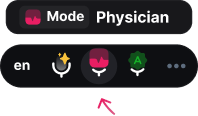
The toolbar, bottom-center of the screen
Download PNG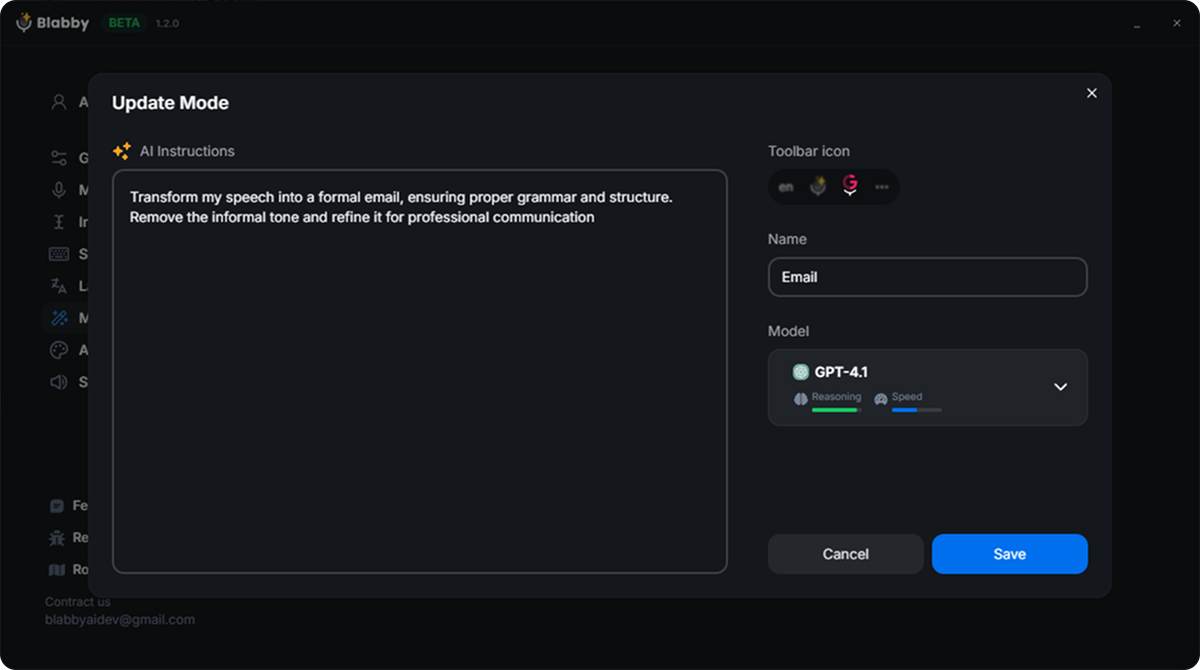
Custom modes: a free-form AI instruction
Download PNG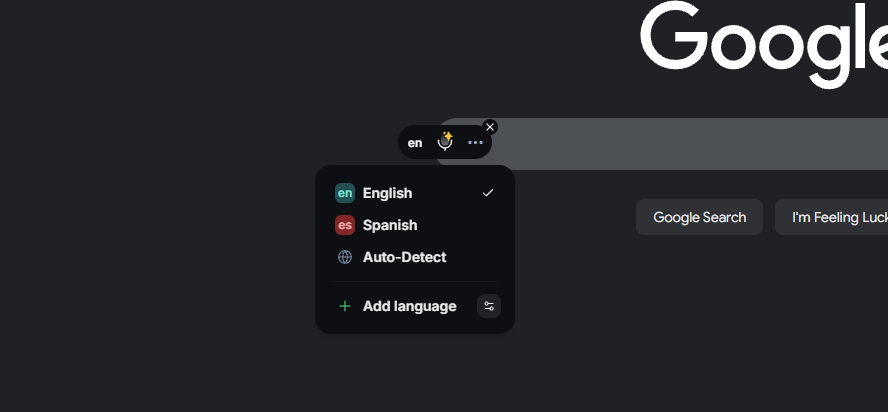
90+ languages with auto-detect
Download PNGWhat BlabbyAI does, precisely
Written out so a review does not have to guess. These are the distinctions people most often get wrong.
It types into any text field
There is nothing to integrate. Blabby types wherever the cursor already is, so Word, Gmail, Slack, Notion, Todoist, an IDE and a browser form all work by default. The Windows shortcut is Ctrl+Space and it works system-wide, whichever app is focused.
Custom modes are a free-form instruction, not a fixed feature list
A mode is a second AI pass over what you just said. Because the instruction is written in plain language, a mode can clean up grammar, translate, strip filler words, reformat speech as an email or a bulleted list, or honour spoken commands you define yourself, such as saying "new paragraph" to get a real paragraph break.
Your speech is the input, not a prompt
A mode reshapes what you said. It does not answer it. Say the actual sentence you want written and the mode formats it.
Dictation only
Blabby writes text into the focused field. It does not click buttons, submit forms or drive other apps, and it transcribes live speech rather than uploaded audio files.
History is local, on Windows
The Windows app writes each recording to disk the moment it stops, before transcription runs, so audio survives a failed transcription and can be re-run later. History never leaves the machine.
Windows desktop app
System-wide dictation with a global Ctrl+Space shortcut, a toolbar above the taskbar, and local History. No account needed to start.
Add to ChromeChrome extension
The same dictation inside the browser, with nothing to install on the machine. Works on managed and locked-down laptops, on Chromebooks, and on macOS.
View on the Chrome Web Store